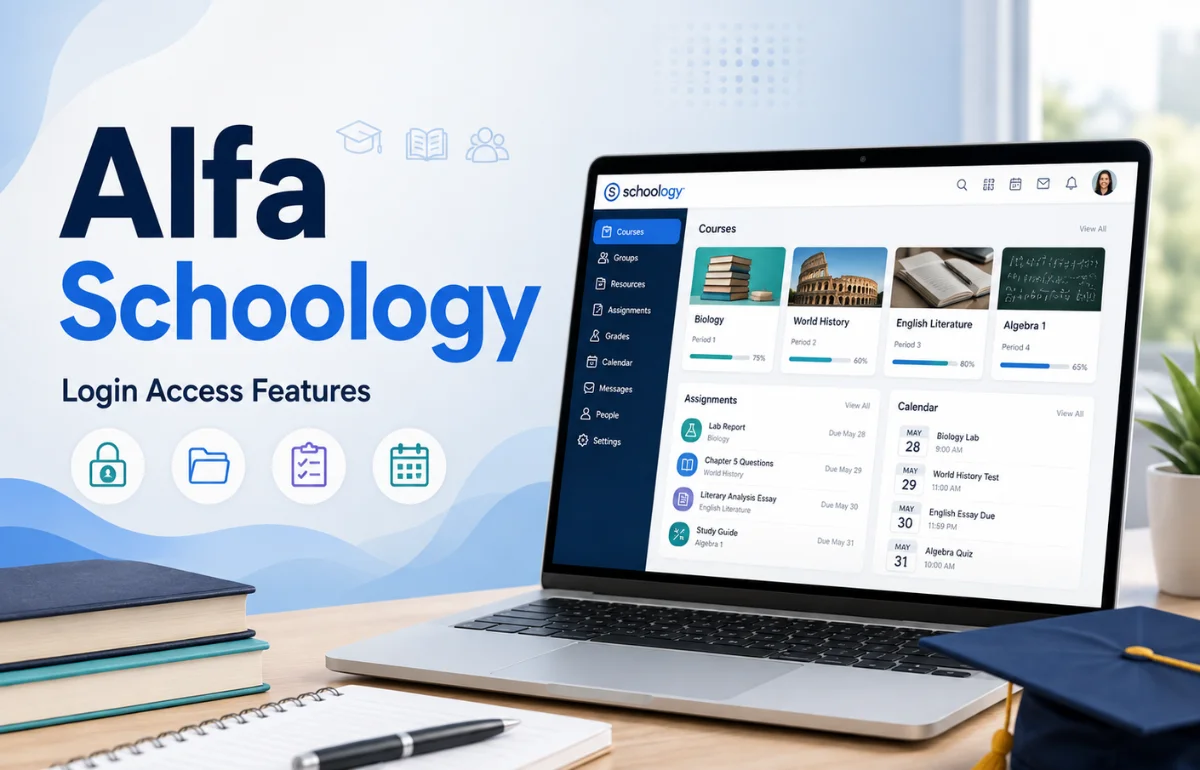
Alfa Schoology is the Schoology Learning environment associated with Alfa Fundación, an educational organization based in Monterrey, Mexico. It is not a separate learning management system called “Alfa” or a special new edition of Schoology. Instead, Alfa Fundación uses an institution-specific Schoology portal to give authorized users access to digital learning resources through the broader Schoology platform.
Schoology itself is a learning management system, or LMS, offered by PowerSchool for organizing courses, assignments, assessments, communication, and other learning activities.
When I checked the live Alfa Schoology portal on August 19, 2026, I found another detail that many online explanations miss: the official Alfa Fundación Schoology address currently redirects users to Microsoft authentication. That distinction matters if you are trying to understand the platform or simply get into your account.
What Is Alfa Schoology Used For?
The easiest way to understand Alfa Schoology is to think of it as a private digital entrance to Schoology for the Alfa Fundación community.
Instead of teachers distributing every file, assignment, announcement, and learning resource through separate channels, an LMS can bring those activities together in one organized environment.
Depending on the permissions and course setup provided by the institution, Schoology can support activities such as:
- Accessing course materials
- Receiving assignments
- Submitting completed work
- Taking assessments
- Following course announcements
- Participating in discussions
- Checking deadlines
- Communicating within classes
- Reviewing academic information made available to the user
PowerSchool describes Schoology Learning as a centralized K-12 learning management environment designed to connect teachers, students, and families.
The important distinction is that Alfa Fundación controls how its own Schoology environment is configured. A feature available somewhere in Schoology should not automatically be assumed to appear in every Alfa account.
Alfa Schoology and Schoology Are Not Two Competing Platforms
One of the biggest sources of confusion around this keyword is the way some websites describe “Schoology Alfa” as though PowerSchool released a separate Alfa or Alpha edition.
I could not find authoritative evidence supporting that claim.
What can be verified is much simpler: Schoology is the LMS platform, while alfafundacion.schoology.com is a Schoology domain associated with Alfa Fundación. The foundation itself describes its educational work as supporting talented students and operating educational programs in the Monterrey metropolitan area.
Here is the practical difference:
| Term | What It Means |
|---|---|
| Schoology | PowerSchool’s learning management system for educational institutions |
| Schoology Learning | The current PowerSchool branding used for the LMS |
| Alfa Schoology | A common search phrase referring to Alfa Fundación’s Schoology environment |
| Alfa Fundación Schoology | Another way users may describe the institution-specific portal |
| alfafundacion.schoology.com | The Schoology address associated with Alfa Fundación |
This clarification sounds small, but it prevents several other misunderstandings.
Alfa Schoology is not a replacement for Schoology. It is better understood as an organization’s access point and configured learning environment within Schoology.
Alfa Schoology Login: What I Found on the Live Portal
If your main goal is to log in, the relevant domain is:
alfafundacion.schoology.com
When I opened that address during my review, it did not present me with a traditional Schoology form asking for a Schoology username and password.
Instead, it redirected to Microsoft’s sign-in system as part of Schoology’s external-account authentication process.
That suggests Alfa Fundación is currently using Microsoft-based single sign-on for this Schoology environment.
How the Login Process Works
For an authorized user, the typical flow is therefore:
- Open the Alfa Fundación Schoology portal.
- Allow the site to redirect to the institutional authentication page.
- Sign in using the Microsoft/institutional account assigned to you.
- Complete any additional authentication requested by the organization.
- Return to Schoology after successful authentication.
You should use credentials supplied or approved by Alfa Fundación rather than creating random Schoology or Microsoft credentials yourself.
This is an area where older third-party instructions can cause confusion. A website may tell you to enter a generic Schoology username and password even though the current portal uses Microsoft authentication.
What If Alfa Schoology Login Is Not Working?
First, confirm that you are entering through the official institutional Schoology domain rather than a third-party article about Alfa Schoology.
If Microsoft rejects your login, check that you are using the correct institutional email/account and that there are no typing errors.
If the credentials are correct but access still fails, the problem may involve account permissions, authentication configuration, an expired password, or an account that has not yet been enabled. Those issues generally require help from the institution rather than PowerSchool’s public website.
I would avoid repeatedly changing passwords across unrelated services until you know which account Alfa Fundación expects you to use.
How Alfa Schoology Fits Into Alfa Fundación’s Educational Environment
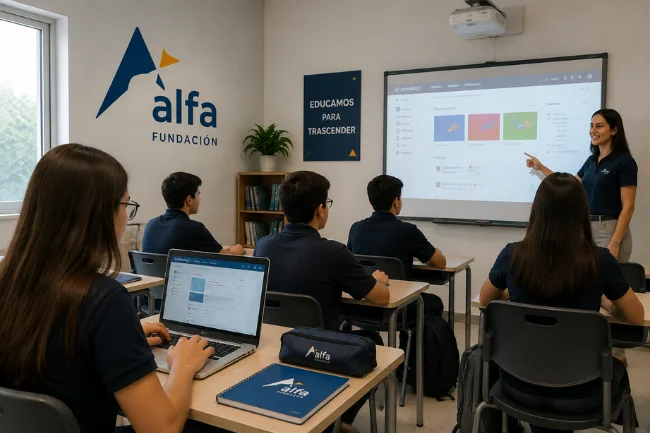
Understanding the organization makes the portal easier to put into context.
Alfa Fundación describes itself as an educational initiative focused on identifying and developing academically talented young people from communities in the Monterrey metropolitan area. Its programs include extracurricular education and high-school-level study, with a wider goal of helping students continue toward university.
That means Alfa Schoology should be viewed as part of a broader educational system rather than a public e-learning website where anybody can register.
You generally need an institutional relationship and valid account access.
This also explains why two people searching for Alfa Schoology may have very different goals. A student may want an assignment. A teacher may need course materials. Someone else may simply be trying to locate the login page.
What Students Can Use Schoology For
For students, the biggest advantage of an LMS is organization.
Instead of remembering information scattered across emails, classroom conversations, shared drives, and printed sheets, a course platform can provide a central place to find learning activities.
A properly organized Schoology course may allow a student to review materials, see upcoming work, submit assignments, receive teacher feedback, join discussions, and keep track of course activity.
The exact options shown in an Alfa Schoology account depend on the courses, permissions, integrations, and settings selected by Alfa Fundación.
That last point is worth remembering. I would not assume that a feature shown in a Schoology tutorial from another school will appear in exactly the same location—or appear at all—in an Alfa account.
What Teachers Can Do in Schoology
Schoology is designed to do more than store PDF files.
Teachers can use an LMS environment to organize course content, publish learning activities, create assessments, collect work, communicate with students, and manage digital instruction.
PowerSchool positions Schoology Learning as a platform that brings instruction, communication, and learning activities into a centralized hub.
From a teacher’s perspective, the real value comes from consistency.
When course folders, deadlines, instructions, and resources follow a predictable structure, students spend less time searching for information. Teachers also have a clearer digital location for updating materials instead of rebuilding the same communication through several different tools.
Alfa Schoology for Students, Teachers, and Families
Different users should not expect identical access.
| User | Typical Reason for Using an LMS | Access Depends On |
|---|---|---|
| Students | Courses, assignments, materials, feedback and deadlines | Enrollment and course permissions |
| Teachers | Course management, assessments, resources and communication | Teacher role and institutional setup |
| Families | Academic information or communication where enabled | Parent/family access configured by the institution |
| Administrators | User, course and organizational management | Administrative permissions |
This is also why generic claims such as “parents can see every grade in Alfa Schoology” should be treated cautiously.
Schoology supports broader school-family connections, but what a specific Alfa user can see depends on how Alfa Fundación has configured access.
Useful Schoology Features to Know About
Courses and Learning Materials
Courses give teachers a structured area for lessons and resources.
A well-designed course can reduce the familiar problem of students asking where a file, reading, worksheet, or instruction was posted.
Assignments and Assessments
Digital assignments give teachers a place to communicate requirements and collect student work.
Assessment tools can also support online quizzes and other forms of evaluation, although the exact tools available depend on the course and institutional configuration.
Discussions and Communication
Schoology includes collaborative and communication functionality that can keep academic conversations connected to the relevant learning environment.
That can be more useful than moving every course question to unrelated messaging apps.
Calendar and Deadlines
For students managing several courses, due-date visibility can be one of the most practical LMS features.
The value is not merely having a calendar. It comes from teachers consistently entering accurate dates and students developing the habit of checking them.
Mobile Access
Schoology also has an official mobile application. Its iOS listing describes functions including assignment creation and submission, discussions, assessments, and classroom management.
Institutional login requirements still apply, so installing the Schoology app does not bypass Alfa Fundación’s authentication process.
Alfa Schoology vs Google Classroom
People sometimes compare Schoology with Google Classroom because both can organize online learning, but they are not identical products.
| Area | Schoology Learning | Google Classroom |
|---|---|---|
| Platform type | Full learning management system | Classroom workflow and learning platform |
| Institution-specific portals | Common | Usually tied to Google Workspace domains |
| Course organization | Extensive LMS structure | Generally simpler classroom structure |
| Assessments and learning workflows | Broad LMS capabilities | Often integrated with Google tools |
| Best choice | Depends on institution requirements | Depends on institution requirements |
For an Alfa Fundación student, however, this comparison is mostly academic.
If the institution has selected Schoology, the useful question is not which platform wins in a generic feature contest. The useful question is how to use the assigned platform efficiently and securely.
Practical Ways to Get More From Alfa Schoology
From reviewing education portals over time, I have found that the software itself is rarely the hardest part. Most frustration comes from unclear routines.
I would start by bookmarking the actual Alfa Fundación Schoology portal rather than searching for the login page every day. That reduces the chance of landing on an unofficial website.
Next, learn where your courses, deadlines, notifications, and submitted work appear. A few minutes spent understanding those four areas can save much more time during a busy academic week.
Students should also check the platform regularly instead of assuming every important update will arrive through another channel.
For teachers, consistency matters just as much. Predictable naming, folder structures, instructions, and due dates make an LMS considerably easier for students to navigate.
Privacy and Account Safety
An institutional education account can contain academic and personal information, so login security deserves more attention than it usually gets.
Never give another person your school credentials simply because they say they can fix a Schoology problem.
Check the domain before signing in, especially after following links from search engines, messages, or unofficial tutorials.
Because the Alfa portal currently redirects through Microsoft authentication, seeing a Microsoft login page after starting from the official Schoology domain is consistent with the authentication flow I verified on August 19, 2026.
If something about a login page looks unusual, return to the institution’s official resources rather than entering credentials into an unfamiliar site.
What Makes Alfa Schoology Different From a Public Online Course Website?
Alfa Schoology is tied to an educational institution.
That means it should not be confused with public course platforms where anyone can create an account, browse a catalog, and purchase or enroll in courses.
Access can depend on institutional identity, enrollment, course membership, and user permissions.
This is one of the most useful facts to know before troubleshooting. If you cannot reach a course, the problem may not be the website itself. Your account may simply lack the required enrollment or permission.
Final Take
Alfa Schoology is best understood as Alfa Fundación’s institution-specific Schoology environment, not as a separate “Alfa” LMS or an upgraded edition of Schoology.
For most users, the practical priorities are simple: use the official Alfa Fundación Schoology portal, sign in with the institutional account provided to you, understand where your courses and deadlines live, and contact the institution when account-level access fails.
If you are trying to access Alfa Schoology now, begin with the official institutional portal rather than a third-party login page and keep your assigned credentials private.
FAQs About Alfa Schoology
What is Alfa Schoology?
Alfa Schoology refers to the Schoology learning environment associated with Alfa Fundación; it is not a separate LMS product from Schoology.
How do I log in to Alfa Schoology?
Visit `alfafundacion.schoology.com`. As of August 19, 2026, the portal redirects users to Microsoft authentication for institutional sign-in.
Is Alfa Schoology the same as Schoology?
Schoology is the underlying PowerSchool LMS, while Alfa Schoology refers to Alfa Fundación’s institution-specific Schoology environment.
Can I use Alfa Schoology on my phone?
Schoology has an official mobile app, but access to Alfa Fundación courses still depends on your institutional account and its login configuration.
Why can’t I access my Alfa Schoology account?
Common causes can include incorrect institutional credentials, account permissions, authentication problems, or missing course access; contact your institution if verified credentials still fail.

Noah Sterling is a technology research writer with 8+ years of experience covering emerging technologies, software trends, digital tools, and innovation. He creates practical, research-based articles to help readers understand the evolving technology landscape.