
Every morning before my first class I post the same kind of story: a few words of a breathing cue over a picture, held long enough to read, then the next. In through the nose. Out, slowly, through the mouth. People tell me they do it while the kettle boils, which is the nicest thing anyone has said about my teaching.
For most of a year the picture behind those words was a photo I took of a tealight on my living room floor. It was a good photo. It was also the same photo every single day, and a frozen flame under the word “breathe” started to feel like a small contradiction. A flame is supposed to move.
What I wanted was modest. A few seconds of a candle doing what candles do, seen the way my phone sees the mat, in portrait, with nothing in the frame to pull the eye off the words. I did not want to film it. My flat faces a bus stop, the light is wrong before nine, and when I tried, the clip wobbled.
The stock sites first
Pexels lets you search videos without an account and has a filter for vertical clips. I typed candle, set it to vertical, and got thousands. Hovering over a clip shows a Download button on the card itself, and the file came down when I clicked it. No sign-up, no email.
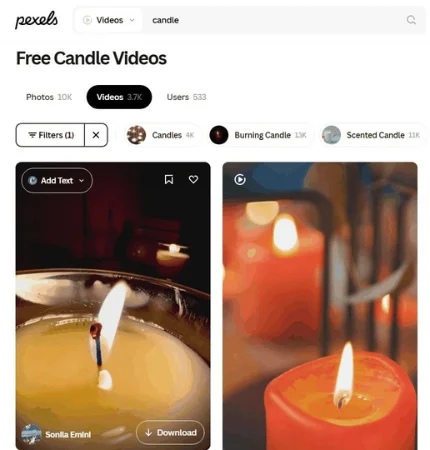
The clips were the trouble. Real candles come with real rooms. A hand with a match, a glass jar with a label, a wedding table, somebody’s bookshelf behind the flame. The plain ones I had seen before, because I follow a lot of teachers and we all type the same word into the same box.
Coverr is the other free one I use. Search works without an account, and the Download button on a clip’s page gave me the file straight away, no sign-in. Its candle results were a strange mix: a flame on a bright green screen, a stock chart, a family party, and a menu above them for showing AI-generated clips.
Describing the picture instead
The picture in my head was specific. One small candle, smooth dark stones around it, a wooden floor, soft morning light, and the camera drifting in very slowly, the way your attention does once you have settled on the mat. Nobody has filmed that, because it is not in anyone’s living room. So I wrote it down.
I opened the video page on rewind.ai and found it laid out like a counter with nobody guarding it: everything is there to read, and who you are comes up later. A wide text box for the scene, a short row of menus beneath it; the only menu I cared about was orientation, set to portrait so the clip would stand up the way a story does. Into the box went: “A candle flame flickering beside smooth river stones on a light wooden floor, soft morning light, calm and quiet, slow camera push-in.” Cinematic was already chosen as the style, and I left it.
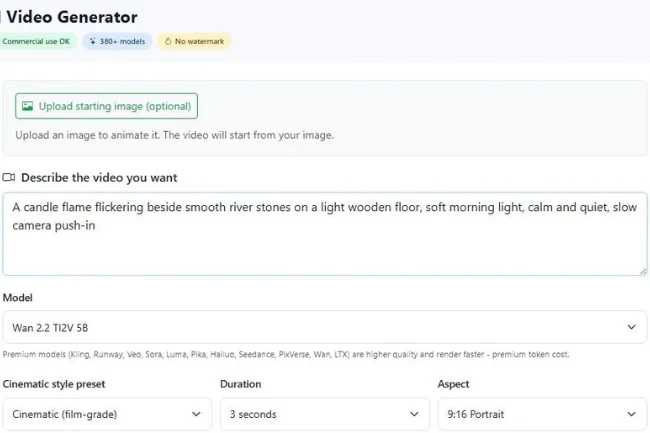
When I pressed Generate, it wanted one thing from me: my email address; nobody asked me to choose a password or reach for a card. Then a line told me it had finished, the clip played beneath it, and under that sat a download button and a second one for sharing a link instead of the file.
The clip is what I described. A tealight in a little terracotta cup, the flame tall and soft, dark stones around it on honey-coloured floorboards, a blurred wall behind, and the flame’s warm reflection on the wood. The camera eases forward, barely, which is exactly the amount. Three seconds is what a free clip runs to, and that suits a loop, because nothing in those seconds happens that you would notice repeating.
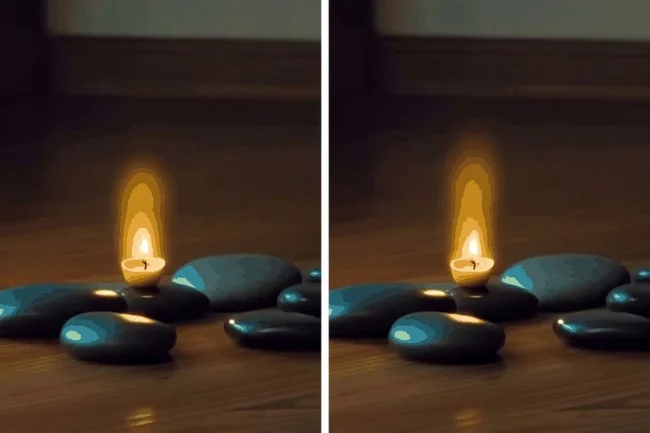
Everything above came from the text to video AI tool on rewind.ai; the one setting worth checking twice is the aspect menu, Portrait, so the clip fits a story without cropping.
The other AI tools, same morning
Hailuo has a prompt box right on its homepage, and it let me type the whole candle description. Pressing Create opened a sign-in box: Google, Apple or Facebook, plus a terms checkbox. A corner popup promised free credits for signing up. I closed the tab.

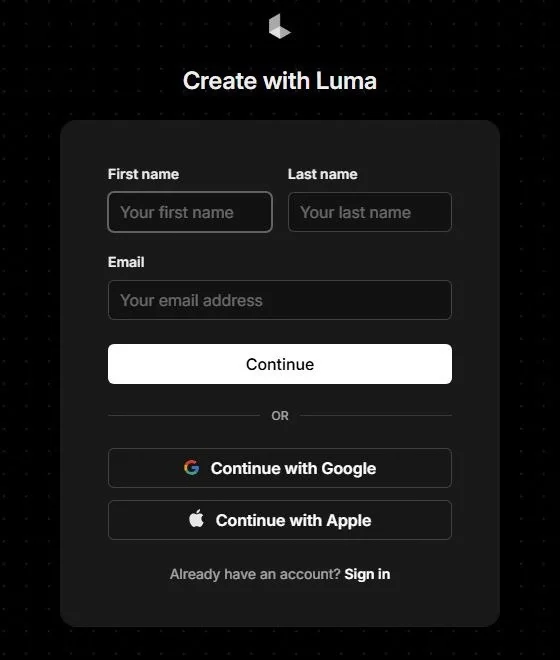
Luma opens on a page about creative agents, with a Try for free button. Press it and you land on a sign-up form rather than a tool: first name, last name, email, or Google or Apple. My full name, to see a candle, felt like the wrong trade.
Meta AI showed me an “Ask Meta AI” box and, over it, a card that said “Sign in to get started”. You can see the box; you cannot use it. I keep my teaching account and my personal one apart, and this was not the day to mix them.
The whole morning, in one place.
| Where I looked | Before the first clip | What came back | The catch | Suits |
|---|---|---|---|---|
| Pexels | Nothing, download included | Real candle clips, vertical filter | Other people’s rooms | When any candle will do |
| Coverr | Nothing, download included | A mixed bag, with an AI-generated toggle | Green screens and stock charts | A second stock search |
| rewind.ai | An email when you press Generate | The scene I described, in portrait | You write the scene; the prompt is the work | A background that matches your picture |
| Hailuo | Prompt: yes, Create: no | A sign-in box | Google, Apple or Facebook first | People already signed up there |
| Luma | A sign-up form | Name and email fields | Full name to see the tool | Not a quick morning job |
| Meta AI | A sign-in card over the box | A sign-in card | The box you can see but not use | People already inside Meta’s apps |
Writing a calm prompt
This is the part worth slowing down for, because the clip is only as still as the sentence that made it.
- Build the scene around a single subject, a simple surface, gentle lighting, and one unhurried camera movement. Candle, floor, morning light, push-in. That is the whole prompt.
- Describe the atmosphere using simple language, and include the word “slow” when specifying how the camera should move. “Calm and quiet” carried more than anything fancier would have.
- Keep people out of it. No hands, no faces, no feet on the mat. A background is the thing nobody should look at directly, and a person in it invites a look.
- No text, no labels, no printed anything. Whatever letters appear will not be the ones you wanted.
- When creating a scene inspired by nature, such as ocean waves or rainfall on leaves, describe the main visual elements, the direction of the lighting, and a single gentle motion. Leave the feelings for the cue.
Putting it in the story
The clip is three seconds, so I copied it end to end a few times in the phone’s editor until it ran as long as a cue takes to read, then added the words in the story editor the way I always have. The flame moves under the words. The words stay put. After a year of using a still image, the moving flame now adds gentle motion while the breathing instructions remain steady on the screen.
On the last card I added one line: the candle is not real. The breathing is. Nobody has asked for the photo back.

Noah Sterling is a technology research writer with 8+ years of experience covering emerging technologies, software trends, digital tools, and innovation. He creates practical, research-based articles to help readers understand the evolving technology landscape.