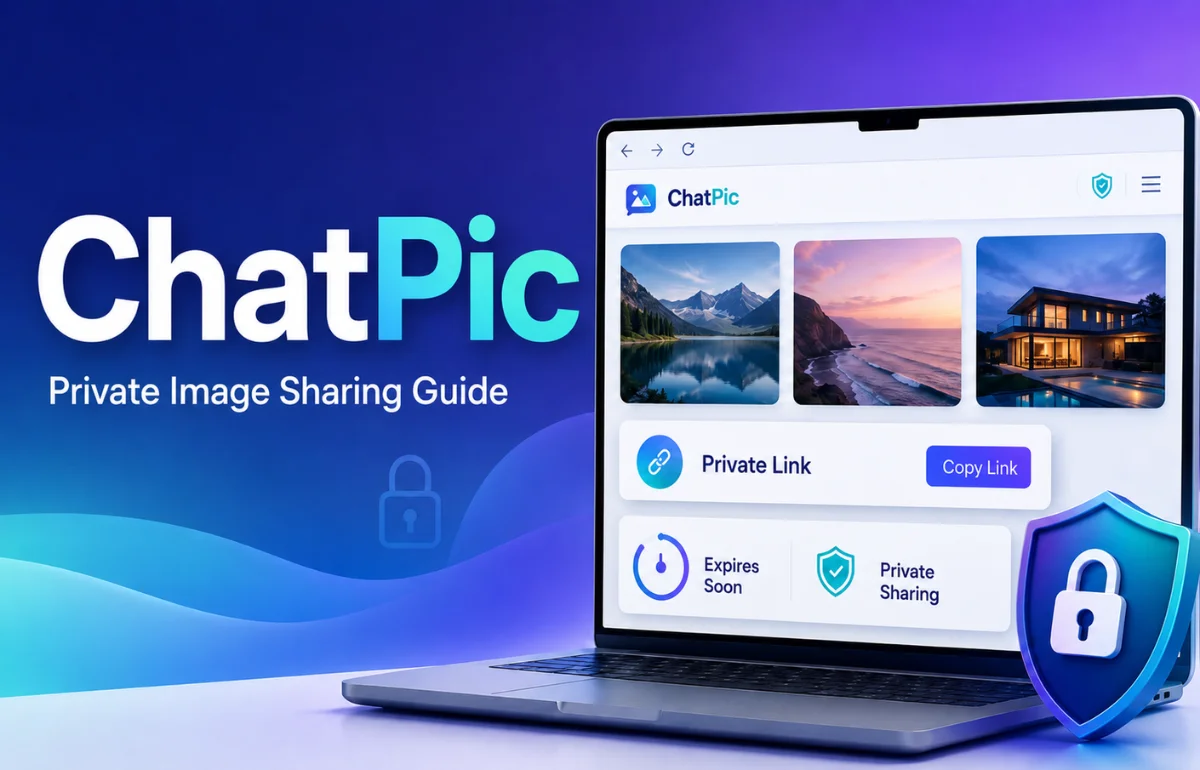
ChatPic is a name currently associated with online image-sharing services that let people upload pictures and send them through shareable links. The active ChatPic.io service describes itself specifically as a temporary, privacy-focused image-sharing tool: users can upload images, create private links, set expiration periods or view limits, add password protection, and have files deleted automatically when selected conditions are reached. No account is required for its basic sharing process.
That definition matters because the name ChatPic has been used by more than one website over the years. Some older references describe ChatPic.org as an anonymous image-sharing community, while newer ChatPic-branded domains offer different combinations of private hosting, temporary links, guides, or related services. In other words, “ChatPic” should not automatically be treated as one universal app or company.
When I checked the current ChatPic landscape in August 2026, that distinction was the first thing that stood out. Anyone researching ChatPic should look at the exact domain and features instead of assuming every result with the name refers to the same platform.
What Is ChatPic Used For?
At its simplest, ChatPic is useful when you want to send someone an image without posting it publicly or keeping it stored online indefinitely.
Instead of uploading a picture to a social media profile, creating a shared cloud folder, or sending a permanent attachment, a temporary image-sharing service generates a link that you give to the intended viewer.
The current ChatPic.io service is built around that temporary-sharing model. Its homepage says users can set expiration times, maximum view counts, optional passwords, and automatic deletion conditions. It also offers an uploader dashboard for managing an active share.
Typical uses can include:
- Sending a troubleshooting screenshot to technical support
- Sharing a client preview for a limited period
- Passing an image between team members without permanent hosting
- Sending a photo through a chat without putting it on a public feed
- Sharing time-sensitive visual information
- Giving someone access to an image for only one or a few views
The appeal is less about storing photos and more about controlling access to them.
How Does ChatPic Work?

The exact process depends on which ChatPic-branded service you are using, but ChatPic.io presents a straightforward browser-based workflow.
1. Upload Your Images
You select one or more images from your device.
ChatPic.io currently states that a single share can contain up to 10 images, with a maximum file size of 10 MB per image. The upload interface lists common web image formats such as JPEG, PNG, GIF, and WebP, although another part of the site’s FAQ lists JPG/JPEG, PNG, and WebP. That small documentation inconsistency is worth checking if you plan to upload GIF files regularly.
2. Choose How Long the Share Should Exist
Temporary sharing is one of ChatPic’s main features.
The service allows users to control availability through an expiration date or view-based limit. Its interface also includes a “burn after view” option designed to remove an image after its first opening.
That makes it different from ordinary image hosting, where an uploaded file may remain available until somebody manually deletes it.
3. Add Access Controls
You can optionally protect a share with a password.
A view limit can also determine how many times the image may be opened before it becomes unavailable. According to ChatPic’s documentation, reaching the selected limit can trigger automatic deletion.
4. Generate and Send the Link
After the upload is complete, the service produces a private link.
You can then send that URL through email, messaging apps, support tickets, workplace chats, or another communication channel.
A private link should not be confused with guaranteed confidentiality, however. Anyone who receives or obtains the link may potentially access the content while it remains valid unless additional protection is enabled.
5. Manage the Share
ChatPic.io currently provides a separate dashboard link to the uploader.
The dashboard can show information including total views, remaining views, expiry time, image count, and countries from which a share was accessed. Users can also extend an expiry period or delete an active share. The site warns users to save the dashboard URL because it acts as the management route for that particular upload.
Main ChatPic Features at a Glance
| Feature | What it does | Why it can be useful |
|---|---|---|
| No-account upload | Lets you share without creating a profile | Reduces setup time |
| Expiring links | Makes a link stop working after a selected period | Useful for temporary sharing |
| View limits | Restricts how many times a share can be opened | Adds access control |
| Burn after view | Removes content after its first opening | Useful for highly temporary sharing |
| Password protection | Requires a password before access | Adds another access barrier |
| Automatic deletion | Removes files after limits are reached | Reduces long-term online exposure |
| Private dashboard | Shows activity and management controls | Helps monitor an active share |
| Session watermarking | Can associate a viewing session with a visible identifier | May help trace leaked screenshots |
These features are based on the functionality currently described by ChatPic.io itself.
Is ChatPic the Same as ChatPic.org?
This is where searches for ChatPic become confusing.
Older internet references describe ChatPic.org as an anonymous, image-based platform where people could upload pictures and interact around shared content. Current searches also surface several newer websites using variations of the ChatPic name.
Meanwhile, ChatPic.io explicitly says its present service is not a public image board, community feed, or chat-room platform. It describes itself as a private temporary image-sharing service.
ChatPic.co.uk also distinguishes itself from the former ChatPic.org and publishes information about the older platform alongside its own image-sharing-related content.
That means a search for “ChatPic” in 2026 may refer to different things depending on the page, date, and domain involved.
Before uploading anything, I recommend checking three things:
- The exact domain name
- The site’s current privacy policy and terms
- Whether the features described by another article actually exist on that domain
This sounds basic, but it solves much of the confusion surrounding ChatPic.
Is ChatPic an AI Image Generator?
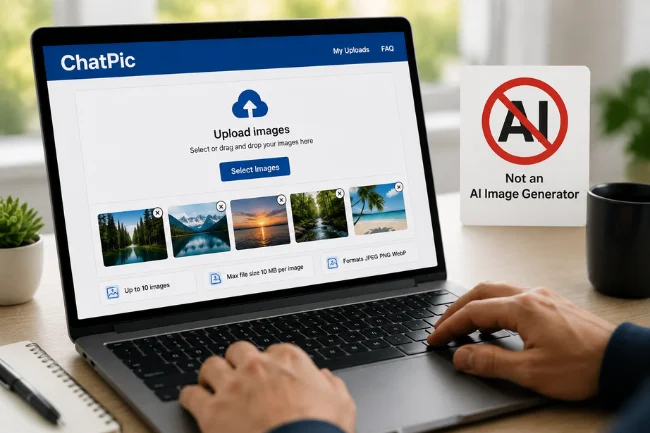
Not in the case of the currently indexed ChatPic.io service.
Some online articles and search results describe “ChatPic” as an AI tool that creates or edits pictures from text prompts. Other ChatPic-named sites may indeed offer AI-related functionality.
However, ChatPic.io currently identifies its core product as temporary image sharing. Its interface asks users to upload existing images rather than type prompts to generate new ones.
If your goal is AI image generation, check the exact product you are reading about. A page discussing text-to-image generation may be referring to a different ChatPic-branded service or may simply be describing the name inaccurately.
ChatPic vs Regular Image Sharing
ChatPic’s temporary approach makes more sense when compared with ordinary ways of sending photographs.
| Sharing method | Typical purpose | Temporary access | Public exposure | Account commonly needed |
|---|---|---|---|---|
| ChatPic.io | Controlled temporary image sharing | Yes | Designed to avoid public posting | No |
| Social media | Publishing and conversation | Usually limited | Often public or audience-based | Usually |
| Cloud photo storage | Storage, backup, albums | Usually not the main feature | Normally private until shared | Usually |
| Messaging apps | Direct communication | Sometimes | Generally conversation-based | Usually |
| Traditional image hosts | Hosting an image and generating a URL | Varies | Public or link-based | Varies |
ChatPic makes the most sense when the image itself only needs to remain accessible for a limited purpose.
It is less suitable if your priority is permanent photo backup, searchable galleries, public discovery, collaborative editing, or long-term archiving.
How Private Is ChatPic?
Privacy claims deserve more scrutiny than marketing language alone.
When I reviewed ChatPic.io’s privacy information, I found that the service says uploaded images are stored temporarily until their chosen expiration or view limit is reached. It also says it may collect limited technical information including IP addresses, browser/device information, and access timestamps for security, abuse prevention, and service performance.
That distinction matters.
“No signup required” does not mean “no technical data is processed.” Most web services need to process some connection information simply to operate, secure the platform, and respond to abuse.
ChatPic’s privacy policy also states that it does not permanently store images beyond their intended lifespan and says it does not sell, rent, or trade user data. At the same time, the policy correctly acknowledges that no transmission or storage method can be guaranteed to be completely secure.
I consider that final point especially relevant because disappearing images can create a false sense of security.
Can Someone Save a ChatPic Image Before It Disappears?
Yes, potentially.
Expiration removes access through the hosting service after a selected condition is reached. It cannot control every action performed by a person who already saw the image.
ChatPic’s own FAQ states that a website cannot reliably prevent screenshots across every browser and device.
A recipient could potentially:
- Take a screenshot
- Photograph the screen using another device
- Save the image if downloading is available
- Copy sensitive information visible inside the picture
Temporary sharing therefore reduces the amount of time a hosted file remains accessible; it does not make copying technically impossible.
I would never treat a one-time link as permission to send an image that would cause serious harm if copied or leaked.
What About Image Ownership and Copyright?
ChatPic.io’s current terms state that users retain ownership of the content they upload.
The terms grant the service a limited license to store and process uploaded content for operating the image-sharing service. They also prohibit content that violates copyright, privacy rights, laws, or other intellectual property protections.
The practical rule is straightforward: only upload content that you own or have permission to share.
Temporary deletion does not remove copyright responsibilities.
Who Is ChatPic Best For?
I see the current version of ChatPic as a utility rather than a social network.
It can be useful for:
Customer Support
A customer can send a temporary screenshot showing an error, account screen, or visual problem without creating a permanent public upload.
Sensitive information such as passwords, payment details, authentication codes, home addresses, or personal identification should still be removed before sharing.
Freelancers and Creative Teams
Designers, editors, marketers, and other visual professionals may want to show a temporary preview without creating an entire cloud folder.
View limits and expiry controls can be useful when the material is relevant only during a short review period.
Everyday Private Sharing
Sometimes you simply need to send someone a screenshot or picture and do not want to publish it to a profile or leave a permanent hosting URL behind.
That is the situation where ChatPic’s streamlined model is easiest to understand.
The Biggest Strengths and Limitations
The strongest part of ChatPic is control.
Expiration settings, view limits, optional passwords, automatic deletion, and no mandatory account give users more choices about how a link behaves than a basic permanent image host.
The biggest limitation is that controlled hosting is not the same thing as complete control over the recipient.
Once another person can see a picture, technology cannot guarantee that the information will never be copied.
There is also a broader branding problem: multiple websites and articles currently use the ChatPic name in different ways. That means users need to pay closer attention to domains, privacy documentation, ownership, and current functionality than they would with a clearly defined single product.
What I Would Check Before Using ChatPic
Before uploading anything personal, I would verify the site’s privacy policy again because policies and features can change.
I would also remove unnecessary metadata and sensitive information from the image itself, choose the shortest practical expiration period, set a sensible view limit, and use password protection when the content deserves an extra barrier.
Most importantly, I would assume that the recipient can preserve anything displayed on their screen.
Temporary links are useful risk-reduction tools. They are not a substitute for judgment.
FAQs About ChatPic
What is ChatPic?
ChatPic.io is currently a temporary image-sharing service that lets users upload pictures and share them through controlled links with expiration, view-limit, and optional password settings.
Is ChatPic still working in 2026?
ChatPic-branded services are active in 2026, including ChatPic.io, although the name has been used by multiple websites, so users should check the exact domain they intend to visit.
Is ChatPic free?
ChatPic.io currently states that its image-sharing service is free to use and does not require an account for uploading.
Is ChatPic safe?
ChatPic offers privacy-oriented controls, but no image-sharing website can guarantee complete security or prevent every screenshot. Avoid uploading content that would be seriously damaging if copied.
Does ChatPic delete images automatically?
ChatPic.io states that uploaded images can be automatically deleted when their expiration period ends or the selected maximum view count is reached.
Final Thoughts on ChatPic
ChatPic is best understood today as a name connected with image-sharing services, with ChatPic.io currently focusing on temporary and controlled sharing rather than permanent public hosting.
Its combination of expiring links, view limits, passwords, automatic deletion, and account-free uploading can be genuinely useful when you only need an image available for a limited purpose. The more important lesson, though, is to know exactly which ChatPic website you are using and what happens to your files after upload.
Before sharing a personal or sensitive image, read the current privacy policy, choose restrictive access settings, remove information the recipient does not need, and remember that anything visible on a screen can potentially be copied.

Noah Sterling is a technology research writer with 8+ years of experience covering emerging technologies, software trends, digital tools, and innovation. He creates practical, research-based articles to help readers understand the evolving technology landscape.