
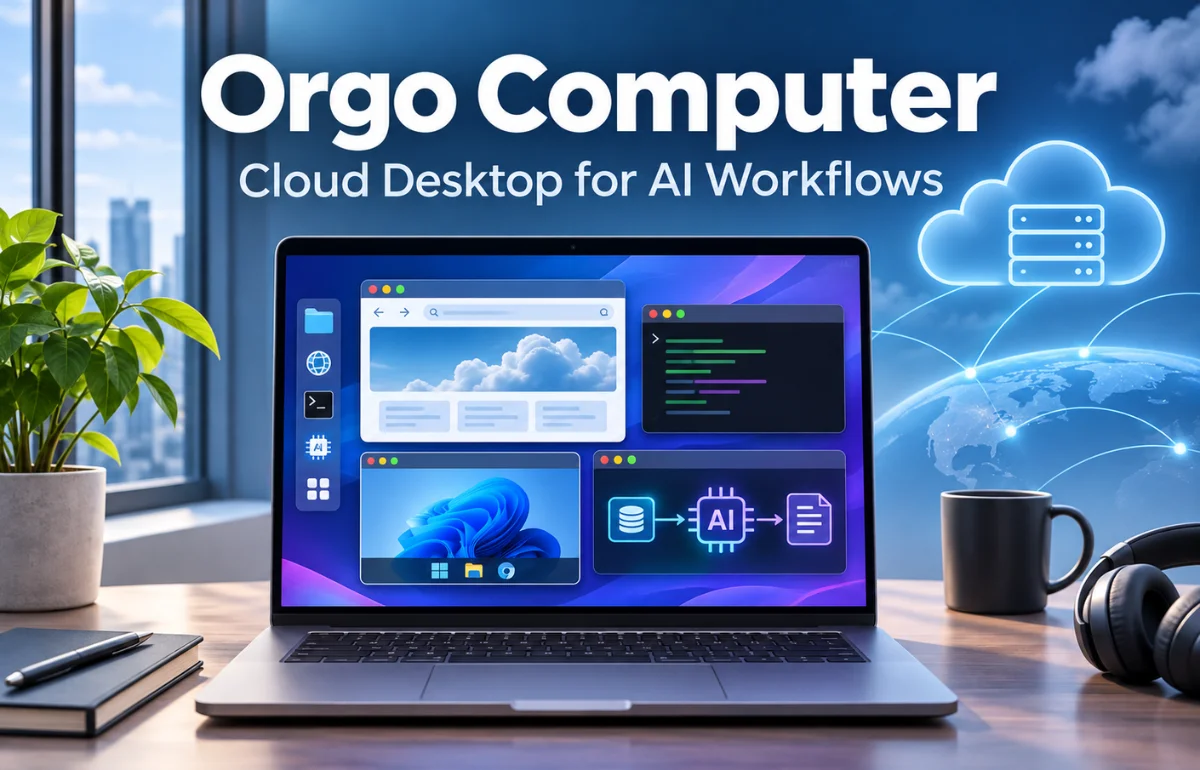
An Orgo computer is a cloud-based virtual computer designed for AI agents to operate software, browse websites, manage files, and complete tasks through a real desktop interface. Instead of running an AI assistant on your personal laptop, you give it a separate computer hosted by Orgo, where it can use a browser, keyboard, mouse, and terminal. You can watch the desktop, take control when needed, or connect an AI model that performs actions automatically.
This makes Orgo computer technology useful for developers, businesses, and people building AI-powered workflows. It is not a new laptop brand, a standalone artificial intelligence model, or a replacement for every cloud server.
It is infrastructure that gives AI software somewhere to work. I find that distinction essential: the intelligence decides what to do, while the cloud computer provides the environment in which it happens.
What Is Orgo Computer, Exactly?
Orgo is a platform from Organic Intelligence, Inc., a San Francisco company founded in 2025 and listed in Y Combinator’s Fall 2026 batch. Its focus is straightforward: provide individual, persistent cloud desktops that people and AI agents can access remotely.
Orgo’s company information and its Y Combinator profile describe the same underlying idea.
A normal computer sits on or under your desk. An Orgo computer runs in a remote computing environment. You connect through a web dashboard or developer tools, then interact with the desktop much as you would with a physical machine.
A Computer for an AI Agent, Not an AI Model
Think of the difference between a driver and a vehicle. An AI model or agent is the driver; Orgo supplies the vehicle.
The agent can interpret a goal, examine the screen, and choose actions. The cloud computer supplies the operating system, applications, storage, and input controls.
How Does an Orgo Computer Work?
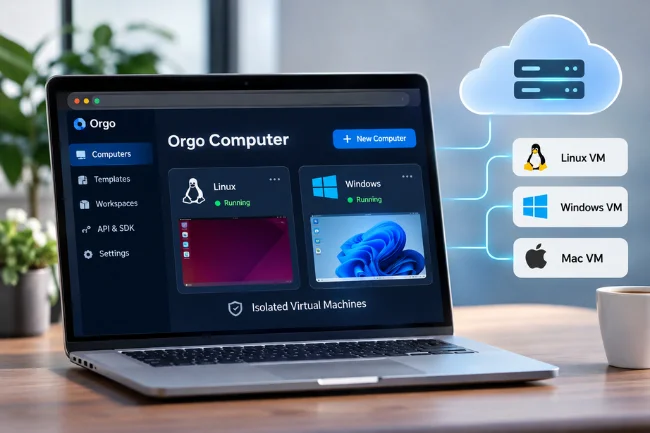
Behind its familiar screen, an Orgo computer uses cloud infrastructure. Linux and Windows machines are isolated virtual machines, each with its own disk.
The service exposes the screen and input controls through a dashboard and programmable interfaces. Some other device types, including Macs and iPhones, have different availability and provisioning arrangements.
From Instruction to Action
Suppose you ask an agent to review a supplier’s website and prepare a comparison sheet. The agent first receives your instruction. It then observes the desktop through a screenshot, opens a browser, enters search terms, navigates pages, and records relevant information.
After each meaningful action, it can inspect the updated screen and decide what to do next. This observe-decide-act-check cycle is known as computer use.
An agent can also run commands in a terminal when the task calls for it. Orgo provides individual computer-action endpoints as well as an optional computer-use API that manages the interaction loop.
The latter saves developers from writing every screenshot-and-click exchange themselves. The official API explanation describes both approaches.
Why a Real Desktop Makes a Difference
Some business software has no convenient integration or public API. A computer-using agent may still work with that software by interacting with its visible interface, subject to access restrictions and the software’s terms.
I see this as Orgo’s practical advantage over text-only automation. It lets an agent work through familiar screens rather than requiring a custom integration for every button.
However, a visible interface can change unexpectedly, so the system still needs supervision and error handling.
Main Features of Orgo Cloud Computers
Persistent Desktops and Files
A persistent computer can retain installed applications, local files, and settings between work sessions.
If you stop and restart an Orgo machine, its saved disk remains available, although running processes and unsaved information held only in memory do not survive a stop.
Orgo also advertises daily backups, but backups should not replace your own protection for business-critical data.
Remote Viewing and Human Takeover
Orgo lets you view a computer’s desktop remotely and interact with it using a keyboard and mouse. That means you can inspect what an agent is doing, correct a mistake, or handle a login prompt before returning control.
For me, this human takeover option is more meaningful than a promise of fully hands-free automation.
A practical AI workflow should have a way to recover when a website changes, a confirmation appears, or the agent becomes uncertain.
Multiple Operating Systems and Flexible Resources
Linux is widely accessible through the platform, with Windows support and more limited Mac and iPhone availability.
Options and eligibility vary by plan and device inventory, so I would check the current dashboard before planning around a particular operating system.
Computer sizes differ in virtual CPU, RAM, and disk capacity. You can choose a lighter machine for web tasks and allocate more resources when software demands them.
Orgo also supports resizing and managing multiple computers from one account.
APIs, SDKs, Templates, and Workspaces
Developers can create and control computers using Orgo’s API, command-line tools, software development kits, and Model Context Protocol (MCP) integration.
Templates make it easier to repeat an environment with chosen software or settings.
Workspaces help separate teams, projects, and customers. This becomes particularly valuable for an agency managing several clients: one client’s browser sessions and files should not be casually mixed with another’s.
These capabilities are documented in the Orgo platform introduction.
Practical Uses: What Can You Do With an Orgo Computer?
Research and Information Gathering
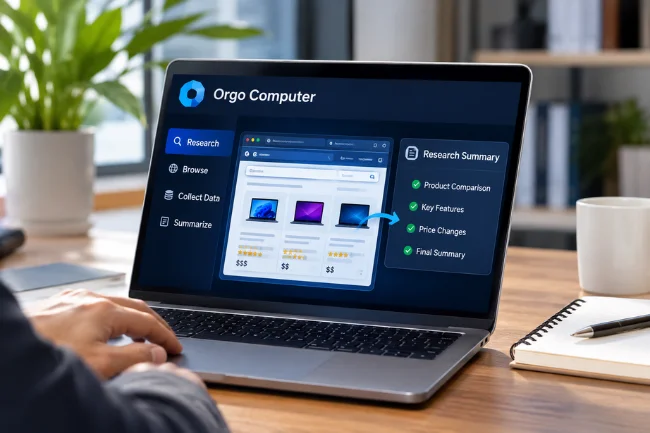
An AI agent can visit approved websites, collect publicly available details, compare products, and organize findings into a document.
For example, a researcher might monitor changes on a handful of vendor pages and prepare a summary for human review.
I would still verify important numbers against their original sources. An agent can misread tables, overlook dates, or confuse similarly named products.
It should assist research, not turn unchecked information into published facts.
Business Administration
Teams may use a cloud desktop for repetitive browser-based work, such as moving information between permitted systems, updating internal records, or drafting routine reports.
Tasks with predictable screens and clearly defined outcomes are usually easier to test than open-ended assignments.
Consider a small company that receives the same weekly spreadsheet from different departments.
An agent could collect the files, identify missing entries, and prepare a consolidated draft. A person would approve the final report before distribution.
Coding, Testing, and Development
Developers can run coding assistants, install packages, test browser interfaces, and maintain development environments without leaving their personal computers running continuously.
A separate desktop is especially helpful when a test requires a graphical interface rather than command-line access alone.
Templates can give each test a repeatable starting point.
Customer-Facing AI Products
A software company could assign each customer or agent a separate cloud machine.
That design provides clearer boundaries for files, sessions, and permissions than putting every user into one shared desktop.
How to Get Started With Orgo Computer
I would begin with one limited task rather than immediately connecting a cloud agent to every business account.
Visit Orgo’s official website, create an account, and explore the dashboard. From there, you can launch a computer or an agent and inspect the remote desktop.
Choose an operating system and computer size suited to your task.
Once that works, connect the tools you need. Developers can use the documented API, the Orgo CLI, or supported SDKs.
The official quickstart documentation also describes a terminal setup using npx -y orgo@latest init.
Finally, define what the agent is allowed to do, what requires your approval, and when the computer should stop.
This often determines whether a promising demonstration becomes a dependable workflow.
Orgo Computer vs. Other Computing Options
An Orgo computer overlaps with virtual private servers, remote desktop services, and browser automation tools. Yet their main purposes differ.
| Option | Main strength | Common limitation | Best fit |
|---|---|---|---|
| Orgo computer | Agent-ready desktop with remote controls and management tools | Requires careful task supervision and ongoing cost tracking | AI agents using real applications |
| Traditional VPS | Flexible server hosting and backend workloads | Graphical desktop and agent controls often need setup | Websites, APIs, and server applications |
| Remote desktop PC | Familiar human-operated workspace | May lack built-in agent-oriented APIs | Staff accessing a remote workstation |
| Headless browser automation | Efficient, scriptable browser tasks | Cannot cover every desktop application | Repeatable website testing and scraping where permitted |
I would choose Orgo when the task genuinely benefits from an agent seeing and operating a full desktop.
If all I need is a nightly database job or a single API call, a simpler service could cost less and introduce fewer moving parts.
Orgo Computer Pricing: What Should You Expect?
Orgo offers monthly plans and usage-based computing. The company’s published monthly plan prices include Starter at $29, Growth at $99, and Scale at $399, with lower effective monthly rates when paid annually.
These prices and plan allowances can change.
For on-demand Linux machines, Orgo lists different hourly rates by computer size. Its public site shows a Medium computer at $0.055 per hour, with usage billed by the second.
Windows and Mac pricing follow different rules. Model usage, additional capacity, and other services can add charges. See current pricing before subscribing.
| Example Medium Linux usage | Computer time | Cost at $0.055/hour* |
|---|---|---|
| Two hours a day for 22 days | 44 hours | $2.42 |
| Eight hours a day for 22 days | 176 hours | $9.68 |
| Running all day for 30 days | 720 hours | $39.60 |
Illustrative compute-only calculations, not a full subscription quote. Taxes, AI inference, storage arrangements, and applicable plan rules may change the bill.
This comparison reveals a point that many feature lists miss: an always-on computer and an occasional worker should not be budgeted the same way.
I would estimate actual running hours, storage, model calls, and the number of simultaneous agents before selecting a plan.
Is Orgo Computer Secure and Private?
Orgo states that Linux and Windows computers are isolated virtual machines with separate disks.
Its published security information describes encrypted connections, protected stored secrets, role-based workspace access, and scoped API keys.
Its privacy policy also states that customer content is not used by Orgo to train AI models. Review Orgo’s data information for the detailed conditions.
Those measures are useful, but they address only part of the risk. If an agent receives broad access to email, payments, or customer databases, it may still perform an unintended action inside an otherwise isolated computer.
Separate machines cannot correct a flawed instruction or a misleading webpage. A webpage may even contain instructions intended to manipulate an agent, so external content should be treated as untrusted data.
A Practical Permission Ladder
I recommend granting access gradually. First, let an agent read public information. Then allow it to edit disposable test files.
Next, permit limited access to approved business applications. Keep sending messages, publishing content, transferring money, deleting records, or changing account permissions behind explicit human approval.
This is a policy recommendation, not a built-in guarantee that every Orgo agent automatically enforces those approval stages. The developer or operator must implement the necessary checks.
Use restricted credentials, remove unneeded permissions, review activity, and avoid exposing API keys in browser-side code.
Check the AI model provider’s own privacy terms too, because model requests may be processed outside Orgo’s infrastructure.
Limitations and Questions Worth Asking
An Orgo computer does not make AI infallible. Agents can click the wrong control, misunderstand a page, get blocked by authentication requirements, or stop midway through a multi-part task.
Websites may change their layouts or prohibit certain automated activity.
Performance also depends on network conditions, computer resources, model quality, and task complexity.
A computer advertised as available quickly does not mean every task will complete quickly. Complicated workflows may require retries, monitoring, or human intervention.
There is a difference between persistence and continuity, too. Files may remain on the saved disk after a stop, but in-memory processes do not.
If your workflow depends on an application running continuously, plan for restarts and recoverable state.
Before deploying anything important, I would test whether the agent can complete the same task repeatedly, report failures clearly, and recover safely without duplicating actions.
That small reliability test is more informative than a polished one-time demonstration.
Who Should Consider Using Orgo?
Orgo makes the most sense for developers building computer-use agents, startups creating AI assistants, agencies managing repeatable client workflows, and organizations that want isolated desktops for automation.
It is less compelling if you need only ordinary cloud storage, a basic chatbot, or a powerful personal gaming computer.
My deciding question would be simple: does this workflow require an AI agent to use software the way a person uses it?
If the answer is yes, Orgo deserves evaluation. If the answer is no, I would compare simpler alternatives first.
Frequently Asked Questions About Orgo Computer
1. What is an Orgo computer used for?
It gives AI agents a remote desktop for browsing, working with applications, managing files, testing software, and automating approved tasks.
2. Is Orgo computer free to use?
Eligible new accounts may receive introductory credit, but continued computing and additional features can involve hourly or subscription charges.
3. Can I use Orgo without coding?
Yes. Orgo offers a web dashboard for launching and viewing computers; APIs and coding tools are optional for more advanced workflows.
4. Does Orgo computer support Windows and macOS?
Yes, although availability and billing differ. Linux and Windows are self-serve, while Mac access may depend on inventory or arrangements.
5. Is an Orgo computer the same as ChatGPT?
No. Orgo supplies a computer that an AI agent can operate; ChatGPT is an AI service, and compatible models can potentially control an Orgo desktop.
Final Thoughts
An Orgo computer turns a cloud desktop into a practical workspace for an AI agent. The appeal is not simply automation; it is the combination of real software access, persistent files, remote oversight, and programmable controls.
If you’re evaluating it, start with one low-risk task, measure the result and its cost, then expand only when the workflow proves reliable.
That will tell you more than any feature checklist about whether Orgo belongs in your technology stack.

Noah Sterling is a technology research writer with 8+ years of experience covering emerging technologies, software trends, digital tools, and innovation. He creates practical, research-based articles to help readers understand the evolving technology landscape.