ALOgum is a third-party website that lists Android apps and games, including original APK packages and modified versions commonly called MOD APKs. Its main purpose is to help visitors discover software outside the usual Google Play Store experience. The site advertises free downloads, unlocked features, and a catalog spanning games, editing apps, utilities, and entertainment. However, ALOgum is not an official Android app store, and a listing on the website does not establish that a file is authentic, licensed, compatible, or safe.
I reviewed ALOgum’s homepage, About page, download listings, terms, and installation advice. Below, I’ll explain the technical details, warning signs, and how I would weigh the risks.
ALOgum at a Glance
| Question | What I found |
|---|---|
| Website | alogum.io |
| Main focus | Android apps, mobile games, and MOD APK listings |
| Pricing | The site describes its content and services as free |
| Categories | Action, adventure, puzzle, racing, productivity, tools, entertainment, and more |
| Official Google Play service? | No; it operates as an independent website |
| Key consideration | File origin, app permissions, updates, and legitimacy |
These are website descriptions, not certification of its downloads. I have not installed or malware-tested its APKs.
What Does ALOgum Offer Android Users?
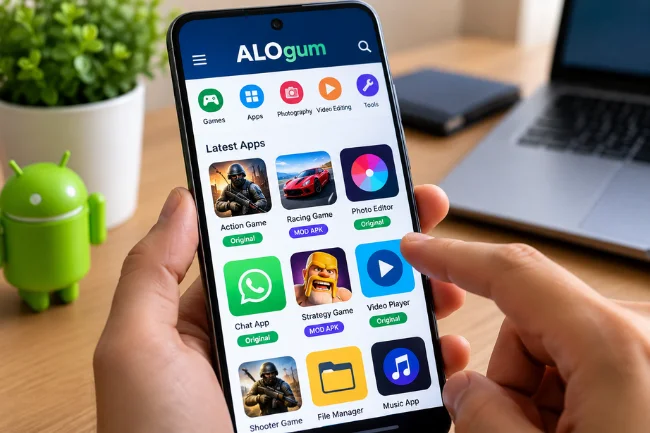
A mix of apps, games, and modified releases
ALOgum organizes software into familiar browsing categories. Its homepage features mobile games alongside photography, video-editing, launcher, and utility apps. Some listings are labeled “Original,” while others advertise changes such as unlimited in-game currency, unlocked tools, or premium functionality.
Some visitors want an ordinary Android application; others specifically seek altered features.
Those aren’t equivalent downloads. “Original” is only a label until the publisher’s source is verified. A MOD APK has been altered, potentially by someone unrelated to the developer.
Original APK versus MOD APK
| Factor | Original APK | MOD APK |
|---|---|---|
| Intended software | Publisher’s regular app or game | Altered version of an app or game |
| Features | Those officially released | May claim unlocked features or changed gameplay |
| Code integrity | Can be checked against a trusted publisher release | Code changes need separate scrutiny |
| Updates | May update normally if package and signing key match | May need a separate update and may conflict with the official app |
| Permissions and privacy | Depend on the actual app and developer | Depends on both the base app and any changes made |
| Licensing | Governed by publisher’s license | Changes or distribution may breach licenses or rights |
What matters is who built the file, whether its distribution is authorized, and whether it can be verified.
How Does the ALOgum Website Work?
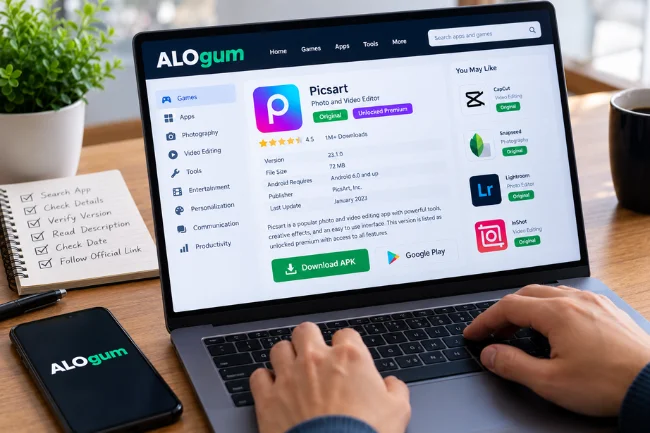
The basic browsing experience is straightforward. Visitors can search for a title, choose a games or apps category, and open an individual listing. A typical listing may include the application’s name, version, claimed modification, file size, Android requirements, publisher, descriptive text, and links associated with downloading or visiting Google Play.
On one Picsart listing I checked, ALOgum showed a January 2023 update and an “unlocked premium” description. Yet the same page urged readers to use Google Play and said it no longer supplied that modification. A homepage label may not reflect the present state of a listing.
Read the entire listing, check its date, and inspect where buttons lead. An unrelated installer or unexpected request for personal details is a reason to stop.
Why downloading an APK is different from using Google Play
An APK is an installable Android application package. Google Play also delivers APKs, often generated from an Android App Bundle for a particular device. The crucial difference is the distribution channel and its protections.
When an app comes from another website, Android treats its installation as an outside-source installation, often called sideloading. Depending on the device and Android version, the user may need to authorize the browser or file manager as an installation source. That permission should not be granted casually or left enabled unnecessarily.
ALOgum also discusses APKS packages and OBB expansion files. These concern multi-part installations and older large-game assets. Missing components can cause installation failure. Android’s documentation explains device-specific APK splits.
Why Do People Search for ALOgum?
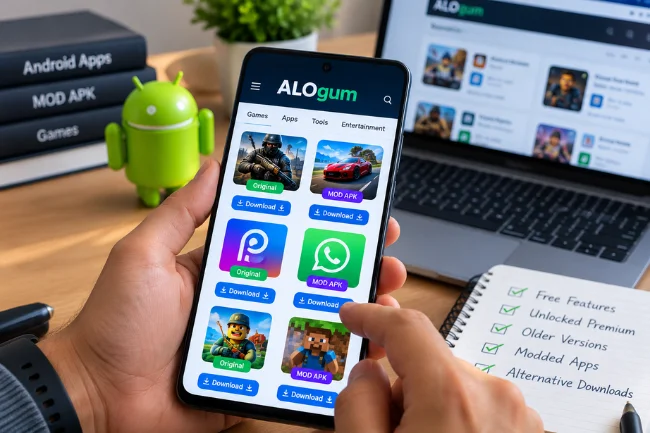
I understand the attraction. People may revisit older games, compare versions, or explore features advertised by modding communities. Organized directories make those options easier to find.
Free premium features are another draw. But “free” describes the upfront price. A risky file can expose data, interrupt account access, or break after an update. Unauthorized subscription features may raise licensing issues.
Legitimate outside-Play distribution includes enterprise software, testing builds, and direct developer releases. The question is whether a particular file and distributor can be trusted.
Is ALOgum Safe? What Its Own Pages Reveal
I found three details that deserve more attention than the website’s promotional language.
1. Safety claims are not independent audits
The homepage promotes quality, speed, and safety. Its About page describes selecting mods from outside sources and using testing and feedback to identify stable versions. Those are statements by the platform itself.
I did not find independent audits establishing that every APK is malware-free. Stable software can still do something unwanted in the background.
2. Its terms shift download risk to the user
The site’s Terms of Use say that some shared files and links come from third parties and place the risks of modifications on users. They also disclaim responsibility for third-party advertising dealings.
That limits the reassurance offered by the site’s marketing. Examine the ultimate file source, not just the directory’s branding.
3. Unrelated links are a credibility concern
During my review, the site’s About, privacy, and terms pages displayed extensive footer links pointing to unrelated gambling and streaming domains. I cannot establish from the page alone why those links are present, and they do not prove an APK contains malware.
Still, unrelated outbound links make me cautious about the website and redirects visitors might encounter.
My assessment is therefore measured: ALOgum is a real, browsable APK directory, but its public claims do not justify treating all listed downloads as verified safe. Google’s own Android guidance warns that apps obtained from unknown sources can put devices and personal information at risk.
The Main Risks of Downloading Modified Android Apps
Malware and hidden behavior
Modifying an application means changing its code or resources. Those changes may be harmless to the user, such as cosmetic adjustments, but they can also introduce trackers, unwanted advertisements, credential theft, or other harmful behavior.
I would be wary of unexpected SMS access, accessibility controls, notification reading, or permission to install other apps. Android restricts some sensitive settings because scammers misuse them.
Missing updates and broken functionality
A modified release may depend on an old application version. When the publisher updates its servers or authentication system, the altered app can stop working. Security fixes may also arrive late or never reach that build.
Android requires APK signatures, and updates normally need to match the established signing identity. A differently signed mod may not replace the official app. Uninstalling the original can remove local data.
Account penalties and licensing problems
Some online games and paid services prohibit modified clients. An account may be restricted if the operator detects an unauthorized app, although the exact response depends on the service’s rules.
Authorized mods and open-source projects exist. But redistributing proprietary software or bypassing paid features without permission can conflict with copyright, licenses, or local law. Check the publisher’s policy.
Privacy that extends beyond the website
ALOgum’s Privacy Policy states that the website collects information such as IP addresses, cookies, suggestions, and comments. That describes its stated website practices; it does not establish what a separate Android package collects after installation.
Keep two questions separate: “What does the website know about me?” and “What could the installed app access on my phone?”
My Practical Checklist Before Trusting Any APK Listing
When I review an outside download source, I look for evidence at several levels rather than relying on a single green badge or user rating.
Identify the publisher. Compare the developer with the official website and Google Play entry; copied logos prove nothing.
Check version and date. An outdated file may lack patches, even when its page appears recently edited.
Trace the destination. Avoid unrelated redirects or installers for a different operating system.
Look for integrity information. A cryptographic hash helps only when compared with a trusted reference, not just a value posted by the same unknown distributor.
Examine permissions. An offline puzzle game rarely needs access to messages or accessibility services.
Keep protections active. Run Google Play Protect and heed warnings rather than disabling checks to force installation.
That final point deserves emphasis. ALOgum’s installation article suggests switching off Play Protect when an app fails to install. I would not follow that advice. Google recommends keeping Play Protect enabled, and a security warning is a reason to investigate, not an obstacle to bypass.
Even a clean scan isn’t a guarantee against later or hidden behavior. I use multiple signals and walk away when the source remains unclear.
What Technical Details Should Advanced Users Check?
An APK filename is easy to change. Stronger evidence comes from the package identity, signing certificate, build version, and compatibility with the target device. Developers can inspect signatures using Android’s official apksigner tool, but interpreting the result correctly is crucial.
A valid signature means the file is properly signed; it does not automatically mean the signer is the original publisher or that the code is harmless. To establish continuity with an official release, an expert must compare the trusted signing identity, not merely confirm that some signature exists.
Architecture and split packages matter, too. Some apps require coordinated components for the device. Failure doesn’t prove malware, and installation success doesn’t prove safety.
If verification requires reverse engineering and investigating several redirects, I would usually choose another source.
Better Alternatives for Different Needs
If the goal is a current mainstream app, I would start with Google Play or the developer’s official website. That provides a clearer publisher relationship and a more predictable update process.
For open-source Android apps, F-Droid and the project’s own release page can be useful when the project and its publishing process are identifiable. For games, official beta programs, developer announcements, and permitted modding communities may satisfy the same curiosity without relying on an unexplained premium-unlock package.
For older versions, check for developer-supported archives. Compatibility doesn’t justify exposing a phone containing sensitive accounts to known vulnerabilities.
If the goal is avoiding a subscription, consider a genuinely free or open-source alternative with identifiable maintainers.
What If You’ve Already Installed a Suspicious APK?
Don’t panic, and don’t immediately enter more passwords into the app. If something feels wrong—unexpected pop-ups, strange permission requests, battery drain, or an account-security alert—I would take these actions:
Disconnect from suspicious interactions and avoid opening the app again.
Run Google Play Protect and review its findings without suppressing warnings.
Check the app under Android Settings, revoke unnecessary permissions, and uninstall it if you cannot verify its legitimacy.
From a separate trusted device, change passwords for accounts you entered into the suspicious app and enable multifactor authentication.
Review recent account activity and financial alerts. If sensitive information was exposed, contact the appropriate provider promptly.
For persistent malware, seek qualified support. A factory reset is a last resort that erases local data and requires backup planning.
My Verdict on ALOgum
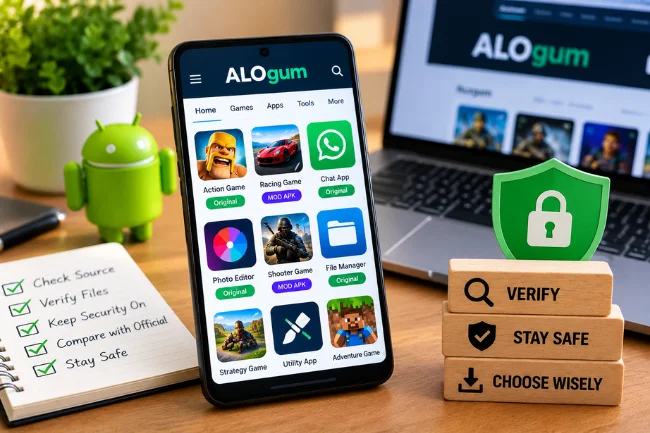
ALOgum offers an accessible window into the world of Android APKs and modified games. Its categories and recognizable app titles explain why people encounter it in searches. But convenience does not settle questions about file authenticity, licensing, updates, or privacy.
After reviewing the site’s public material, I would use it as a source of information about what is being advertised, not as automatic proof that a download is trustworthy. Before installing anything, compare the listing with the official publisher, keep Android security protections switched on, and be willing to choose another source. A few minutes of verification are far cheaper than recovering a compromised account.
Frequently Asked Questions About ALOgum
What is ALOgum used for?
ALOgum is used to browse Android apps and games, including listings for original APKs and modified versions with advertised unlocked features.
Is ALOgum a free website?
Yes. ALOgum describes its website and listed content as free, although that does not guarantee every linked file is safe or legally authorized.
Is ALOgum available on Google Play Store?
ALOgum is an independent website, not the Google Play Store. Individual apps listed there may also have official Google Play versions.
Are ALOgum MOD APK files safe to install?
Safety cannot be guaranteed across the catalog. Verify the publisher and file source, review permissions, and leave Google Play Protect enabled.
Can ALOgum APKs update automatically?
Some externally installed apps may update through a compatible source, but modified packages often face signing or version conflicts and may require manual maintenance.

Noah Sterling is a technology research writer with 8+ years of experience covering emerging technologies, software trends, digital tools, and innovation. He creates practical, research-based articles to help readers understand the evolving technology landscape.