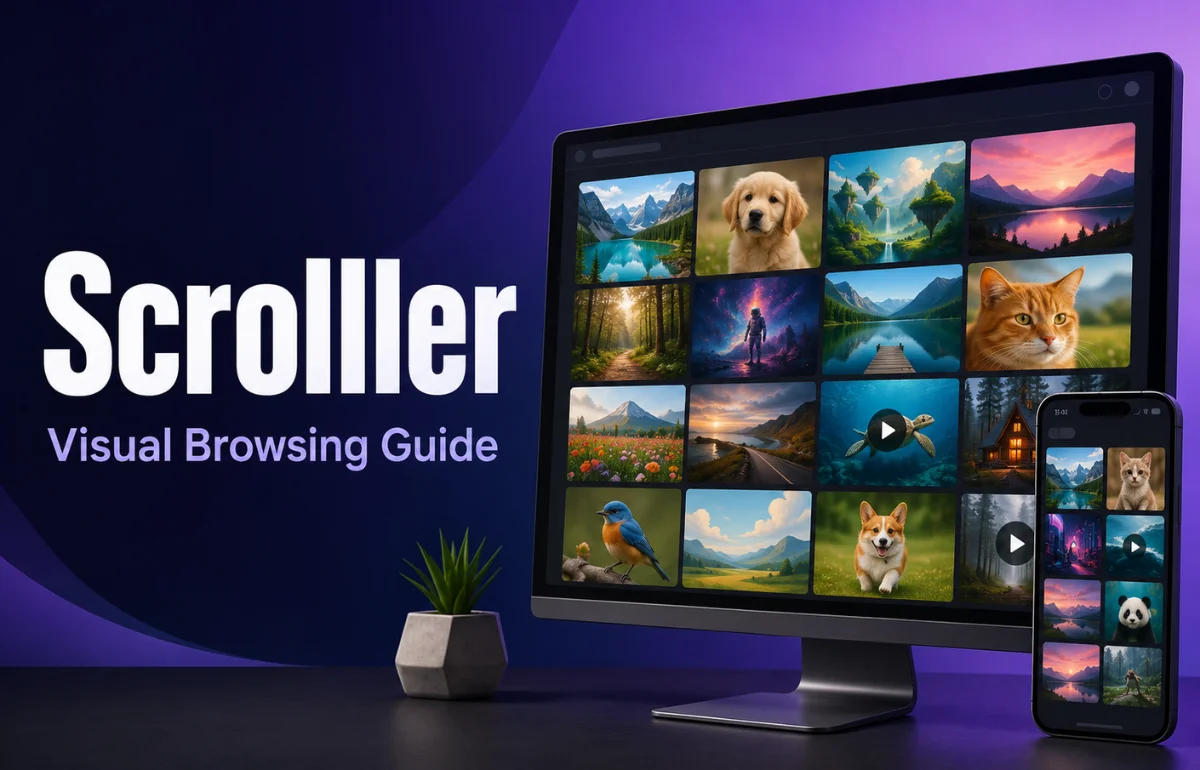
Scrolller is a browser-based visual content platform that turns image-heavy Reddit communities into a continuous gallery of pictures, GIFs, memes, and short videos. Instead of opening individual Reddit posts and moving between comment threads, a user can browse media in an image-first, infinite-scroll layout. The simplest way to understand Scrolller is as an alternative Reddit media browser: it organizes publicly available visual posts around categories, communities, and interests while removing much of Reddit’s text-heavy interface. Indexed descriptions of the service consistently identify Reddit as a major content source, although specific features and availability can change over time.
I would not describe Scrolller as a replacement for Reddit. It is better viewed as a focused viewing layer for people who care more about visual discovery than discussions, voting, moderation notes, or long comment chains.
How Scrolller Works
Scrolller collects or displays visual media associated with online communities, especially Reddit subreddits, and presents it in a streamlined feed. The platform’s appeal comes from reducing friction: users can move from one image or clip to the next without repeatedly opening posts, returning to a feed, and loading another page.
That design works well for photography, digital art, memes, nature images, wallpapers, and short clips. It is less useful when a community’s real value lies in explanations or discussion.
The source distinction matters. Scrolller is generally described as an aggregator or alternative interface, not the original publisher of every item shown. When authorship, context, licensing, or authenticity matters, I recommend following the content back to its original post and checking the creator or source there.
The Basic Browsing Flow
A typical visit follows a simple pattern:
- Open a category, community, search result, or recommended feed.
- Scroll through visual posts in a gallery-style layout.
- Open an item for a larger view or additional information.
- Move to the original source when context, comments, or attribution is needed.
- Use account-based features, when available, to follow interests or keep collections.
Older updates published by Scrolller discussed likes, follows, recommendations, categories, shareable collections, advertising, and premium infrastructure. Those updates show the product’s intended direction, but they date to 2021, so they should not be treated as a guarantee that every feature appears in exactly the same form today.
That is a useful rule for any article about Scrolller: separate the platform’s core function, which is visual browsing, from optional features that may be redesigned, restricted, or moved behind an account or subscription.
Why People Use Scrolller
Faster Visual Discovery
Reddit contains an enormous range of visual communities, but its main interface is designed for many content types at once. Text posts, links, polls, comments, community rules, and promoted content all compete for attention.
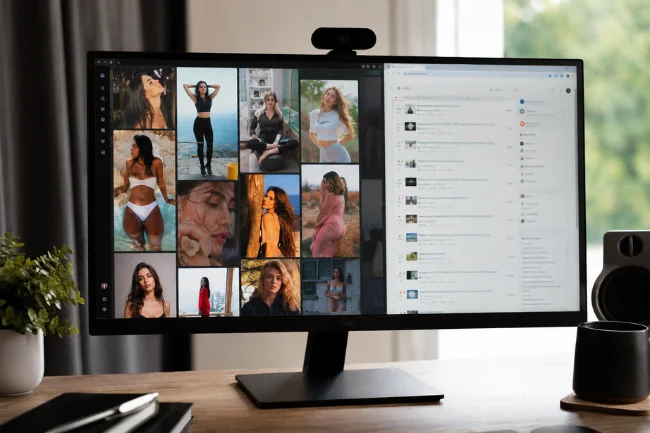
Scrolller narrows that experience. For someone looking for visual inspiration or casual browsing, the reduced interface can feel faster and more direct. The user’s attention stays on the media rather than the surrounding discussion.
Easier Browsing Across Niche Interests
Subreddits can be extremely specific, but moving among them can involve repeated opening, closing, and switching. A visual aggregator makes niche collections easier to sample, from landscape photography and illustration to humor, sports clips, and fandom content.
This can be useful when I want to explore a subject before I know which specific creator, style, or community I am looking for. Instead of beginning with a known account, I can start with an interest and follow the visual trail.
A More Immersive Feed
Infinite scroll is central to the experience. It creates continuity and makes browsing feel effortless, especially on a phone or tablet.
Endless feeds also remove natural stopping points. When I evaluate content platforms, the best interface is the one that helps me find what I came for without losing track of time.
Scrolller Compared With Reddit
The two services overlap, but they serve different browsing habits.
| Feature | Scrolller | |
|---|---|---|
| Primary experience | Visual media discovery | Community discussion and mixed-media browsing |
| Interface | Gallery or continuous feed | Posts, comments, communities, and feeds |
| Best for | Images, GIFs, memes, and short videos | Context, discussion, advice, news, and community participation |
| Source context | May require opening the original post | Usually visible around the post |
| Comments and moderation details | Less central to the experience | Core parts of the platform |
| Content controls | Depend on Scrolller’s current interface | Reddit provides account, age, community, and mature-content controls |
| Natural stopping points | Limited because of infinite scroll | Also limited, but individual threads create more pauses |
Reddit states that mature or restricted content generally requires users to be at least 18 and may require login or age-related access checks. It also provides mature-content filtering and blurring tools in its own desktop and app experiences.
Scrolller users should not assume that every safeguard, label, or preference on Reddit will behave identically in a third-party viewing layer. Filters should be checked before browsing in a workplace, school, family, or shared-device setting.
Scrolller Compared With Other Visual Platforms
Scrolller is sometimes grouped with Pinterest, Imgur, and general image-discovery services, but the content model is different.
| Platform | Main content model | Strongest use case | Main limitation |
|---|---|---|---|
| Scrolller | Visual media aggregated largely from Reddit communities | Rapid browsing across niche visual interests | Context, source details, and content controls may be less prominent |
| User posts organized into moderated communities | Discussion plus original context | The interface is not exclusively visual | |
| Saved and recommended visual links arranged as boards | Planning, inspiration, shopping, and evergreen ideas | Repetitive recommendations and commercial content | |
| Imgur | Image and GIF hosting with community discovery | Memes, albums, and shareable image links | Less structured around specialist communities |
| Tumblr | Creator blogs, reblogs, images, GIFs, and fandom culture | Following creators and visual subcultures | Discovery and moderation experience can vary |
I would choose Scrolller when the goal is quick visual exploration. I would choose Reddit when I need the story behind an image, community feedback, creator context, or a discussion that helps me judge whether a post is accurate.
Is Scrolller Safe?
Scrolller can be used for ordinary visual topics, but safety depends heavily on the categories opened, the filters available, and the browsing environment. Because its content is associated with Reddit communities, users may encounter material marked NSFW, meaning “not safe for work,” as well as content that is graphic, suggestive, or unsuitable for younger viewers.
Reddit itself restricts access to mature content based on age and account conditions and describes protective defaults for teen users. Those safeguards reinforce a broader point: a visual feed should never be treated as automatically family-friendly simply because it looks like an image gallery.
Before using Scrolller, I would take four precautions:
- Check whether safe browsing or mature-content filters are active.
- Avoid opening unfamiliar categories on shared or workplace devices.
- Do not download or repost media until the original source and usage rights are clear.
- Use browser privacy and security controls, particularly when creating an account or paying for a subscription.
A polished feed does not make every caption, username, link, or download trustworthy. Apply the same caution used elsewhere on the web.
Privacy, Accounts, and Premium Features
Some basic browsing may be available without an account, while personalization features may require signing in. Recent third-party descriptions mention optional premium access, but the exact price, benefits, payment options, and availability should be verified on the live service before purchase.
Historically, Scrolller’s own development updates discussed premium hosting, ads, likes, follows, collections, recommendations, and account-locked categories. They also described user-interest signals being used to build recommendations.
For privacy-conscious users, that leads to several practical questions.
What Data Creates the Feed?
Recommendations may be influenced by follows, likes, saved items, viewed categories, or other activity signals. Users should review the current privacy policy rather than assume that anonymous browsing and signed-in browsing are equivalent.
Browser cookies, account activity, device information, and interaction history can all affect how an online service operates. The safest approach is to read the current policy before creating an account rather than relying on an old review or screenshot.
Is an Account Worth It?
An account makes sense when saved collections, followed interests, or cross-device continuity genuinely improve the experience. For occasional browsing, I prefer to begin without an account and register only after I know which feature I need.
Creating an account simply because a pop-up requests it can lead to another unused profile holding personal data. There should be a clear benefit before registration.
What Should Be Checked Before Paying?
Confirm the current price, renewal period, cancellation process, ad policy, supported payment method, and whether premium benefits apply across devices.
Screenshots or articles from several years ago are not reliable purchase evidence. Subscription features can be renamed, removed, limited by region, or changed after a platform redesign.
The Overlooked Issues: Attribution, Bandwidth, and Attention
Most Scrolller explainers focus on convenience. I think three less obvious issues are equally important.
Attribution Can Disappear in a Fast Feed
A beautiful image can travel far from its creator. When the interface emphasizes rapid consumption, usernames, licenses, captions, and original context can become secondary.
Creators, publishers, and researchers should open the source post before embedding, quoting, downloading, or republishing anything. Visible access is not the same as permission to reuse.
This is especially relevant for commercial websites. An image appearing in a public feed does not automatically make it royalty-free, public domain, or available for marketing use.
Video and GIF Feeds Can Consume Significant Data
A media-heavy infinite feed may load many files during a short session. On mobile data, that can affect bandwidth and battery life.
Autoplay, high-resolution media, and background loading make the experience smooth, but they may also increase data consumption. Using Wi-Fi, disabling autoplay where possible, and closing unused tabs can reduce unnecessary usage.
Infinite Scroll Changes the Cost of Browsing
Traditional pages ask the user to choose the next page. Infinite scroll makes the next item automatic.
My approach is to browse with a purpose: choose a topic, set a time boundary, save what is useful, and stop when the original question has been answered.
This matters because visual discovery and passive entertainment can look identical from the outside. The difference is whether the session produces something useful or simply continues because there is no natural endpoint.
Who Should Use Scrolller?
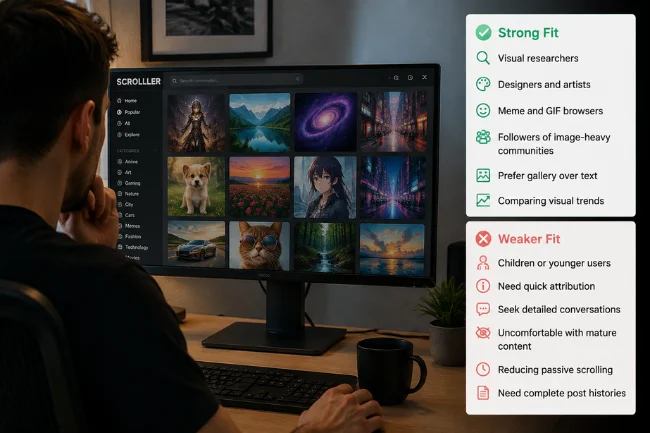
Scrolller may be a strong fit for:
- Visual researchers looking for broad inspiration
- Designers and artists exploring styles or themes
- Meme and GIF browsers
- People who follow image-heavy Reddit communities
- Users who prefer a gallery over text-led discussion
- People comparing visual trends across niche interests
It may be a weaker fit for:
- Children or unsupervised younger users
- People who need reliable source attribution at a glance
- Users seeking detailed conversations or expert advice
- Anyone uncomfortable with the possibility of mature content
- People trying to reduce passive or compulsive scrolling
- Researchers who need complete post histories and community context
How to Get Better Results From Scrolller
Start with a specific interest rather than a broad trending feed. Narrow categories usually produce a more useful session and reduce irrelevant material.
Open the original Reddit post when context matters. Comments can reveal whether an image is mislabeled, edited, reposted, generated, outdated, or missing credit.
Use saving features selectively. A small, organized collection is more valuable than hundreds of items saved without labels or a clear purpose.
Recheck content settings after logging in, changing browsers, clearing cookies, or moving to another device. Preferences do not always transfer in the way users expect.
For research or professional inspiration, record the original URL, creator name, date, and usage rights alongside the saved media. This prevents a useful reference from becoming an unattributed file that cannot be published later.
Judge Scrolller by what you find, not by how long it holds your attention.
FAQs About Scrolller
What is Scrolller used for?
Scrolller is used to browse images, GIFs, memes, and videos from visual online communities, especially Reddit, in a continuous gallery-style feed.
Is Scrolller part of Reddit?
No. Scrolller is generally described as a separate visual browsing platform that displays or organizes media associated with Reddit communities.
Is Scrolller free?
Basic access may be available for free, while optional premium features have been reported. Check the live platform for current pricing and benefits.
Does Scrolller contain NSFW content?
It may display mature content connected to NSFW communities. Check filters and age requirements before browsing, particularly on shared devices.
Do I need an account to use Scrolller?
Some browsing may work without registration, but saving, following, personalization, or premium functions may require an account.
A Smarter Way to Use Scrolller
Scrolller removes much of the friction from browsing Reddit’s visual side. That makes it useful for inspiration, entertainment, and niche media discovery, but it also makes source context and stopping points easier to overlook.
My recommendation is simple: begin with safe-content settings, browse a focused category, verify important media at its original source, and create an account only when a specific feature justifies it.
Used deliberately, Scrolller can be a practical visual discovery tool rather than just another endless feed.

Ava Bennett is a social media strategy writer with 7+ years of experience covering social platforms, content trends, audience engagement, and digital communication strategies. She creates practical insights to help readers understand the evolving social media landscape.