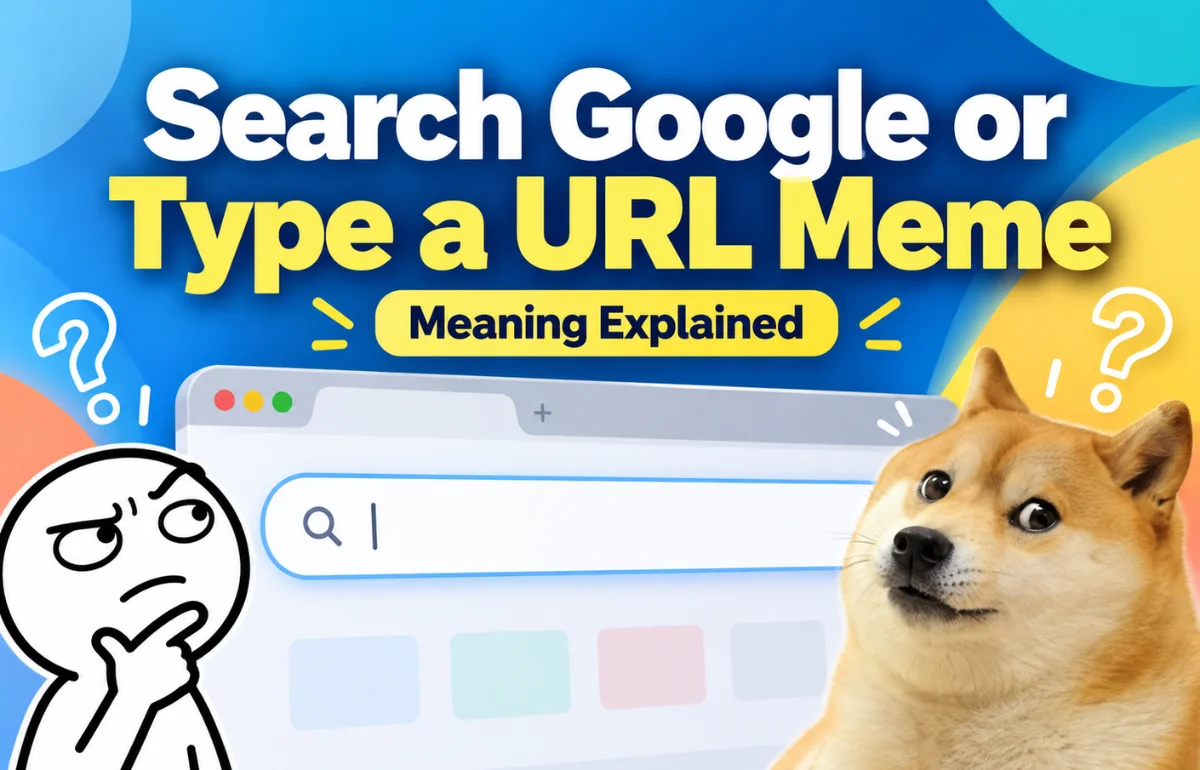
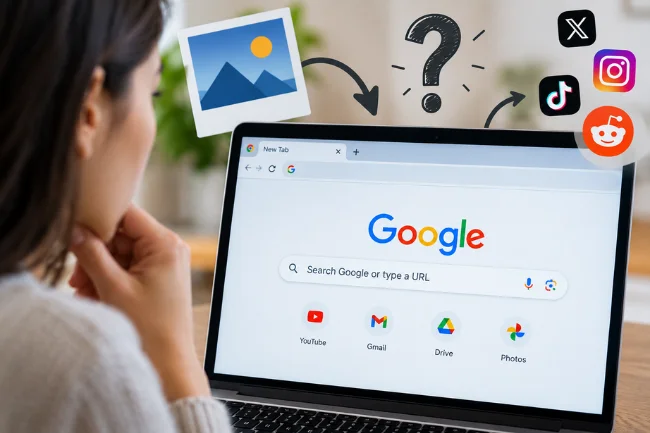
The Search Google or Type a URL Meme is a joke built around a familiar browser prompt: you can enter a search query or go directly to a website by typing its address. In meme form, that ordinary choice becomes funny when someone uses the bar to ask a deeply personal question, searches for a website they already know, or treats a simple instruction like a difficult decision.
The phrase is associated with Google Chrome, whose combined search and address bar is called the Omnibox. There is no verified original post or creator I can point to for one definitive version of the joke. What I can explain is the browser behavior behind it, the kinds of captions people mean when they use the phrase, and why such a small bit of interface text makes a workable meme.
What is the joke, exactly?
On its own, “Search Google or type a URL” is an instruction, not a punchline. It tells you that the same box can handle two different inputs. Give it words such as “weather this weekend,” and the browser searches. Give it a web address such as example.com, and it opens that site.
The joke arrives when the person at the keyboard does something unexpectedly human. Instead of searching for directions or opening a website, they type a thought they might hesitate to say out loud: “Why do I keep checking my email when I have no new email?” A plain browser prompt becomes the setup for a tiny story about anxiety, procrastination, curiosity, or habit.
Another version plays with the apparent choice. The browser offers two sensible actions; the caption suggests its user cannot manage either one. You do not need to know the word Omnibox to get it.
I find it helpful to separate the two layers: the phrase has a literal meaning in Chrome, while a particular meme gives it a comic meaning. Confusing those layers is why some explanations talk at length about browsers without ever explaining the joke.
Where does “Search Google or type a URL” appear?
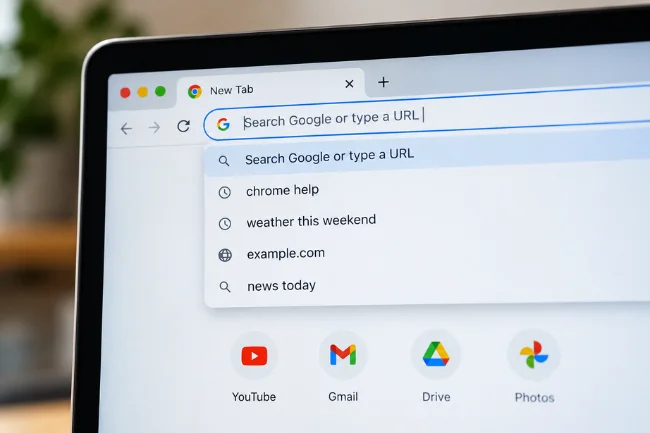
The phrase is commonly associated with Chrome’s address bar or the search field shown on a new tab. Chrome calls its combined address and search bar the Omnibox. As you type, it can offer suggestions related to searches, sites you have visited, and other browser information. The exact interface can look different across devices, versions, settings, and regions.
“Search Google” is also a description of one possible setup, not a promise that every Chrome installation uses Google. Chrome’s default search engine can be changed. Depending on where and how Chrome was set up, another provider may handle a query entered in the address bar. The meme refers to the familiar wording; the underlying search-or-navigate choice is the part that matters.
Search query or website address: what changes?
| What you enter | What you are asking the browser to do | Example | When it helps |
|---|---|---|---|
| A question or keywords | Ask the selected search engine for results | how to grow basil indoors | You need information or do not know which site has it. |
| A complete site address | Open a particular destination | example.com | You know the site’s correct address and want to go there. |
| A site’s name | Usually show search or navigation suggestions | Example | You remember the name but are unsure of the address. Check the suggestion before selecting it. |
The third row is where much of the humor lives. Typing a site name may be quicker than remembering its precise address. The comic version exaggerates that shortcut: someone searches for “Google” while already using Google.
If you are new to the term, a URL is a web address. It can include more than a domain name: https://example.com/help points to a particular page, while example.com names the site. You do not have to type a full address to run a search, and you do not have to open a search results page to visit a site whose correct address you already know.
Why the same prompt can produce different memes
There is no single punchline attached to this phrase. It works more like a blank stage: a browser screenshot, a caption, and whatever the person types can change the entire joke. These are the main readings I would look for when someone shares one.
The unnecessary search
Someone types the name of a site into a search engine rather than entering its address. The funny part is the extra detour. It is gentle humor because many of us navigate that way, particularly if we are not certain we remember the domain correctly.
A caption might show someone searching for a familiar video site for the hundredth time. The repetition is the joke.
The browser as a confidant
The text entered is too personal, vague, or emotional for an address bar to answer neatly. “How do I politely leave a group chat that has existed since 2017?” is a question you can search, but the humor lies in asking a machine for help with an awkward social moment.
This format works best when the query is specific enough to sound like a real person. “I am sad” communicates the idea; a concrete situation gives the reader a scene to recognize. Avoid presenting a serious health or safety concern as if a search result were a substitute for appropriate help.
The impossible third option
The browser says search or enter an address. The caption answers with something neither option can provide: motivation to finish a task, the nerve to send a message, or an extra hour in the day. The contrast between a practical tool and an impractical wish supplies the punchline.
You could understand this joke before the person types anything, making it suitable for a simple screenshot.
The tiny decision that feels enormous
Sometimes the joke is about hesitation. Two routine choices suddenly resemble an exam. A meme might show someone spending longer deciding whether to search for a site than it would take to reach it either way.
I read this version as a joke about mental clutter, not browser literacy. It turns an everyday pause into an outsized drama without requiring a complicated template or an obscure reference.
Does the meme have a known origin?
The browser phrase has a clear source: Chrome’s interface. A particular meme’s first use is a different question. While researching the phrase, I found explanations of its meaning, but I could not verify a dated first post, a named creator, or a documented chain showing one image spreading from one platform to another. That is a limit on what I can claim, not proof that no early post exists.
It is easy to build a convincing timeline: browser prompt appears, screenshots circulate, social media makes it viral. Without dated examples and evidence of their reach, that remains a plausible story rather than verified history.
There may also be several independent jokes here. A person can photograph the prompt, write a caption about overthinking, and publish it without ever seeing someone else’s version. Common interface text makes that kind of repeated invention possible. If you are looking for “the original,” ask which specific image, caption, or post someone means; the phrase alone does not identify one.
Original caption examples and what makes them land
The following are examples I wrote to show how the format works. They are not claims about existing viral posts, and they are not screenshots attributed to other creators.
| Setup | Caption or typed query | Why it works |
|---|---|---|
| Opening a browser to complete a report | how long can I call this “research” | The search disguises procrastination as work. |
| Trying to visit a familiar site | searching for the site whose address I typed yesterday | It exaggerates a common navigation habit. |
| Staring at the empty bar after midnight | how to undo a message I have not sent yet | The impossible request reveals the person’s nerves. |
| Faced with “search” or “type a URL” | third option: remember why I opened this tab | The real problem sits outside the two offered choices. |
Notice that none of these depends on spelling out the phrase in every caption. The browser prompt already supplies it. The new line should add a situation, a reversal, or a little self-recognition. If the image and the caption both explain the same thing, the joke loses its snap.
Why a small browser message feels so relatable
The phrase is background text. People see browser prompts so often that they stop actively reading them. A meme makes them visible again, and that moment of recognition does a lot of the work: “Oh, I have looked at that screen.”
The bar also sits between a thought and an action. You might be about to learn a fact, find a restaurant, revisit a page, or look up something you would rather keep private. The interface treats all these intentions as text entered into one box. Comedy comes from revealing the oddly personal thought hiding behind a neutral design.
Then there is the mismatch in scale. The browser offers a narrow, technical choice. The user brings the untidy business of being a person. A caption that keeps both sides visible can be funny without mocking anyone for not understanding technology.
I think this explains the joke better than calling every version “viral.” A claim about reach needs actual posts, dates, and engagement evidence.
How to make a version people will understand
Start with the role the browser prompt will play. Is it setting up an unnecessary search, an overly personal question, a third option, or a moment of indecision? Choose one. Mixing all four into a single image usually makes the reader work too hard.
Next, write the part that only your version can supply. “When I search Google” tells us very little; “why do I open the same recipe six times and still forget the oven temperature” gives us a person and a situation. You can put the line in a caption above a screenshot or make it appear as typed text, provided the result remains easy to read on a phone.
Finally, check whether the image adds anything. A cropped browser bar may be enough. A screenshot full of tabs, account details, or personal suggestions distracts from the punchline and may expose private information. Use a clean mockup or remove those details before posting.
If you borrow an existing creator’s image, credit them and check whether you have permission to repost or adapt it. You can also write your own caption from scratch, as I did in the table. The familiar interface provides the shared reference; your particular observation supplies the original joke.
A useful browsing lesson behind the laugh
The meme treats searching and typing an address as interchangeable routes to a page, but they are not always equally direct. A search may show multiple results, including ads and sites with names similar to the one you intended. A correctly entered URL goes to the address you supplied without asking you to pick a result.
Neither route removes the need to pay attention. A mistyped URL can lead to the wrong place, and an apparently familiar search result can also be misleading. For a bank, a government service, or any account where you enter sensitive details, I prefer a verified bookmark or an address I have checked carefully. Chrome’s guidance on unsafe sites describes warnings for deceptive pages, including addresses altered to resemble known sites.
There is a quieter point about privacy, too. What you type into the address bar may influence suggestions, and some suggestion settings involve sending typed information to your selected search provider. Google explains the behavior and the available controls in its Chrome address-bar privacy guidance. A funny screenshot can also reveal your suggestions or account details, so look closely before sharing one.
Is the joke only about Google Chrome?
The exact wording points to Chrome and Google, but the situation extends beyond one browser. The combined address-and-search field is a familiar way to navigate the web. Someone using another browser can still recognize the awkward query, the roundabout trip to a known site, or the moment of forgetting why they opened a tab.
That distinction matters if you are explaining the meme to a newcomer. The branded phrase is the visual cue; the behavior is the subject. You need not claim that every browser displays those exact words for the joke to travel.
In 2026, the prompt also sits alongside other ways of finding information, including apps, voice input, and AI-assisted searches. Those options may change how people reach an answer, but they do not change the basic comic setup: a person has a messy thought, and a very orderly interface waits for them to type it.
Conclusion
The Search Google or Type a URL Meme turns a practical browser instruction into a joke about what people actually do at the keyboard. It can mean an unnecessary search, a personal question, an impossible wish, or a moment of hesitation. The Chrome prompt is real; a single definitive origin story has not been established here. If you are sharing your own version, choose one recognizable situation, write a sharp caption, and check the screenshot for private details before you post it.
Frequently asked questions
What does “Search Google or type a URL” mean?
It means the browser bar accepts either a search query or a website address. Chrome calls this combined field the Omnibox.
Who created the Search Google or Type a URL Meme?
I could not verify a single original creator or first post. To credit a particular version, trace its image or caption to a dated source.
Is searching a website name the same as typing its URL?
No. A name usually leads to suggestions or search results; a correctly entered address opens the intended site directly.
Why does my Chrome address bar use a search engine other than Google?
Chrome lets you choose a default search engine, and the initial choice can vary by region or setup. Check Chrome’s search engine settings if you want to change it.
Can I make my own version of the meme?
Yes. Pair the familiar browser prompt with an original, specific caption, and remove personal information from any screenshot you share.

Noah Sterling is a technology research writer with 8+ years of experience covering emerging technologies, software trends, digital tools, and innovation. He creates practical, research-based articles to help readers understand the evolving technology landscape.