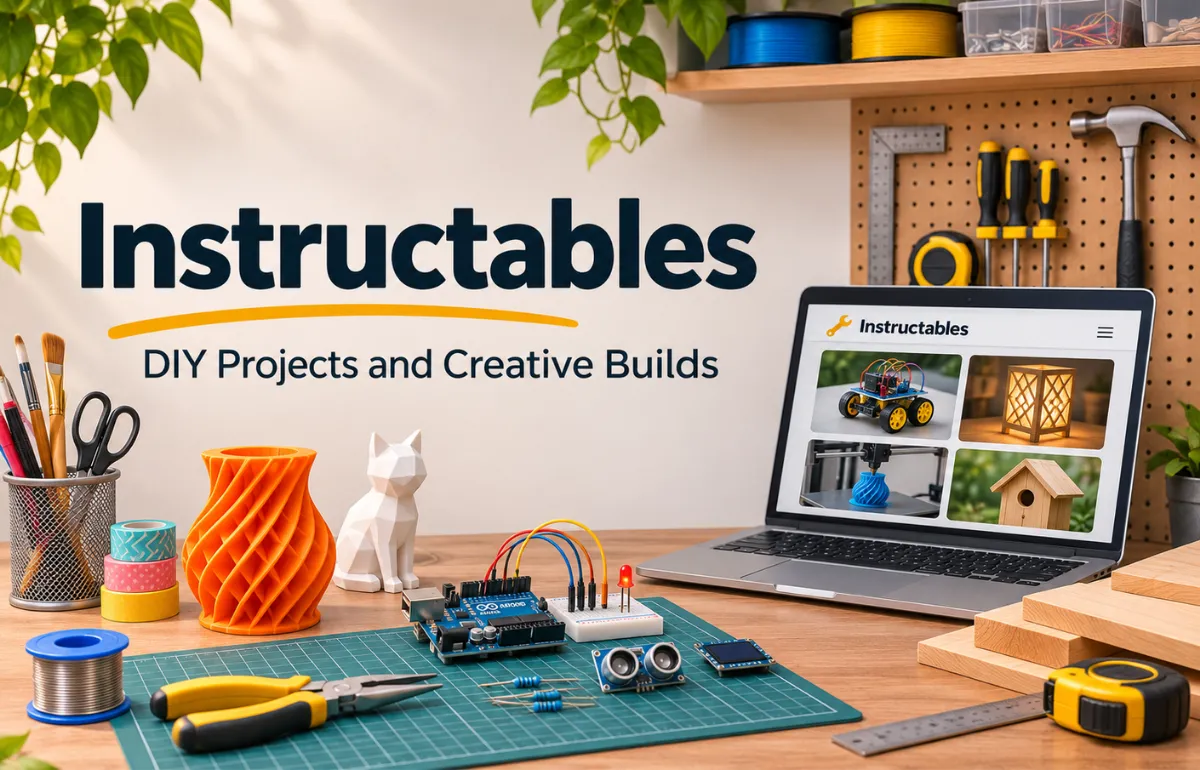
Instructables is an online DIY learning and project-sharing platform where people can discover, create, and publish instructional projects using photographs, written explanations, videos, and downloadable files. Owned by Autodesk, the website brings together hobbyists, inventors, engineers, artists, students, and creative individuals who enjoy making things themselves.
The platform covers everything from woodworking and electronics to cooking, robotics, home improvement, and 3D printing. Its publicly available tutorials make practical learning accessible to beginners and experienced makers alike.
What I particularly like about this concept is that it connects learning with real-world problem-solving. Instead of simply reading about an idea, you can explore how someone turned it into something functional.
Whether you want to repair a household item, develop a technical skill, or create something entirely original, this platform offers plenty of opportunities.
What Is Instructables?
Instructables is a community-driven website where users share detailed instructions for completing creative, practical, and technical projects. Each published project is commonly referred to as an instructable.
Unlike conventional educational websites, its content largely comes from individuals documenting their own creations.
A typical project may contain:
- Instructions with supporting photographs
- Tools and materials lists
- Technical diagrams and illustrations
- Video demonstrations
- Downloadable design files
- Troubleshooting suggestions
The website encourages hands-on learning rather than relying entirely on theoretical explanations.
I consider this approach particularly useful for visual learners who understand concepts more easily when they can see how individual components fit together.
The History and Evolution of Instructables
The platform originated in 2005 as a documentation system developed by members of Squid Labs for experimental kitesurfing projects.
What began as a relatively specialized way of sharing technical knowledge gradually developed into an international maker community.
As more people started contributing, the website expanded into electronics, woodworking, crafts, sustainable living, engineering, and numerous other subjects.
In 2011, Autodesk acquired the platform, connecting it with a broader ecosystem of digital design and manufacturing technologies.
Today, the website hosts hundreds of thousands of projects covering everyday household solutions and advanced technological experiments.
Its evolution also reflects a significant change in online education: people increasingly want to learn by creating something meaningful rather than simply consuming information.
How Does Instructables Work?
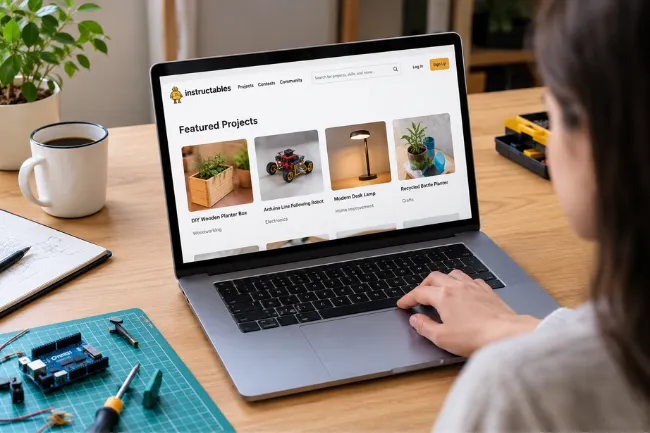
The platform operates through a straightforward community-based publishing model. Members create projects, document their work, and publish instructions that other users can follow or adapt.
Visitors can explore publicly available content without creating an account. Registering provides access to additional community and publishing features.
Discovering Creative Projects
The website organizes projects into different subjects, making it easier to find tutorials relevant to your interests.
You can explore specific categories or search directly for something you want to build.
For example, searching for Arduino projects may lead you to temperature monitoring systems, automated plant watering devices, and beginner-friendly robotics experiments.
Searching for recycled crafts, meanwhile, can introduce you to creative ways of repurposing everyday materials.
Learning Through Visual Instructions
Most projects divide complicated processes into smaller, manageable stages.
Photographs frequently demonstrate what a project should look like during assembly, while written explanations provide additional context.
This combination makes it easier to identify mistakes before they become expensive or difficult to correct.
Interacting With Other Makers
Community interaction is another valuable aspect of the website.
Members can leave comments, follow creators, ask questions, and share their own experiences with projects.
Sometimes, the discussion beneath a tutorial contains useful modifications or solutions that were not included in the original instructions.
I recommend reading these conversations before beginning a particularly complicated build.
Popular Categories on Instructables
The diversity of available content makes the platform appealing to people with considerably different interests.
Electronics and Robotics
Technology enthusiasts can explore projects involving Arduino, Raspberry Pi, sensors, microcontrollers, automation, and basic circuit design.
These projects offer an opportunity to understand how hardware and software interact outside a traditional classroom.
Beginners can start with battery-powered LED circuits before progressing toward more sophisticated devices.
Woodworking and Home Improvement
The workshop-related content includes furniture construction, storage solutions, decorative items, organization systems, and woodworking techniques.
Many projects demonstrate how ordinary materials can be transformed into useful household products.
I would recommend starting with a simple desk organizer or wooden planter before attempting furniture that requires advanced joinery.
Crafts and Creative Design
Creative individuals can explore paper crafts, embroidery, sewing, jewelry making, leatherworking, and decorative artwork.
These projects often require relatively inexpensive materials, making them suitable for people with limited budgets or workspace.
They can also provide inspiration for personalized gifts and handmade products.
3D Printing and Digital Fabrication
Digital fabrication is particularly interesting for people who want to turn virtual designs into physical objects.
The platform features projects involving 3D printers, laser cutting, computer-aided design, and CNC machining.
Some creators provide design files that readers can download and modify according to their requirements and applicable licensing conditions.
Cooking and Food Projects
The website also contains recipes, baking experiments, food presentation techniques, and kitchen-related inventions.
Unlike traditional recipe websites, many contributors combine food preparation with creativity, experimentation, or unusual equipment designs.
What Makes Instructables Different From Other Learning Platforms?
Many online learning websites focus on professional courses, structured educational programs, or theoretical knowledge.
This platform takes a different approach by placing individual projects at the center of the learning experience.
Here is how it compares with several popular alternatives.
| Platform | Primary Focus | Best For | Content Format |
|---|---|---|---|
| Instructables | DIY and creative projects | Makers and hobbyists | Visual project instructions |
| YouTube | Video-based learning | Visual demonstrations | Videos |
| wikiHow | Everyday how-to information | General problem-solving | Illustrated articles |
| Creative inspiration | Discovering design ideas | Images and links | |
| iFixit | Repairs and maintenance | Fixing existing products | Detailed repair manuals |
| Hackster.io | Hardware development | Electronics enthusiasts | Technical projects |
I would choose Instructables when I need a documented creative project that I can study at my own pace.
YouTube may be more suitable when understanding a particular physical movement, while iFixit is generally more specialized for device repairs.
How to Use Instructables as a Beginner
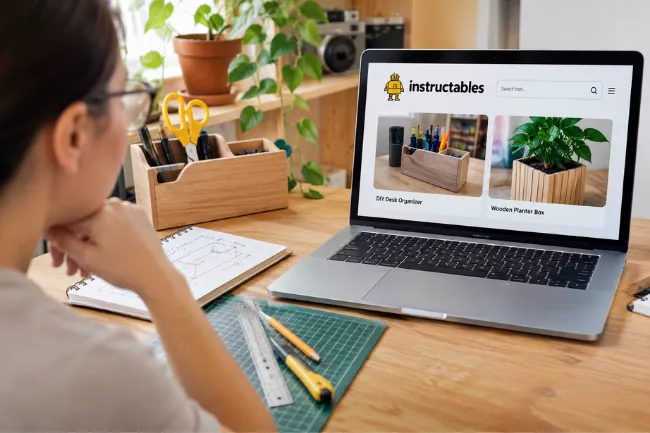
Getting started does not require professional equipment or advanced technical knowledge.
However, choosing the right first project can significantly influence your learning experience.
Start With Something You Actually Need
Rather than selecting a complicated project because it looks impressive, identify a small problem in your daily life.
Perhaps your desk needs better cable management, your kitchen requires additional organization, or your plants need suitable containers.
Making something genuinely useful gives you a practical reason to complete the project.
Check the Required Materials
Read the complete tutorial before purchasing anything.
Look for specialized equipment, expensive components, and materials that may be difficult to obtain locally.
Sometimes, an apparently inexpensive project becomes costly because it requires a tool you do not already own.
Understand the Difficulty Level
The number of instructions does not necessarily indicate how difficult a project will be.
A project containing twenty simple actions may be easier than one involving five technically demanding procedures.
I suggest evaluating the skills, equipment, safety requirements, and time involved rather than judging complexity by length alone.
Make Small Adjustments
You do not always need to reproduce a project exactly as shown.
Dimensions, colors, and certain materials can sometimes be adjusted to suit your preferences.
However, avoid changing structural components, electrical specifications, or safety-related elements without understanding the consequences.
My Five-Point Method for Evaluating DIY Projects
One challenge with community-generated content is that not every tutorial offers the same level of reliability.
I recommend using a simple five-point evaluation before committing money and time to an unfamiliar project.
| Evaluation Factor | What to Check | Maximum Score |
|---|---|---|
| Material availability | Can I obtain the required supplies? | 2 |
| Instruction clarity | Are important actions explained clearly? | 2 |
| Tool accessibility | Do I have the necessary equipment? | 2 |
| Reproducibility | Are measurements and results documented? | 2 |
| Safety considerations | Are relevant risks addressed? | 2 |
| Total | Overall project suitability | 10 |
Give each factor zero, one, or two points.
A score of eight or above generally indicates a promising starting point, while a lower score suggests that additional preparation may be necessary.
This is my suggested evaluation framework, not an official platform rating. A high score never overrides a serious safety concern.
The method helps separate visually impressive projects from ones that are genuinely practical for your circumstances.
How to Publish Your Own Project on Instructables
Sharing a project allows you to contribute knowledge while developing your communication and documentation skills.
You do not need to invent something revolutionary. Even a small improvement to an everyday object can be worth documenting.
Create Your Account
Visit Instructables.com and register for an account.
Your profile can represent your interests, creative abilities, and previous work, gradually becoming a public record of your projects.
Document the Making Process
Take photographs while working rather than waiting until the project is finished.
Capture measurements, individual components, intermediate stages, and details that might be difficult to explain through text alone.
I recommend photographing complicated procedures from multiple angles whenever possible.
Write Clear Instructions
Divide the project into logical stages and explain what happens during each one.
Include material specifications, relevant dimensions, estimated completion time, and necessary precautions.
Where appropriate, explain why a particular technique was selected instead of merely telling readers what to do.
Publish and Respond to Feedback
Once your project is complete, review the instructions, choose the appropriate category, and publish your work.
Responding to questions and correcting unclear information can make your tutorial more useful over time.
Before publishing, ensure that you have permission to share any photographs, code, or third-party design files included in your project.
Instructables Contests and Creative Challenges
The website regularly organizes themed competitions that encourage members to explore new ideas and demonstrate their abilities.
Contest themes may involve woodworking, sustainability, electronics, seasonal decorations, digital design, or other creative subjects.
Depending on the competition, participants may have opportunities to win equipment, gift cards, or other prizes.
However, entry requirements, geographical eligibility, judging criteria, and rewards vary between contests.
I would approach these competitions primarily as opportunities to develop creative thinking rather than expecting financial rewards.
Working within a defined theme can encourage resourcefulness and motivate makers to complete projects they might otherwise postpone.
Benefits of Using Instructables
Develop Practical Skills
Completing DIY projects helps develop abilities that are difficult to acquire through reading alone.
Measuring materials, assembling components, identifying mistakes, and testing results all contribute to practical understanding.
Improve Problem-Solving Abilities
Real-world projects rarely go exactly as planned.
An unavailable component, incorrect measurement, or unexpected design limitation can encourage you to investigate alternatives.
This process can develop more flexible and independent thinking.
Reduce Unnecessary Expenses
Some projects offer alternatives to purchasing commercially available products.
Repurposing existing materials or repairing suitable household items may also reduce waste.
Nevertheless, I suggest comparing the total cost of materials, tools, and time against the price of a ready-made product before assuming DIY is cheaper.
Build a Creative Portfolio
Published projects can demonstrate technical knowledge, creativity, communication skills, and attention to detail.
For students, designers, engineering enthusiasts, and freelancers, a collection of well-documented projects can complement a traditional résumé or professional portfolio.
Using Instructables for STEM Education
The platform can support STEM education by connecting science, technology, engineering, and mathematics with tangible outcomes.
Students might explore electrical concepts by building simple circuits or understand mechanical principles through small-scale engineering models.
Teachers can use suitable tutorials to introduce classroom activities, practical assignments, and collaborative learning exercises.
I particularly favor projects that require students to explain their decisions rather than simply reproduce instructions.
For example, students building a cardboard bridge could compare different support structures and record how each design performs under controlled loads.
The completed object becomes less important than the understanding developed during construction.
Can You Make Money Using Instructables?
Publishing projects does not automatically generate income, and ordinary tutorials should not be treated as guaranteed paid work.
However, the platform may indirectly support several income-generating activities.
Creators can demonstrate their expertise, develop a recognizable portfolio, discover potential product ideas, and attract interest in their creative abilities.
Someone experienced in woodworking, for example, could use documented projects to demonstrate craftsmanship to prospective clients.
Before commercializing a design created by another member, check its copyright and licensing conditions.
Publicly accessible instructions do not necessarily give everyone unrestricted commercial usage rights.
The Hidden Cost of DIY Projects Most Beginners Overlook
An overlooked aspect of online project tutorials is the difference between the creator’s resources and the reader’s resources.
Someone working in a fully equipped workshop may describe a project as inexpensive because they already own the necessary machinery.
A beginner attempting the same project might need to purchase several additional tools.
I call this the resource gap.
Before starting, calculate the expenses associated with materials, equipment, transportation, protective gear, possible mistakes, and replacements.
Consider workspace requirements as well. A project involving dust, fumes, or excessive noise may be unsuitable for a small apartment.
Understanding the resource gap helps you select projects that fit your real circumstances rather than someone else’s workshop.
Limitations and Safety Considerations
Although the platform offers valuable educational content, its community-based structure has certain limitations.
Some tutorials contain incomplete instructions, outdated software references, unavailable components, or insufficient safety information.
A successful project published by one person does not necessarily guarantee identical results for everyone.
I recommend cross-checking technical information with manufacturer documentation and reputable educational resources.
Projects involving mains electricity, hazardous chemicals, structural modifications, high-temperature equipment, or lithium battery repairs may require professional expertise.
For these activities, online tutorials should never replace appropriate training, qualified assistance, or applicable safety standards.
How Relevant Is Instructables in 2026?
As artificial intelligence becomes increasingly involved in online education, documented human creativity remains valuable.
AI tools can suggest design ideas, explain technical concepts, and assist with planning. However, generated instructions do not necessarily establish that a physical project has been successfully tested.
Photographs of actual construction, measurements, documented failures, and community feedback can provide additional evidence when evaluating a design.
I see the strongest opportunity in combining digital assistance with careful experimentation.
Makers can use technology to explore possibilities while relying on physical testing, verified technical information, and practical judgment to establish whether a solution works.
That balance will remain relevant as digital fabrication and accessible engineering tools continue to evolve.
Conclusion
Instructables offers more than a collection of creative tutorials. It connects practical education, resourcefulness, technology, and community-driven knowledge sharing through projects that people can explore and adapt.
Its accessibility makes it suitable for beginners, while its technical diversity provides opportunities for experienced makers to expand their abilities.
My recommendation is to start with one affordable, manageable project that solves a genuine problem in your daily life.
Visit Instructables.com, explore a category that interests you, gather the necessary materials, and turn your next creative idea into something tangible.
Frequently Asked Questions (FAQs)
Is Instructables free to use?
Yes. Public project tutorials are available to browse for free, although certain community features require an account.
Who owns Instructables?
Autodesk owns the platform, having acquired it in 2011.
Is Instructables suitable for beginners?
Yes. It offers numerous beginner-friendly projects covering crafts, electronics, woodworking, cooking, and other practical skills.
Can anyone publish projects on Instructables?
Registered members can publish original projects that comply with the website’s content guidelines and terms of service.
Is Instructables a reliable website?
It is an established DIY learning platform, but individual tutorials vary in accuracy and quality. Verify technical and safety-related information independently.

Noah Sterling is a technology research writer with 8+ years of experience covering emerging technologies, software trends, digital tools, and innovation. He creates practical, research-based articles to help readers understand the evolving technology landscape.