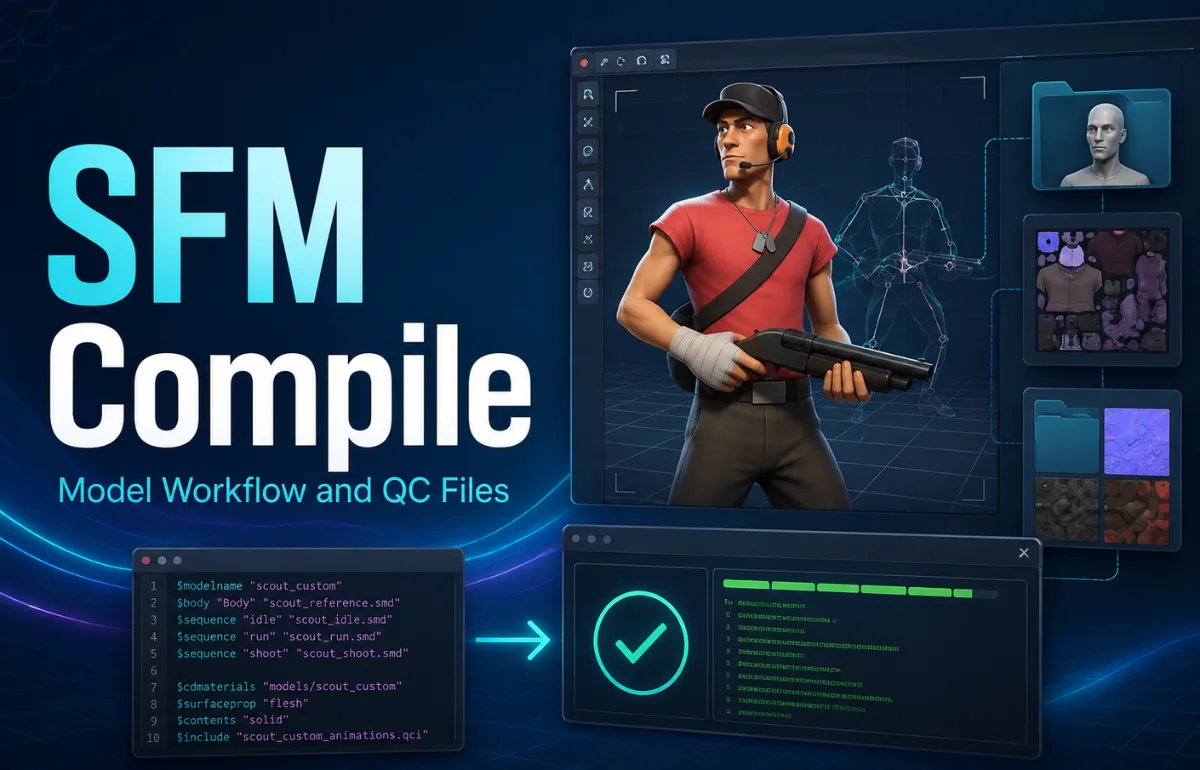
SFM Compile is the process of converting Source-compatible model assets into the compiled files that Source Filmmaker can load and use. In practical terms, you prepare a model, export it to a format such as SMD or DMX, describe the model in a QC file, and run that QC through StudioMDL—either directly or through a tool such as Crowbar. The result is normally a group of files, including MDL, VVD, VTX, and sometimes PHY or ANI data.
I find it more useful to think of SFM Compile as a translation stage. Your 3D software creates editable source assets; the compiler turns those assets into the structure the Source engine expects. Once that distinction is clear, troubleshooting becomes easier because you can ask whether the problem is in the source model, QC instructions, material paths, or compiled output.
What Actually Happens During an SFM Compile?
A normal Source Filmmaker model pipeline looks like this:
3D model in Blender or another DCC application → SMD/DMX export → QC file → StudioMDL/Crowbar → compiled Source model files → test in SFM.
Blender Source Tools supports importing and exporting SMD and DMX. StudioMDL reads a QC file and compiles the referenced model data into Source model files.
The QC file is the control sheet. It tells the compiler what the model is called, which mesh to use, where materials are expected, which animation sequences belong to the model, and whether collision data or other features should be included.
Source Files and What They Do
| File or component | Role before or after compilation |
|---|---|
| SMD / DMX | Carries model, skeleton, animation, or related source data |
| QC | Gives StudioMDL instructions for building the model |
| VMT / VTF | Defines Source materials and texture data |
| MDL | Main compiled model file |
| VVD / VTX | Stores supporting vertex and rendering data |
| PHY | Contains compiled physics/collision data when used |
One mistake I avoid is treating an FBX or OBJ file as though StudioMDL simply compiles it directly. A cleaner mental model is to treat FBX/OBJ as editable interchange formats and SMD/DMX as the Source-facing stage of the pipeline.
Tools You Need for SFM Compilation
Blender is useful for preparing meshes, UVs, rigs, and animations. Blender Source Tools handles the Source-oriented import/export side. A text editor is enough for QC files, although line numbers make debugging easier.
For compilation itself, the two names worth understanding are StudioMDL and Crowbar. Valve documents StudioMDL as the command-line model compiler, while Crowbar is a Source/GoldSource modding toolset with compile and decompile functions.
Crowbar vs. StudioMDL
| Crowbar | StudioMDL |
|---|---|
| Graphical Source modding tool | Command-line Source model compiler |
| Easy QC selection and log viewing | Direct control over compiler arguments |
| Useful for compiling and decompiling | Performs the model compilation work |
| Friendly for repeated manual work | Useful for scripts and precise debugging |
I recommend understanding both even if you mainly use Crowbar. When a compile fails, knowing what StudioMDL expects makes the log much more useful.
Prepare the Model Before You Compile
A compiler cannot repair a badly prepared source model. Before compiling, I check four areas: mesh, skeleton, scale, and paths.
For a static prop, make sure the mesh has sensible transforms, UVs are present, and the exported source file contains what you expect. For a rigged character, check that the bone hierarchy is stable and the mesh is weighted to the intended bones.
I also keep collision geometry separate from the render mesh when custom physics is needed. A detailed visual mesh is rarely the best collision mesh.
Use a Folder Structure You Can Read at a Glance
SFM_Project/
├── modelsrc/
│   ├── my_prop.smd
│   ├── my_prop_collision.smd
│   └── my_prop.qc
├── materials/
│   └── models/custom/my_prop/
│       ├── my_prop.vmt
│       └── my_prop.vtf
└── reference/
The exact folders can vary, but the principle matters: source files, materials, and references should not be mixed randomly.
I use a “three-path check” before compiling. I compare the path declared by $modelname, the material path declared by $cdmaterials, and the real destination folders under the SFM game directory. If those three disagree, I fix that before looking for a more complicated cause.
Write a QC File That Is Easy to Debug
A QC file can become complex, but the first version should be deliberately small. Valve’s model-compilation documentation likewise shows QC as the instruction file used to define the model being compiled.
$modelname "custom/my_prop.mdl"
$body "Body" "my_prop.smd"
$cdmaterials "models/custom/my_prop/"
$surfaceprop "metal"
$sequence "idle" "my_prop.smd" fps 30
$collisionmodel "my_prop_collision.smd"
{
    $mass 25
}
$staticprop
Adapt the names and paths to your project. $modelname controls the compiled model path, $body points to geometry, $cdmaterials identifies the material search path, $sequence defines an animation sequence, and $collisionmodel references collision geometry.
Once the basic model works, add advanced QC features one at a time. Bodygroups, skins, attachments, flexes, LODs, multiple sequences, and more complicated physics are easier to debug when they are not introduced together.
How to Run the SFM Compile
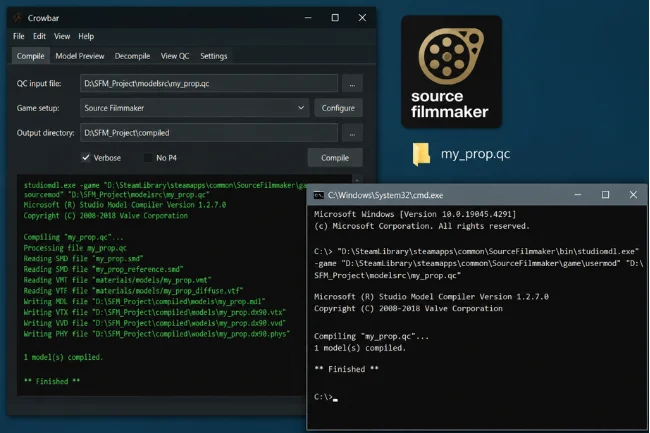
With Crowbar, choose the compile function, select the QC file, make sure the game setup points to Source Filmmaker, and run the compile. Read the output instead of closing the log the moment the process finishes.
StudioMDL can also run from the command line. Valve documents the general syntax as studiomdl [options] <path\QC>, with optional arguments before the QC file.
studiomdl.exe -game "D:\SteamLibrary\steamapps\common\SourceFilmmaker\game\usermod" "D:\SFM_Project\modelsrc\my_prop.qc"
Your Steam library and project paths may differ. The useful part is the pattern: point StudioMDL at the intended game directory, then give it the QC file.
Know What a Successful Compile Produces
A successful SFM Compile normally creates an MDL plus companion files. Do not copy only the MDL and assume the model is complete.
The VVD file carries vertex-related data, VTX files support the engine’s rendering of the model, and a PHY file may be present when physics data is compiled. I treat the output as a file set and keep matching files together when moving or backing up a model.
Materials live separately under the materials tree. A correctly compiled model can still show purple-and-black textures if the material search path or texture references are wrong.
Troubleshoot From the Log, Not From Guesswork
The fastest habit I recommend is changing one variable at a time. If you alter the QC, re-export the mesh, rename materials, and move folders in one attempt, you will not know which change fixed the problem.
Purple and Black Checkerboard Textures
Check $cdmaterials, the VMT location, and the texture path referenced inside the VMT. A model can compile successfully while its materials still fail to resolve.
The Model Compiles but Does Not Appear in SFM
Check $modelname and the compile target. The model may have gone into a different folder or game directory than the one you are browsing.
Bones Move Incorrectly
Return to the exported skeleton. Check bone names, parenting, weights, and whether the animation was exported against the same hierarchy as the reference mesh.
This is why a compile error and a model error are not always the same thing: StudioMDL can create files even when the source rig behaves badly.
StudioMDL Reports Missing Files or QC Errors
Read the first meaningful error, not only the last line. A missing SMD, malformed QC command, or bad path early in the process can trigger later messages.
SFM Crashes When Loading the Model
Return to the smallest working version. Remove optional physics, extra sequences, bodygroups, or advanced features and add them back gradually.
A crash can come from model data, physics, animation, or an incompatible setup rather than one obvious texture path.
My Pre-Compile Routine
Before every compile, I confirm that the SMD or DMX is the current export and that every file referenced in the QC exists.
Next, I check the three paths: model output, material lookup, and actual SFM destination. I verify the skeleton and collision source only when the model uses them.
Finally, I compile before adding optional features. Getting a plain model into SFM first gives me a known-good baseline. From there, adding a skin, bodygroup, animation, or flex becomes a controlled change instead of a mystery.
Static Props and Characters Need Different Depth
A static prop may need only one mesh, one material set, a basic sequence, and optional collision geometry. A character can involve a bone hierarchy, many animation sequences, flexes, attachments, skins, and more complicated QC logic.
Do not copy a huge character QC for a small prop just because it looks complete. Start with the minimum needed for the asset, then expand into bodygroups, texture groups, attachments, flexes, LOD setup, and animation configuration as the project requires.
SFM Compile Is a Source 1 Workflow
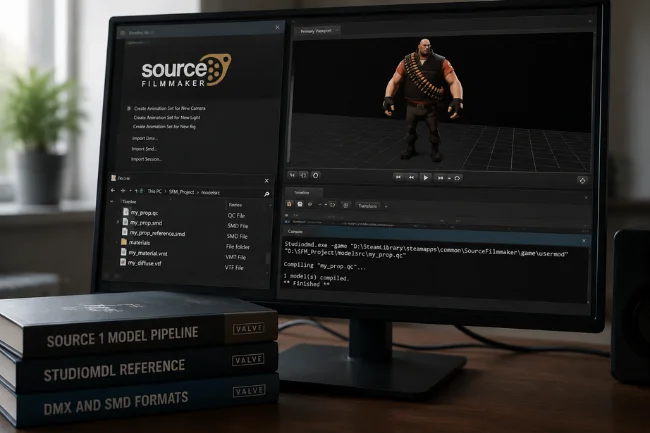
Classic Source Filmmaker uses the Source 1 model toolchain discussed here. DMX and SMD are documented as Source model-data formats, and StudioMDL remains the compiler described for Source model compilation.
Do not assume the same QC-based instructions are a drop-in workflow for Source 2. If your destination is a Source 2 application, use that application’s own asset pipeline.
FAQs
What Is SFM Compile?
SFM Compile is the workflow of turning Source-compatible model assets and QC instructions into compiled files that Source Filmmaker can load.
Do I Need Crowbar to Compile SFM Models?
No. StudioMDL is the compiler; Crowbar gives you a convenient graphical way to work with Source model compilation and logs.
What Files Do I Need Before Compiling an SFM Model?
You generally need Source-compatible model data such as SMD or DMX plus a QC file. Materials commonly use VMT and VTF files.
Why Does My SFM Model Have Purple and Black Textures?
The model may be compiled correctly while its material path is wrong. Check `$cdmaterials`, the VMT location, and the texture reference inside the material file.
Can I Compile an FBX Directly for Source Filmmaker?
Use a compatible 3D workflow to export Source-oriented data such as SMD or DMX, then compile it through the QC and StudioMDL pipeline. Blender Source Tools supports SMD and DMX import/export.
Build a Working Baseline First
SFM Compile gets easier when you separate the pipeline into source model, QC instructions, compiler output, material paths, and in-SFM testing.
My preferred next step is simple: compile the smallest version of your model first. Once it loads with the right material, save that QC as your known-good baseline. Add collision, animations, skins, bodygroups, or other advanced features one at a time, and use the compile log to identify where the next problem starts.

Noah Sterling is a technology research writer with 8+ years of experience covering emerging technologies, software trends, digital tools, and innovation. He creates practical, research-based articles to help readers understand the evolving technology landscape.