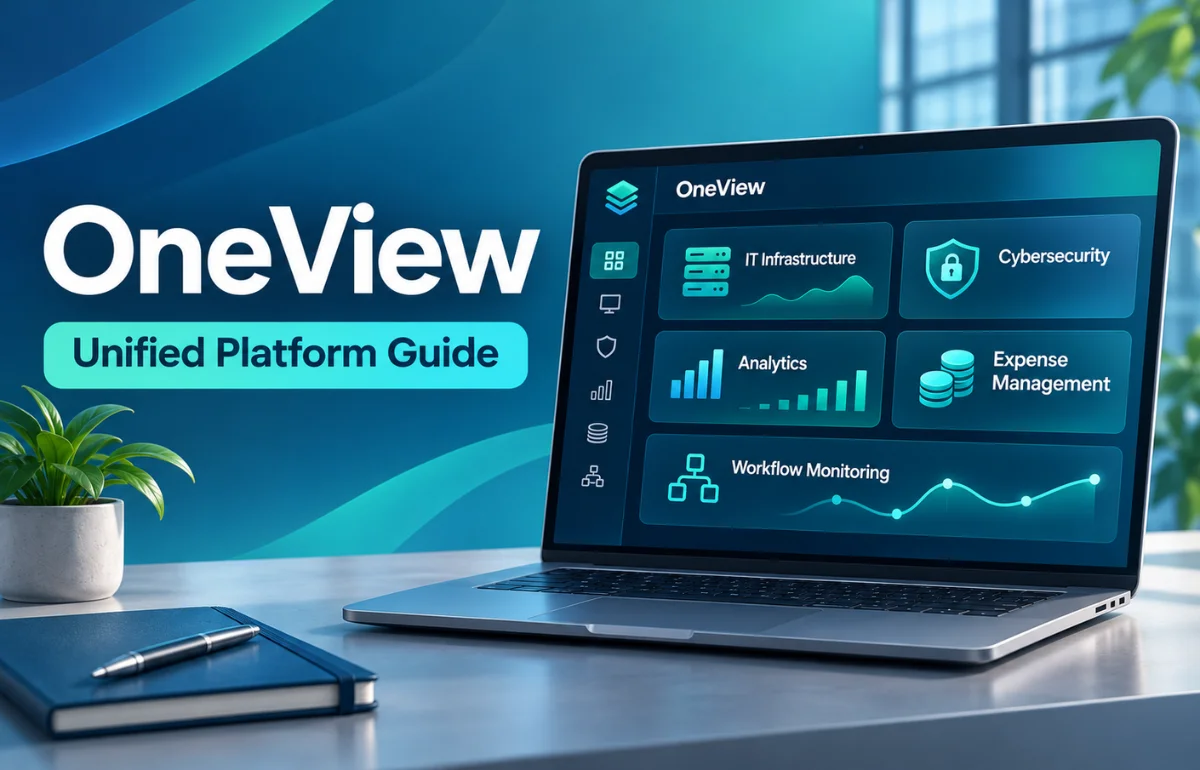
OneView is a name used by several software platforms that bring information, tasks, and controls into a single interface. Depending on the provider, OneView can help manage IT infrastructure, cybersecurity, technology expenses, shipments, healthcare workflows, or other business operations. It is not one universal app, and different OneView products are not interchangeable.
The shared idea is straightforward: instead of moving between disconnected systems to understand what is happening, users get a consolidated view of the information relevant to their work. Some platforms go further by letting authorized users investigate problems, approve changes, or automate repetitive tasks.
I find the most useful way to understand OneView is to ask two questions: which company provides it, and what problem is it designed to solve? Those answers matter more than the product name alone.
What Does OneView Mean?
In everyday software language, “one view” suggests a central place to see related information. But OneView is also a product name adopted by independent companies. A login for one provider will not normally work on another provider’s platform.
For example, HPE OneView manages supported data-center infrastructure. ThreatDown OneView helps service providers administer security across customer environments. OneView by 1Nebula focuses on technology expenditure, including telecom, cloud, and IT financial management. Other tools using the name serve completely different audiences.
Here is a quick comparison based on the providers’ published descriptions:
| Product | Primary purpose | Typical users |
|---|---|---|
| HPE OneView | Manage and automate supported servers, storage, and networking | IT infrastructure teams |
| ThreatDown OneView | Administer multiple customer security environments | Managed service providers and security teams |
| OneView by 1Nebula | Validate, allocate, and optimize technology spending | IT, finance, and procurement departments |
| CEVA Logistics ONEView | Monitor and report on shipments | Logistics customers |
| DaVita OneView | Access clinical tools and outstanding tasks | Authorized dialysis care providers |
| OneView identity platform | Coordinate identity-verification providers and records | Organizations running KYC workflows |
These names refer to separate products, not editions of one platform. Whenever I see an unfamiliar OneView link, I check its organization and web domain before discussing features, access, or pricing.
How Does a OneView Platform Work?
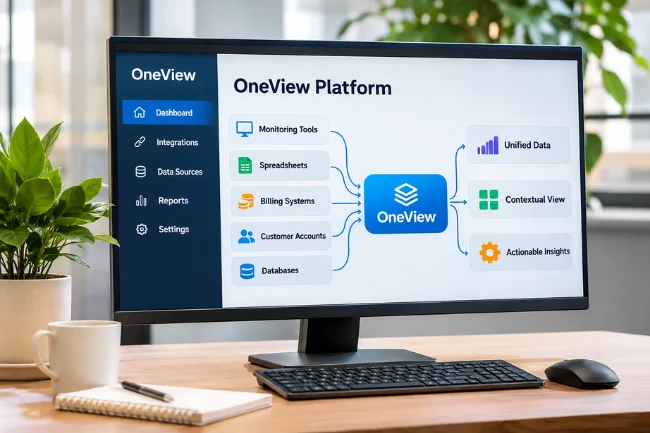
Although the underlying technology varies, many centralized management systems follow a similar pattern. They gather information, organize it, show it in context, and help users decide what to do next.
1. Connect Relevant Information Sources
A business might already have records in monitoring tools, spreadsheets, billing systems, customer accounts, or databases. A suitable OneView product can bring selected information together through integrations, APIs, imports, or connected services.
2. Organize Data Into a Usable Structure
Raw information rarely arrives in the same format. One system might identify a device by serial number, while another uses an internal asset ID. Effective consolidation requires consistent naming, matching rules, and clear ownership.
OneView by 1Nebula illustrates this principle by connecting technology costs with suppliers, contracts, usage, services, and cost centers. Without those relationships, a total-spending figure offers little explanation of where money went.
3. Display Status and Support Action
Dashboards may show alerts, outstanding tasks, changes, usage, financial trends, or activity across locations. Filtering helps different users focus on the records they actually manage.
A good system does not stop at displaying numbers. It helps the user investigate an exception and reach the appropriate workflow. In a security console, that may mean reviewing a detection. In an expense platform, it may mean checking an unexpected invoice.
4. Record Decisions and Changes
Business systems also need accountability. Depending on the product, activity logs, approval histories, role permissions, and reports can show who performed an action and when.
Key Features to Look for in OneView Software
Not every OneView product offers the same features. I would treat the following as a checklist for evaluation rather than a promise that every platform includes them.
Centralized Dashboard
The core attraction is having critical information in one location. A well-designed dashboard should prioritize exceptions and deadlines rather than simply filling the screen with charts.
For example, an IT manager may need to see unhealthy devices first, while a finance manager may care more about unexplained spending changes. Useful dashboards reflect the decisions people need to make.
Reporting and Search
Search, filters, scheduled reports, and export options help turn records into answers. ThreatDown’s documentation, for instance, describes on-demand and scheduled OneView reporting across selected customer sites.
Before choosing a system, I would check whether reports preserve the necessary detail, show their reporting period, and can be shared without exposing information to the wrong audience.
Role-Based Access
A consolidated interface may contain sensitive financial, operational, or personal information. Administrators should be able to limit who can view records, alter settings, or approve actions.
ThreatDown OneView documents distinct roles, including global administrators, site administrators, customer administrators, and viewers. These permissions are specific to its product; another OneView service may use an entirely different system.
Integrations and Automation
An integration can reduce repetitive copying between applications. Automation may also help standardize device configuration, flag unusual charges, or route an event to the right team.
HPE, for example, documents a REST API and a template-based approach to managing supported infrastructure. That is very different from a portal that mainly displays information to customers.
Alerts, Audit History, and Support
Notifications are valuable when they identify something actionable. Audit trails help organizations review changes and investigate mistakes. Equally important are clear support routes, product documentation, and processes for resolving access problems.
Where Is OneView Used?
IT Infrastructure Management
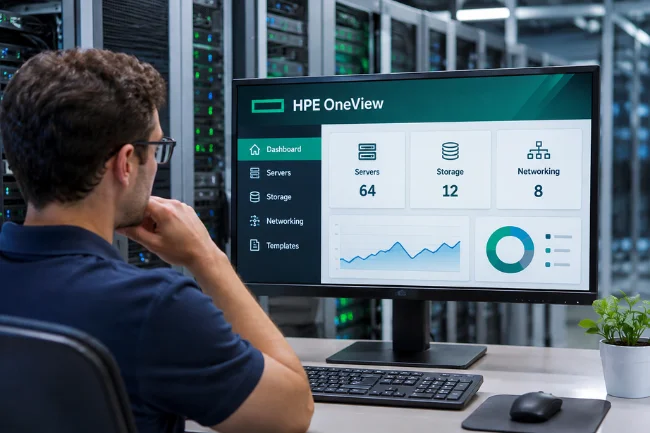
HPE OneView is designed for supported on-premises infrastructure, including servers, storage, and networking. It helps administrators monitor resources and use templates to make supported deployment and configuration tasks more consistent.
For organizations with complex infrastructure, repeatability can be valuable. However, compatibility with existing hardware and the selected license should be checked before assuming a function is available.
Managed Cybersecurity Services
A security provider looking after several customers needs separation between accounts alongside a useful cross-customer view. ThreatDown OneView provides multi-tenant administration for sites, subscriptions, and security operations.
The practical advantage is not merely fewer tabs. It is being able to review the correct customer’s information, assign an issue to the right person, and maintain appropriate access boundaries.
Technology Expense Management
OneView by 1Nebula connects technology cost data with its commercial and operational context. That can help teams question incorrect charges, allocate costs, and examine spending across telecom services, cloud resources, and other IT environments.
Imagine a recurring network charge that remains after a service is cancelled. A useful expense-management workflow should connect the bill, contract, service status, and responsible owner so the discrepancy can be investigated.
Logistics, Healthcare, and Identity Verification
CEVA’s ONEView offers shipment visibility to its customers, while DaVita’s OneView consolidates clinical destinations and tasks for authorized users. Separately, the OneView identity platform documented at oneview.ng brings different know-your-customer verification providers into a self-hosted workflow.
These examples demonstrate why it is misleading to assume that all OneView platforms share one login, mobile app, security model, or feature list.
OneView vs. a Traditional Dashboard
A dashboard is mainly a way to display information. Some OneView products are closer to operational platforms, where data is linked to permissions, tasks, records, and other business processes.
| Evaluation point | Basic reporting dashboard | Operational OneView-style platform |
|---|---|---|
| Main objective | Show metrics and trends | Show context and support work |
| Data handling | Often reads prepared reports | May connect multiple live or imported sources |
| User actions | Usually limited to viewing and filtering | May support approvals, changes, or investigation |
| Accountability | Depends on the reporting tool | May include roles and activity history |
| Implementation | Can be comparatively simple | Often requires mapping, permissions, and workflow design |
This is a comparison of software approaches, not a claim that every OneView product offers every capability in the right-hand column. Some are intentionally focused portals. More features do not automatically mean a better product.
Benefits of Using the Right OneView Platform
The most immediate benefit is reduced context switching. Instead of searching different applications for related information, a user can begin with a relevant overview and follow the details from there.
A common interface may also improve coordination. Finance and IT can work from better-aligned spending records; a security team can apply consistent administrative practices across client sites; a logistics customer can review shipment activity without manually assembling updates.
Still, I would measure benefits rather than accept marketing claims. Good measures include time spent on a recurring task, percentage of records with assigned owners, unresolved exceptions, and report accuracy. The right metric depends on the platform’s job.
Limitations and Risks You Should Understand
Centralization does not automatically make information accurate. If source data is missing, outdated, or incorrectly matched, the resulting dashboard can make a misleading picture look convincing.
Integrations also need maintenance. An API changes, a vendor renames a field, or an organization reorganizes its departments. Unless someone owns those changes, the quality of the unified view can gradually deteriorate.
Security deserves particular attention. A single console may make administration easier while concentrating access to sensitive records or powerful controls. That makes authentication, least-privilege permissions, monitoring, and account recovery essential.
There can also be costs beyond the subscription: implementation work, training, integrations, specialist support, and internal time spent maintaining records. A tool that saves ten minutes on a task but requires hours of weekly reconciliation may not deliver the expected value.
How to Choose the Right OneView for Your Needs
Identify the Provider and the Specific Problem
Start with the product’s official website and identify its intended users. Are you managing physical servers, customer endpoint security, enterprise spending, shipments, patient workflows, or identity checks?
Avoid choosing based on the name or a familiar-looking login page. The provider, scope, and product documentation should match the work you need to perform.
Test the Complete Workflow, Not Just the Homepage
I use a simple three-part test when assessing centralized tools: Can I trust the data? Can I understand what it means? Can the responsible person act on it?
For a hypothetical technology-cost review, I would follow one charge from the original invoice to its contract, business owner, discrepancy, and resolution. If the platform only produces a colorful total, it has not solved the whole problem.
For a security console, I would instead examine a test detection, check which user can access it, and see how the event is documented. The evaluation should mirror the real job.
Define Success Before a Rollout
Choose two or three measurable outcomes, such as shortening reporting time, reducing unassigned records, or improving the speed of exception resolution. Capture a baseline before implementation so the comparison is fair.
I also recommend testing with a limited group and realistic data before wider adoption. A small pilot often exposes mismatched records, confusing access rights, or missing workflows early enough to correct them.
How to Access and Use OneView Safely
There is no single official OneView login page for all products. Access usually comes through the provider’s verified domain, an organization’s internal portal, or an invitation from its administrator.
First, confirm the website address through your employer or the provider’s official documentation. Do not enter credentials into a link simply because its title contains “OneView.” If your organization uses single sign-on, follow its approved sign-in route.
Next, review the permissions attached to your account. A user who only needs reports should not automatically receive administrative access. Where the product supports multifactor authentication, enable it according to organizational policy.
After sign-in, check the relevant dashboard, reporting period, source records, and any outstanding tasks. Before approving a change or exporting data, confirm the correct customer, site, department, or patient context. That extra check can prevent avoidable mistakes.
For administrators, I would add regular access reviews, audit-log checks, documented backup responsibilities, and a tested recovery process. CISA’s guidance on secure software access supports multifactor authentication and least-privilege permissions as sound general practices.
Is OneView Free? Pricing and Licensing Explained
OneView does not have a universal price because the name covers unrelated products. Costs may depend on license tier, managed assets, customer sites, contracted services, or the scope of an enterprise deployment.
For example, HPE documents Standard and Advanced feature differences, while other providers use their own commercial arrangements. A quoted license price may not include implementation, migration, training, support, or additional modules.
Before buying, request a written breakdown of the features included, usage limits, support levels, renewal terms, data-export options, and any setup fees. Avoid relying on pricing from a similarly named product.
A Practical Way to Judge Long-Term Value
Consider a hypothetical company with five technology suppliers and inconsistent billing records. Its teams know their total monthly spend but cannot reliably identify which department owns individual charges.
Adding a unified expense platform could make the records easier to review. Yet the real improvement would come from agreeing on ownership rules, connecting invoices to service records, and assigning someone to resolve discrepancies.
I would measure the percentage of charges correctly allocated before and after adoption, alongside how long it takes to investigate an exception. This tests a more meaningful outcome than the number of charts available.
That same lesson applies to other OneView products: a central screen becomes valuable when the information is reliable and there is a clear action behind it.
Frequently Asked Questions About OneView
What is OneView used for?
OneView is used for centralized information and workflow management, but its exact purpose depends on the provider, such as IT, security, expenses, logistics, or healthcare.
Is OneView the same as HPE OneView?
No. HPE OneView is a specific infrastructure-management product; several unrelated companies also use the OneView name.
How do I log in to OneView?
Use the verified login link supplied by your provider or organization. There is no universal OneView account or sign-in website.
Is OneView available as a mobile app?
Some OneView services offer mobile access or apps, while others are primarily web-based or enterprise-managed. Check your specific provider.
Is OneView safe to use?
Safety depends on the product, its configuration, and the provider’s controls. Verify the domain and use approved authentication and access settings.
Final Thoughts
OneView can describe a helpful way of working: seeing related information in one place and using it to make better decisions. But the name alone does not identify a single platform or guarantee particular features.
My recommendation is to start with the provider, confirm the intended use, and test one real workflow from data to decision to action. If those pieces work reliably, you will have a far better reason to choose a OneView product than its dashboard design or marketing language.

Noah Sterling is a technology research writer with 8+ years of experience covering emerging technologies, software trends, digital tools, and innovation. He creates practical, research-based articles to help readers understand the evolving technology landscape.