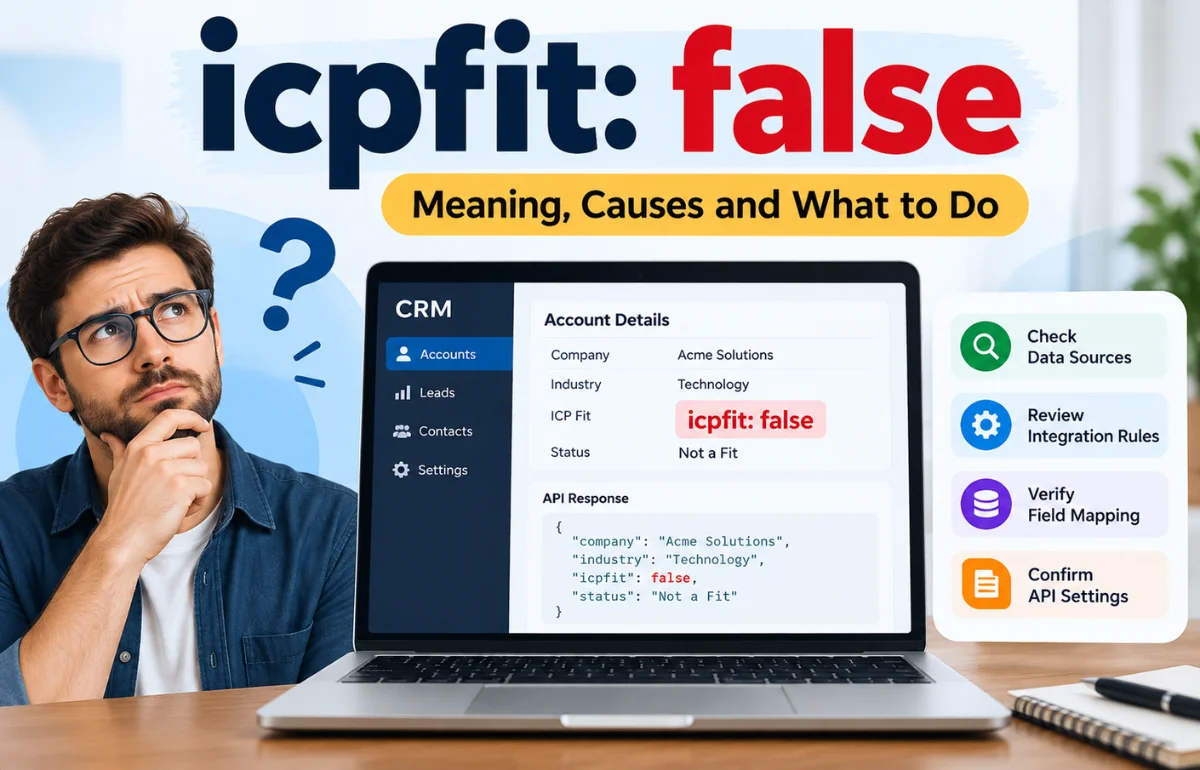
icpfit: false is a field-and-value expression that usually means a particular condition has evaluated to “false.” In customer relationship management (CRM) or sales software, icpfit may refer to Ideal Customer Profile fit, so a false result can mean that an account does not meet the system’s chosen customer criteria. But the expression alone does not identify its source, and there is no reason to assume every application uses that field in the same way. It is not, by itself, a universal error code or proof that a prospect should be rejected.
If I came across icpfit: false in an API response, spreadsheet export, CRM record, or log, my first question would be simple: which system created it? That answer determines whether the value is a legitimate assessment, a default, a configuration switch, or something that needs investigating.
What Does icpfit: false Actually Tell You?
The expression has two pieces. icpfit is the name of a field, variable, or property. false is its value. In software that uses Boolean values, false represents a negative logical state, while true represents a positive one.
The software must define what is being tested before a negative result tells you anything useful. It could mean “this company did not pass the customer-fit test,” or refer to a completely different condition. I would never diagnose the business outcome from the two words alone.
An example in JSON
Here is an illustrative JSON object, not a response verified from any particular vendor:
{
  "companyId": "example-1042",
  "icpfit": false,
  "evaluationStatus": "complete"
}
Here, the evaluation is complete and the fit result is false, but the reason remains unknown. The evaluationStatus field illustrates context; it is not an established companion field for icpfit.
The JSON standard, RFC 8259, defines lowercase true, false, and null as distinct literal values. Quotes change the type: "false" is text, not a Boolean. That difference matters when systems exchange data or evaluate conditions.
The spelling of the field can matter
Developers may encounter icpfit, icpFit, or ICPFit. A case-sensitive schema may treat them as different properties, so I check capitalization against the actual documentation.
Why Does icpfit: false Appear?
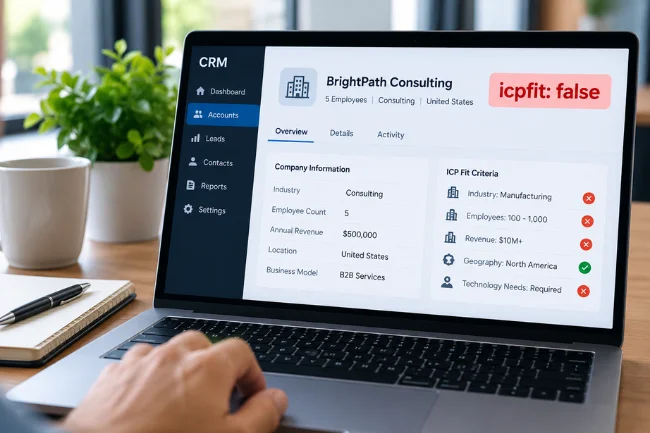
If the field represents Ideal Customer Profile fit, several explanations are possible. Some are normal business outcomes; others point to unreliable data or a rule that no longer reflects the business.
1. The company does not meet the target profile
An Ideal Customer Profile describes organizations most suitable for a product. A B2B company might assess industry, employee count, revenue, geography, technology needs, and purchasing capacity.
Imagine software built for manufacturers with 100–1,000 employees. A five-person consulting firm might have genuine interest yet fail the ICP criteria. That says something about targeting rules, not the company’s overall worth.
2. Required customer information is missing
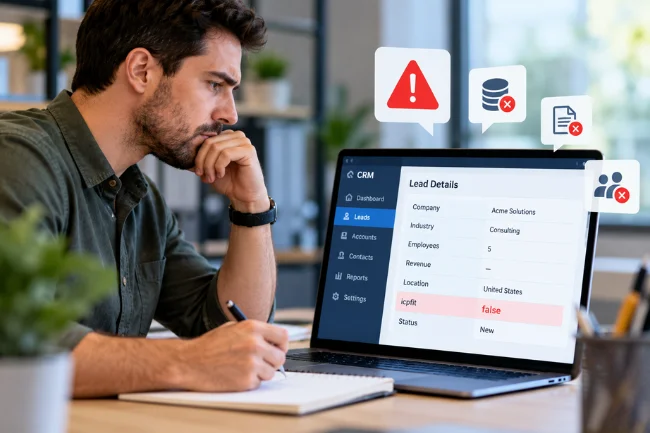
Missing data creates a more subtle problem. A contact record may have a company name and email address but no industry, country, or employee count. A qualification system cannot make a reliable match if a critical input is absent.
One application may return null or unknown; another may default to false. I would inspect the schema before treating missing information as a definite mismatch.
3. The source data is inaccurate or outdated
Businesses grow, expand geographically, or change operating models, while CRM records may still contain old information.
If the input is wrong, the calculated result can be wrong too. Updating a stale employee count or industry classification may change the next evaluation without anyone manually forcing the final field to true.
4. Field mapping or integration rules are incorrect
Integrations often transform information while moving it between applications. The CRM might store a country as United Kingdom, while a scoring rule expects GB. Another system might send employee count as text, even though the receiving rule expects a number.
Such mismatches may silently fail a condition. I would inspect values before and after transformation, especially if many records suddenly change status.
5. The qualification criteria have changed
An ICP can change with products, pricing, and market focus. A lead evaluated last quarter may receive a different result today.
Check when the record was scored and which rule version was used. An old result should not be presented as a current decision without confirming whether the software recalculates it automatically.
Where Might You Encounter This Field?
CRM and sales qualification tools
In sales, ICP fit helps prioritize accounts. A negative flag can influence a queue, report, alert, or lead-routing rule.
Customer fit is not buying intent. Someone outside the usual profile can request a demo, while a textbook-fit company may have no urgency. I treat fit as one input, not the entire decision.
APIs and data exports
An API exposes fields to other applications. Its documented data types matter: an integration expecting a Boolean can misbehave when it receives a string or null instead.
Alphie’s public API documentation, for instance, defines icpFit as a string or null, with categories ideal, potential, likely_not_a_fit, and not_a_fit, plus a separate numeric icpScore. This does not identify the source of icpfit: false; it demonstrates why vendor definitions matter.
Configuration files and application logs
Outside a CRM, a similarly named value could appear in a configuration, diagnostic output, or a custom application. In that setting, false may mean a feature or condition is disabled rather than a lead being unqualified.
I would inspect neighboring fields, the file or endpoint, and the event that produced the line. Without that context, diagnosis is guesswork.
false vs null vs "false": Why the Difference Matters
Similar-looking values can behave differently in software.
| Value | Data meaning | Sensible next question |
|---|---|---|
true | Boolean positive state | Which test passed? |
false | Boolean negative state | Was the test completed with valid inputs? |
null | Explicit null value | Is the result unavailable, unset, or unknown? |
"false" | String containing the word false | Does the receiving system expect text or a Boolean? |
"not_a_fit" | Categorical string | How does this particular vendor define the category? |
| Field absent | No property supplied | Is it optional, filtered out, or missing because of an error? |
These are data forms, not universal business statuses; a missing field is not necessarily the same as null.
There is a programming trap: in JavaScript, the nonempty string "false" is truthy in a condition, while Boolean false is falsy. MDN documents this behavior. Confusing the two can reverse an automation’s intended branch.
How I Would Investigate an Unexpected icpfit: false Result

When a result looks wrong, I check the evidence before editing its output.
Identify the source and exact location
Start by recording the application, endpoint or file, field spelling, timestamp, and the screen or process where the value appeared. If someone found it in a browser developer tool, determine whether it came from a network response, page data, or client-side settings.
Was it calculated locally, imported, or manually entered? Identifying the field’s owner narrows the investigation.
Find the documented type and allowed values
Read the vendor’s schema or technical documentation. Does the field accept a Boolean, number, text category, or null? Is false a normal negative outcome? Are there separate states for incomplete assessments?
If documentation is unavailable, inspect the schema or contact support. Never base a production change on another product’s similarly named field.
Review the raw inputs, not only the result
For an ICP-fit assessment, compare the evaluated company record with the configured requirements. Check industry, company size, region, revenue, and any mandatory exclusions. Confirm data types and normalization as well as the visible values.
For example, "250" is JSON text, while 250 is a number. Whether that matters depends on the receiving software’s validation rules.
Look at the rules that produced the decision
Find out whether the evaluation uses all-or-nothing conditions, weighted points, or a combination. A mandatory geographic restriction might override an otherwise high score. A point-based system may allow several imperfect attributes while still producing a positive fit result.
Review the rule version and effective date, then compare a known positive record with the unexpected result without exposing confidential data.
Check the timing and integration path
Look for the last evaluation time, recent synchronization failures, and changes to upstream fields. A CRM can show current data alongside a status calculated from an earlier snapshot.
Across integrated services, locate the first discrepancy instead of blindly rerunning the final workflow.
Correct the cause, then verify safely
Fix missing data, wrong mappings, or outdated criteria at the source. If the product supports reassessment, use its documented process—preferably in a test environment before changing production automations.
Check downstream actions too: a changed flag could trigger assignments or notifications. Document any manual override.
Here is a compact diagnostic reference:
| Symptom | Evidence to check | Safer response |
|---|---|---|
| One suitable account shows false | Its source fields and rule evaluation | Correct the specific input or rule, then reassess |
| Many accounts change at once | Recent rule deployments and integration logs | Investigate the shared change before bulk edits |
| False appears with blank fields | Schema defaults and required inputs | Separate unknown records from confirmed mismatches |
| An API rejects the value | Documented type and exact field name | Send the expected type and casing |
| Two dashboards disagree | Evaluation timestamps and scoring versions | Reconcile the source and calculation dates |
What Does a False ICP Fit Mean for Sales?

I would resist the temptation to translate false into “delete this lead.” A qualification field measures a chosen type of suitability under chosen rules. It does not necessarily measure future revenue, purchasing urgency, or the quality of the relationship.
Consider a hypothetical B2B analytics company that primarily sells to organizations with at least 100 employees. A 30-person firm requests a demonstration and describes an urgent reporting problem. The account may fail the size criterion while showing strong purchasing intent. Automatically deleting it could throw away useful information or a genuine opportunity.
The reverse can happen too. A 500-person company may fit every firmographic requirement but have no interest in changing its current tools. That account could qualify for long-term nurturing rather than an immediate sales call.
This separation between fit and engagement is reflected in HubSpot’s lead-scoring guidance, which discusses scoring leads on both how closely they match an ideal customer profile and their interest in a product.
For a business team, I recommend three practical distinctions: unsuitable under current rules, insufficient information, and suitable but not ready to buy. Even if the software exposes only a Boolean fit field, those working categories can help humans interpret what should happen next. They are an operational suggestion, not a claim that every CRM supports three built-in statuses.
Preventing Misleading ICP Results
The best fix is often upstream of the field itself. Clean data and transparent rules make unexpected statuses easier to explain.
Give missing information its own treatment
When possible, do not silently classify an unevaluated account as a failed match. Preserve an unknown or pending state, or record why the assessment could not be completed. This prevents incomplete records from being mixed with genuinely unsuitable prospects.
If the software forces a Boolean, maintain a separate evaluation-status or completeness indicator where the platform allows it. That extra context can be more valuable than a slightly more complicated scoring formula.
Record when and why a result was calculated
I like a simple principle: a decision is easier to trust when its inputs, rule version, and evaluation time can be traced. A visible “last evaluated” date can explain why an account still shows false after its company data has been updated.
For teams designing an internal workflow, consider storing a reason code alongside the status, such as outside_target_region or missing_employee_count. These are proposed examples, not established icpfit values. They make audits and support conversations far easier than an unexplained negative flag.
Protect the workflow from accidental overrides
Manual review is useful, but an arbitrary change from false to true can mask a broken rule. If overrides are necessary, record who made the change, the reason, and whether future automated assessments should replace it.
I would also test rule changes against a small set of known positive, negative, and incomplete records. That gives teams a chance to catch unintended classifications before applying the change to an entire CRM.
Common Mistakes to Avoid
- Treating
icpfit: falseas a universal error code without identifying the application. - Assuming every
icpFitfield is Boolean, even when a vendor documents strings or scores. - Confusing missing data with a completed negative assessment.
- Changing the output field instead of correcting the inputs or evaluation rules.
- Removing leads solely because of their fit status, without considering intent and business context.
- Sharing raw API responses publicly without removing customer details, access tokens, and other sensitive data.
The recurring lesson is that context matters more than the appearance of a single value. The field can be useful, but it should remain explainable.
Final Takeaway
icpfit: false tells you that a named field has a false value; what that means in practice depends on the software that produced it. In a CRM, it may indicate a negative Ideal Customer Profile match. Elsewhere, it may represent a different condition entirely.
If you have encountered the value, start with the source application and its documented schema. Then check the input data, qualification logic, and evaluation time before changing anything. That approach is safer, faster, and far more useful than guessing from the field name alone.
Frequently Asked Questions
Is icpfit: false an error?
Not necessarily. It may be a normal negative Boolean result, but its exact meaning depends on the application and field definition.
Does icpfit: false mean a lead is unqualified?
In a CRM using the field for Ideal Customer Profile matching, it may indicate a poor fit under current rules. It does not automatically mean the lead has no buying potential.
Can I change icpfit: false to true?
Only if the system permits it and the change is justified. Check the source data and evaluation rules first; overriding the result may hide the real issue.
What is the difference between false and null?
false is a Boolean negative value, while null is a distinct value often used for missing or unavailable information. Applications may assign their own business meanings to each.
Why does icpfit: false appear in an API response?
It may be a calculated field, default, or configuration value exposed by the API. Check the endpoint documentation, property type, and surrounding response fields to identify its purpose.

Noah Sterling is a technology research writer with 8+ years of experience covering emerging technologies, software trends, digital tools, and innovation. He creates practical, research-based articles to help readers understand the evolving technology landscape.