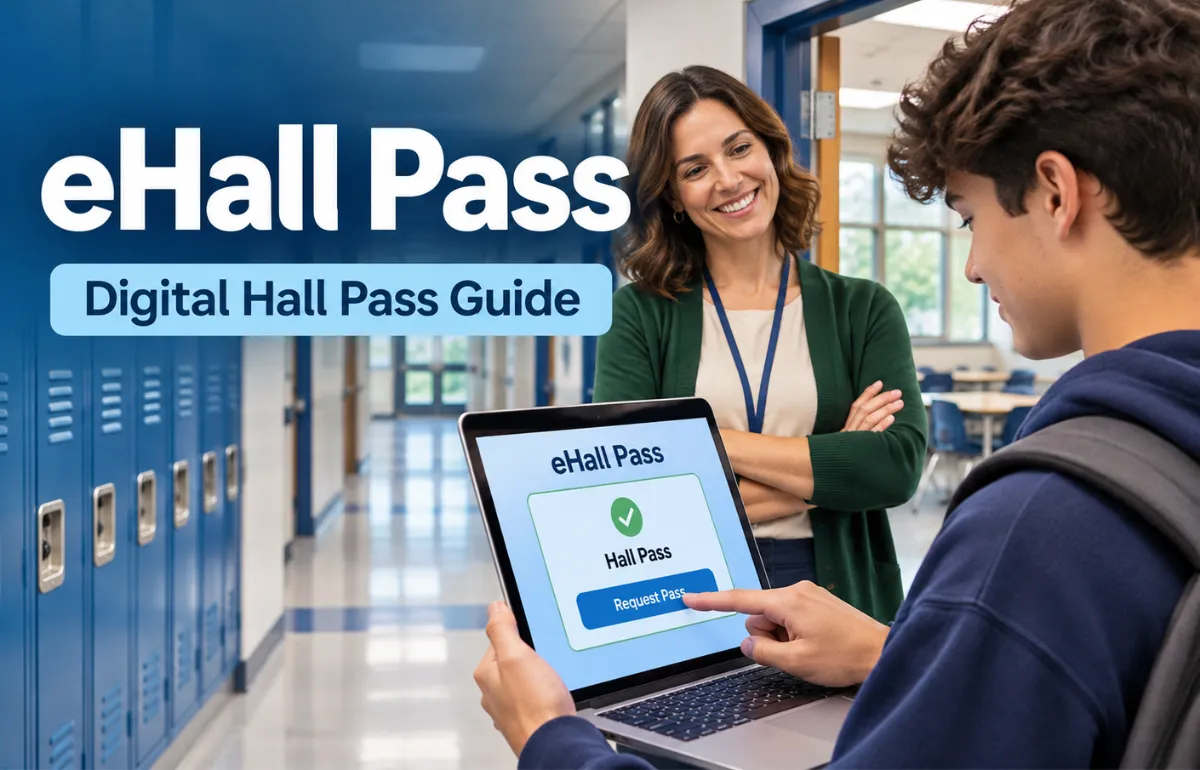
eHall Pass is a cloud-based digital hall pass system that allows students to request permission to leave their classrooms using a computer, tablet, or other supported device. Now officially known as Securly Pass, the platform helps teachers approve requests, monitor student movement, manage hallway traffic, and maintain digital records of hall pass activity.
Unlike traditional paper passes, it gives authorized school staff access to information about who has permission to leave class, where they are supposed to go, and how long their pass has been active.
What I find particularly interesting about this technology is that it addresses an everyday school management problem without requiring complicated equipment.
Whether you’re a student trying to access your account, a parent concerned about privacy, or an educator exploring digital classroom management tools, understanding how the platform works can make the transition much easier.
What Is eHall Pass?
eHall Pass, also written as e-Hallpass or eHallPass, is an educational technology platform originally developed by Eduspire Solutions. Following its acquisition by Securly, the software became known as Securly Pass.
Its primary purpose is to replace handwritten hall passes, physical permission cards, and classroom sign-out sheets with a centralized electronic system.
Students can request permission to visit locations such as restrooms, lockers, libraries, school offices, and the nurse’s office.
Teachers can approve these requests, while administrators can review hallway activity and identify patterns that might require attention.
Since the software operates online, schools generally don’t need specialized hardware to introduce it into their existing educational environment.
How Does eHall Pass Work?
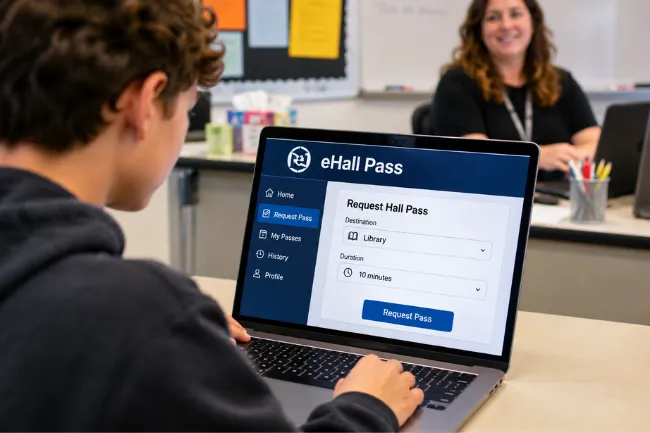
The platform operates through a connected system involving students, teachers, staff members, and school administrators. Each user has access to different functions depending on their assigned role.
Here’s what a typical digital hall pass process looks like:
- A student signs in to their school-authorized account.
- The student selects their current classroom and intended destination.
- A hall pass request is submitted.
- The teacher approves the request, or the system authorizes it automatically when permitted.
- The student leaves the classroom with an active electronic pass.
- The pass is completed according to the school’s procedures.
During this process, authorized staff can view relevant pass information through their dashboard.
For example, imagine a student needs to visit the school library during a mathematics lesson. Instead of interrupting the teacher to request a handwritten note, the student submits a digital request.
The teacher can review it at an appropriate moment, reducing unnecessary disruption to the lesson.
The system also checks applicable school rules before allowing certain requests, including destination availability and student pass restrictions.
How to Access Your eHall Pass Login Account
Students and educators normally receive access through their school or district. Unlike ordinary consumer applications, the platform isn’t designed around independent public account registration.
The official login portal is available at pass.securly.com/login.
eHall Pass Student Login
Students can access their accounts by following these instructions:
- Visit the official login website or open the application through your school portal.
- Select your school’s approved sign-in method.
- Enter your school account credentials if prompted.
- Complete any required authentication.
- Access your student dashboard to create or manage passes.
Depending on the school’s configuration, supported sign-in methods may include Google, Microsoft, Clever, and ClassLink.
I recommend bookmarking the official portal rather than repeatedly searching for login pages online. Several unofficial websites use variations of the original platform name, making it easy to land on the wrong website.
Teacher and Administrator Login
Teachers and administrators generally access the same platform using their authorized school credentials.
However, their dashboards offer additional management capabilities. Teachers can handle student requests, while administrators may configure building-wide policies, review historical records, and manage user permissions.
Available controls depend on the person’s assigned role.
What to Do If You Cannot Log In
Most access problems can be investigated without advanced technical knowledge.
Start by confirming that you’re using your school email address rather than a personal account. If your browser has multiple Google or Microsoft accounts signed in, make sure you’ve selected the correct one.
You can also try refreshing the website, restarting your browser, or accessing the application directly through your school portal.
If the problem continues, contact your school’s technology department. Your account may not have been activated, or your school may need to update its user records.
Key Features of the eHall Pass System
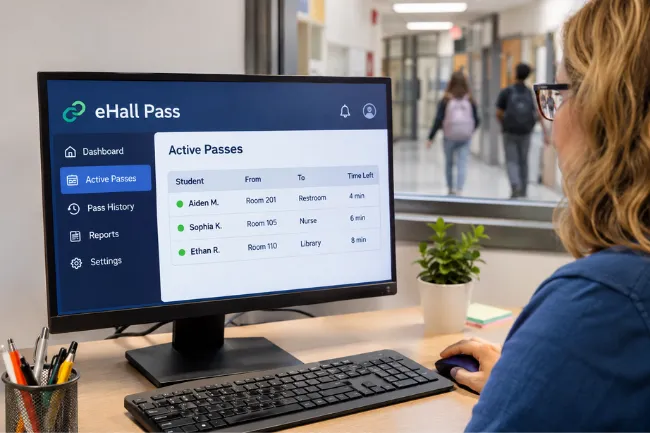
The software provides more than electronic permission slips. Its management features allow schools to establish movement policies suited to their buildings and student populations.
1. Real-Time Hall Pass Monitoring
Authorized staff can review active passes and see students’ recorded destinations.
This provides a broader understanding of hallway activity than traditional classroom sign-out sheets, which usually remain inside individual rooms.
However, the information represents authorized movement, not a student’s independently verified physical location.
2. Student Pass Limits
Administrators can establish restrictions on how frequently students initiate hall passes.
These limits may apply across an entire school or to particular groups and individuals, depending on administrative settings.
Schools can also make adjustments for students who require additional access because of medical, accessibility, or other individual needs.
3. Appointment Passes
An appointment pass allows school staff to arrange student movement for a scheduled time.
For instance, a counselor might arrange a meeting with a student during an afternoon lesson. The scheduled pass helps coordinate the visit without relying entirely on handwritten reminders.
Students may receive appointment notifications through the platform.
4. Automatic Pass Approval
The Auto Pass feature allows eligible requests to proceed without individual teacher approval when the appropriate settings are enabled.
This can be useful for routine destinations, particularly when teachers are conducting lessons or working with small groups.
Schools retain control over the circumstances in which automatic approval is available.
5. Contact Control
Contact Control allows administrators to prevent specific students from holding overlapping passes.
Schools may use this feature when addressing documented bullying concerns, conflicts, or behavioral incidents.
I believe this capability deserves careful oversight. Restrictions should serve a legitimate educational or safety purpose rather than being applied indiscriminately.
6. Digital Reporting and Pass History
Administrators can review historical pass records and investigate recurring movement patterns.
For example, repeated delays involving one particular destination might indicate overcrowding, maintenance problems, or an inefficient school layout.
The value of these records depends largely on how thoughtfully schools interpret them.
7. Destination Capacity Management
Schools can establish restrictions on how many students are permitted to visit certain locations simultaneously.
This can help manage congestion around frequently used facilities without requiring every teacher to coordinate requests manually.
eHall Pass vs. Traditional Hall Passes
Both systems serve the same basic purpose, but their approaches to permission, documentation, and accountability differ considerably.
| Feature | Traditional Hall Pass | eHall Pass |
|---|---|---|
| Pass format | Paper or physical object | Electronic record |
| Teacher approval | Verbal or handwritten | Digital or automatic |
| Movement records | Limited or manual | Centralized records |
| Destination management | Staff coordination | Configurable restrictions |
| Pass duration | Manually monitored | Digitally recorded |
| Historical reporting | Time-consuming | Available through reports |
| Internet requirement | Not required | Generally required |
| Implementation cost | Usually minimal | Software and training costs |
| Student privacy | Limited digital collection | Requires data protection policies |
Traditional passes remain practical in small educational settings or during technology outages.
However, larger schools may benefit from centralized visibility, particularly when several hundred students are moving between classrooms and shared facilities.
Benefits of eHall Pass for Students, Teachers, and Schools
The advantages extend beyond replacing paper with screens. When implemented appropriately, the software can address several everyday administrative challenges.
Benefits for Students
Digital requests can give students a more discreet way to ask permission to leave class.
A student who needs to visit the restroom or school nurse may feel uncomfortable announcing that need in front of classmates. An electronic request can reduce that embarrassment.
Students can also develop greater responsibility by managing their passes and following established procedures.
Benefits for Teachers
Teachers frequently balance classroom instruction with attendance, student questions, administrative responsibilities, and interruptions.
Electronic hall passes reduce some of the manual work involved in managing classroom departures.
Instead of maintaining separate sign-out sheets, educators can refer to digital records whenever necessary.
The system may also make it easier to identify students who have forgotten to return or complete their passes.
Benefits for School Administrators
Administrators gain a centralized overview of authorized student movement throughout the building.
They can examine recurring hallway congestion, review pass activity, and adjust policies based on observed patterns.
This information may support better operational decisions, although software alone cannot guarantee improved school safety or student behavior.
Does eHall Pass Track Student Locations?
No, eHall Pass does not use GPS to track students’ physical locations.
According to Securly’s official documentation, the platform records information about student movement based on the starting location and intended destination associated with a hall pass.
For example, if a student creates a pass from Classroom 12 to the library, the software records that information. It does not continuously identify the student’s physical position between those locations.
This distinction matters because digital pass monitoring and real-time GPS tracking are fundamentally different technologies.
Nevertheless, the absence of GPS doesn’t mean the platform operates without collecting personal information.
Schools should still explain what information is recorded, who can access it, and how it will be used.
Is eHall Pass Safe and Secure for Students?
Student data privacy is one of the most significant considerations when introducing educational software.
The platform may process student names, school email addresses, pass activity, and additional school-provided information.
Securly states that its security practices include data encryption and access restrictions. The company also outlines its obligations concerning student information under applicable privacy laws, including FERPA and COPPA.
Schools should independently evaluate these protections alongside their own contractual and regulatory responsibilities.
Questions Parents Should Ask About Student Privacy
Before accepting a digital hall pass policy without question, I would encourage parents to ask their schools:
- How long are student pass records retained?
- Which staff members can access individual records?
- Can parents request access to relevant student information?
- How are medical exceptions managed?
- What happens to records when students leave the school?
A school’s answers can provide a clearer understanding of its privacy practices than general software marketing claims.
Parents can also review the official Securly privacy policy for additional information.
Common eHall Pass Problems and How to Fix Them
Like other cloud-based educational platforms, the system occasionally encounters technical or administrative difficulties.
Understanding the cause of a problem can help students and teachers avoid unnecessary frustration.
| Common Problem | Possible Cause | Recommended Solution |
|---|---|---|
| Login unsuccessful | Incorrect school account | Select the authorized account |
| Pass request rejected | School restrictions | Ask a teacher for assistance |
| Destination unavailable | Capacity limit or closure | Wait or request an approved alternative |
| Pass remains active | Completion was not recorded | Ask staff to close the pass |
| Dashboard won’t load | Browser or connection issue | Refresh and check connectivity |
| Student has no device | Forgotten or unavailable device | Request a teacher-created pass |
A rejected request does not necessarily mean the software is malfunctioning.
Sometimes the platform is simply enforcing rules established by school administrators.
If a student has an urgent medical or personal need, they should communicate directly with a responsible staff member rather than relying entirely on the application.
Can You Use the eHall Pass App on a Mobile Phone?
Yes. Securly Pass offers mobile applications for supported Android and Apple devices, alongside its browser-based platform.
Students may also access the system through school-issued Chromebooks, laptops, and shared tablets.
However, mobile phone access depends on individual school policies. Installing the application does not automatically give a student permission to use a phone during lessons.
Schools with strict phone restrictions can use shared classroom kiosks or allow teachers to create passes on behalf of students.
This flexibility means individual smartphone ownership is not necessarily a requirement for using the system.
How Much Does eHall Pass Cost?
eHall Pass is designed for institutional use rather than individual consumer subscriptions.
Schools and districts can contact Securly to request pricing information, discuss available features, and arrange a product demonstration.
Actual costs may depend on student enrollment, selected services, contract terms, and implementation requirements.
When evaluating the expense, I would consider more than the software subscription. Staff training, technical support, device availability, and ongoing administration also contribute to the overall cost.
Students generally access the platform through their school’s arrangements rather than purchasing personal subscriptions.
Potential Drawbacks of Using a Digital Hall Pass
Despite its practical advantages, electronic hall pass software isn’t a perfect solution for every educational environment.
Internet disruptions can interfere with access, and some users may experience difficulties adjusting to new procedures.
Overly restrictive settings can also create unnecessary barriers for students with legitimate medical or personal needs.
Another concern is that extensive monitoring may make students feel that ordinary activities are being treated as behavioral problems.
In my view, schools should use digital pass records to support informed decisions rather than automatically interpreting every unusual movement pattern as misconduct.
Human judgment remains essential.
What Most Schools Overlook When Implementing eHall Pass
One overlooked opportunity is using hall pass information to evaluate the school environment rather than focusing exclusively on individual student behavior.
Consider a hypothetical school where numerous students regularly exceed their expected pass duration when visiting the same restroom.
The immediate assumption might be that students are deliberately wasting time.
However, the underlying problem could involve limited restroom capacity, long walking distances, or closed facilities.
I would recommend evaluating three areas before introducing additional restrictions.
Examine Environmental Patterns
Compare pass durations across destinations to identify possible building-related problems.
Repeated delays involving different students at the same location may justify investigating the facility itself.
Separate Waiting Time From Travel Time
A student might spend several minutes waiting for approval before being allowed to leave.
Schools should distinguish the request-to-approval interval from the time actually spent outside the classroom when evaluating efficiency.
Otherwise, administrative delays could be mistaken for student misconduct.
Maintain a Technology-Free Backup
Every school should establish an alternative procedure for internet outages, unavailable devices, and urgent situations.
A simple staff-approved manual pass can prevent technical difficulties from interfering with essential student needs.
These approaches can help administrators develop more balanced policies while avoiding unnecessary restrictions.
Is eHall Pass Worth Using in Schools?
For middle schools, high schools, and larger educational institutions, digital hall pass management can offer meaningful operational advantages.
Its centralized dashboard, configurable restrictions, and reporting tools provide capabilities that traditional paper passes cannot easily reproduce.
However, successful implementation requires clear communication, appropriate staff training, reasonable accommodations, and transparent privacy policies.
Schools should evaluate success through measures such as classroom interruptions, hallway congestion, student feedback, and access to essential facilities.
I would not judge the platform solely by whether the number of issued passes decreases. Fewer passes do not automatically indicate better student behavior or a healthier school environment.
Conclusion
eHall Pass represents a practical shift toward digitally managed student movement. Its ability to organize requests, support teachers, and provide centralized records makes it a useful educational technology tool.
Its effectiveness, however, depends on how responsibly schools implement it.
I believe the best approach is to balance administrative efficiency with student dignity, accessibility, and privacy.
If you’re a student, start by accessing the official Securly Pass portal through your school. If you’re an educator or administrator, review your school’s movement policies and individual student needs before introducing or expanding digital hall pass management.
Frequently Asked Questions
Is eHall Pass the same as Securly Pass?
Yes. Securly Pass is the current official name of the digital hall pass platform previously known as e-Hallpass.
How do I log into eHall Pass as a student?
Visit pass.securly.com/login or your school portal and sign in using your authorized school account.
Does eHall Pass use GPS tracking?
No. It records hall pass information, including starting locations, destinations, and timing, without tracking students through GPS.
Can teachers see previous eHall Pass records?
Authorized teachers and administrators can access relevant historical pass information, subject to their permissions and school policies.
Can students use eHall Pass without a phone?
Yes. Students can use supported school computers, shared kiosks, or passes created on their behalf by authorized staff.

Noah Sterling is a technology research writer with 8+ years of experience covering emerging technologies, software trends, digital tools, and innovation. He creates practical, research-based articles to help readers understand the evolving technology landscape.