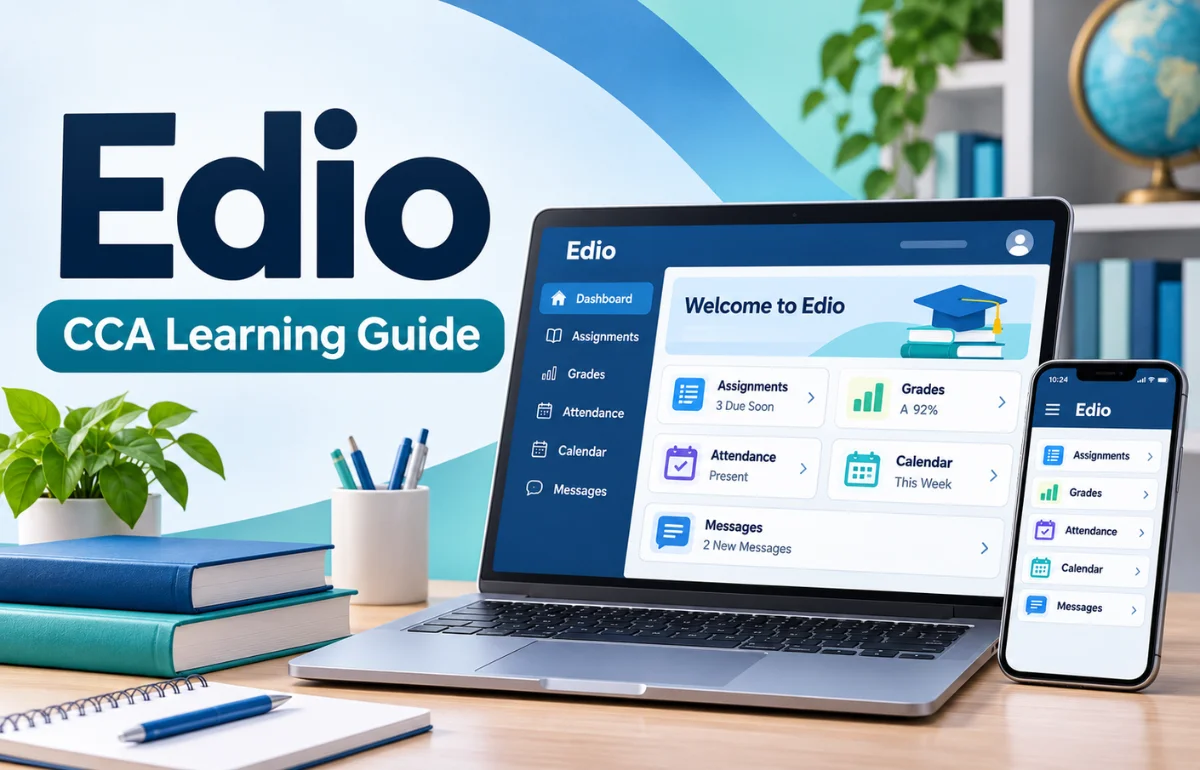
Edio is the online learning and school communication platform used by Commonwealth Charter Academy (CCA), a public cyber charter school serving K–12 students in Pennsylvania. Its name stands for Education for Individualized Outcomes. Through Edio, students can access lessons and course schedules, while families can follow attendance, review grades, and communicate with school staff.
CCA calls it a relationship management system because it connects people as well as coursework. In everyday terms, I would describe it as the central hub for a CCA student’s school day, not simply a website for submitting assignments.
Several unrelated products also use the Edio name, so this article focuses on CCA’s platform and explains how to recognize the others.
What Does Edio Mean, and Which Edio Are People Searching For?
The name can cause confusion. Someone looking for a school login may land on a language-teaching tool or video production website instead. These services are separate products, not different versions of one account.
| Name | Main purpose | Intended users | Website |
|---|---|---|---|
| CCA Edio | Schoolwork, grades, attendance, and communication | CCA students, caretakers, learning coaches, and staff | ccaeducate.me/edio |
| edio.ai | AI-supported lesson creation and virtual classrooms | Language teachers and schools | edio.ai |
| Edio for video teams | Video review, version management, and collaboration | Creators, editors, and agencies | edio.tech |
That distinction matters when searching for “Edio login,” “Edio app,” or “Edio pricing.” A search result containing the right name can still lead to the wrong service.
For CCA families, the school’s official Edio page is the safest starting point.
Why Commonwealth Charter Academy Developed Edio

Online schooling needs more than digital worksheets. Students need clear assignments, teachers need insight into progress, and parents need reliable updates. When those tasks live in disconnected systems, basic questions become frustrating.
CCA designed Edio around those relationships. According to RSM’s account of its work with the school, the development process involved research with students, families, teachers, and administrators.
The goal was to build around actual school routines rather than force everyone into the same rigid workflow.
I find the emphasis on coordination more useful than the usual promise of “personalized learning.” Customization only matters when people can see the plan, act on it, and spot problems early. Edio aims to provide that shared view.
How Does Edio Work?
Edio organizes important parts of the CCA experience under one school-managed account. What a user sees depends on their role and the functions CCA has made available to them.
For students: a place to find and complete learning activities
Students use the platform to reach assigned course content, check their learning schedule, participate in online coursework, and review relevant feedback.
Some lessons include readings, videos, interactive activities, or assessments. Depending on the course, a student may also use an external learning service reached through Edio.
The practical advantage is having a recognizable starting point. Instead of guessing which application holds the next assignment, a student can begin with the scheduled course and follow the teacher’s instructions.
For caretakers and learning coaches: visibility without taking over
CCA distinguishes caretakers, generally parents or legal guardians, from learning coaches, the adults who help manage everyday learning. One person can fill both roles.
Their access helps them check attendance, grades, schedules, and school messages.
I would treat this visibility as a prompt for a conversation, not permission to complete a child’s work. A useful question is “What was difficult today?” rather than “Why isn’t everything finished?” That keeps support connected to learning.
For teachers: instruction and communication in context
Teachers can deliver learning activities, evaluate work, and communicate with families through school channels.
CCA’s learner handbook describes options including chat, webmail, assessment feedback, notifications, and live instruction sessions.
A connected system does not eliminate the need for teaching. It can, however, make it easier to connect a concern about a grade with the relevant course, assignment, or conversation.
Edio Features That Make the Biggest Difference
A long feature list tells me less than the everyday problem each feature solves. These are the functions that matter most to CCA families.
Personalized dashboard and course access
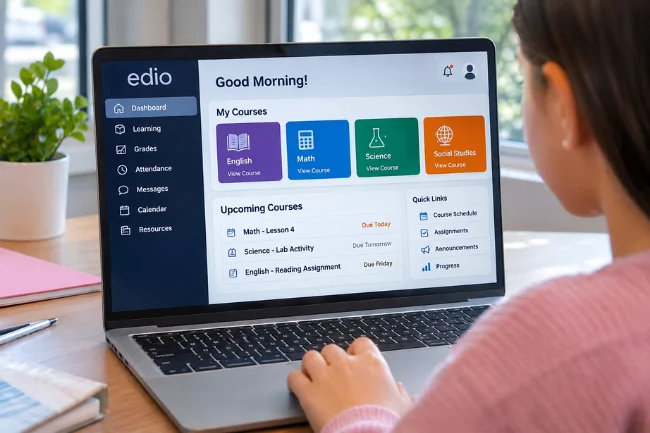
The dashboard gives users an overview of school information relevant to their accounts. Students can find their learning materials and see what is coming up.
CCA directs users to the Learning section and then Upcoming Courses to locate course schedules.
This turns several classes into a manageable daily picture, although students still need to open each course to understand the assignments.
Attendance tracking
Attendance is not merely a decorative counter. CCA requires students to participate according to its school calendar and attendance policies.
Its attendance handbook explains that students are expected to log in on approved school days and that learning coaches can submit absence explanations through Edio.
One subtle point is worth remembering: logging in does not necessarily establish meaningful participation. CCA also considers lessons and approved learning activities when reviewing engagement.
I would never rely on a successful login alone as proof that the school day is complete.
Grades, feedback, and overdue work
Edio’s gradebook helps families identify how coursework is progressing. CCA explains that some electronically graded assessments appear immediately, while written work is posted after a teacher evaluates it.
Its grading policy also describes how overdue work may temporarily affect a course grade.
That means a low number needs context. Is work incomplete, waiting to be graded, or genuinely showing a knowledge gap?
The answer determines whether a student needs time, technical help, or a conversation with the teacher.
Messaging and live instruction connections
School communication can happen through several supported channels, including chat, webmail, dashboard notifications, and teacher feedback.
This is particularly useful when families need clarification about a due date, course requirement, or learning concern.
I recommend specific messages: identify the course, issue, and assignment. “The science lesson will not open on my laptop” is easier to resolve than “Edio isn’t working.”
Access to additional learning resources
Edio is also a gateway to other educational tools. CCA says it uses supplementary platforms and materials alongside courses developed by its own staff.
Students may begin inside Edio and then continue an activity on another provider’s platform.
Not every course looks alike, and a separate course interface does not automatically mean something is wrong.
Who Uses Edio? A Quick Role Comparison
Different users have different jobs, even when they share the same learning environment. I use the following distinction to make that clearer.
| User | Typical focus in Edio | A useful habit |
|---|---|---|
| Student | Lessons, assignments, schedule, teacher feedback | Check today’s course work before starting |
| Caretaker | Academic oversight, attendance, school updates | Review notices and ask about emerging concerns |
| Learning coach | Day-to-day support and participation | Check progress without doing assignments for the student |
| Teacher | Instruction, assessment, communication | Give actionable feedback tied to a specific task |
Available menus and permissions may vary by account and school configuration. A caretaker should not expect the identical screen or controls used by a student.
How to Access Edio and Activate an Account
CCA manages account access, so signing up is not like creating a profile on an open consumer app. The school sends activation instructions to the appropriate household contact or the email address on file.
Start from CCA’s official Edio page and follow its login link to MyEdio. After completing activation, sign in using the credentials associated with your school account.
Look under Learning and Upcoming Courses for the course schedule. Some school-year features become available on the student’s first day, so a limited view before that point is not necessarily an error.
If the activation email has not arrived, check the correct household inbox and its spam folder before requesting help.
CCA’s Edio FAQs direct families with missing emails or outdated contact information to school support. For technical assistance to enrolled families, CCA lists 833-204-2221.
Avoid entering credentials on look-alike websites found through advertisements or unfamiliar links. A useful habit is to bookmark the official page after the first successful visit.
Is There an Edio Mobile App?
Yes, CCA offers edioGO, a companion app for caretakers and learning coaches on iOS and Android.
It is designed for checking school information away from a desktop computer, not as a promise that every student learning task is available in the app.
According to CCA’s edioGO overview, the app can show grades and overdue items, upcoming activities, notifications, and calendar details.
It also supports functions such as submitting absence excuses, contacting school connections, and accessing progress reports.
That makes it useful for quick check-ins between other responsibilities.
Still, I would use the full Edio experience when I needed to review detailed course instructions or troubleshoot an assignment. Mobile convenience and complete learning access are different needs.
What Personalized Learning Actually Means in Edio
Personalized learning is about more than a comfortable pace. It also means keeping expectations visible, identifying gaps, and making appropriate help available.
Imagine two students working through the same subject. One understands the reading but struggles to organize written answers. The other writes confidently but needs extra explanation of a core concept.
Their next best actions are not identical, even if the course title is.
Edio can help teachers and families see relevant assignments, progress, and communication in one environment.
It cannot independently decide the best instructional response in every situation. That judgment still belongs to educators, with input from students and families.
There is another distinction I think families should make: flexibility is not the absence of structure.
CCA remains a public school with attendance rules, curriculum requirements, and scheduled learning. Edio makes those obligations easier to access; it does not remove them.
A Practical Routine for Getting More Value From Edio
The most effective routine is not checking the dashboard every few minutes. It is connecting information to a specific next action.
Here is a simple approach I recommend.
Before the learning day
Open the schedule and identify live sessions, major assignments, and anything that was left unfinished.
Ask the student to name the first task in their own words. This small check can reveal uncertainty before it turns into avoidance.
During the day
Let the learner complete their own work. If a lesson is confusing, record the question and contact the teacher.
For a technical error, note the device, browser, course, and time.
At the end of the week
Review grades, overdue items, and teacher feedback together. Look for patterns rather than reacting to one score.
Several missing submissions call for a different response than one difficult mathematics topic.
I call this the “notice, interpret, act” routine. Notice what the platform reports, interpret what it actually means, then choose one action.
It is my practical framework, not a feature name claimed by CCA.
Common Edio Problems and Sensible Fixes
For login failures, check the official MyEdio page and correct account. Incomplete activation or an outdated household email may require school assistance.
For a missing course, check the published schedule and whether school-year access has started. If a course appears incorrect, CCA advises contacting the school counselor using instructions on the dashboard.
For a lesson that refuses to load, try a refreshed session, a supported up-to-date browser, and a stable connection.
Preserve the exact error message rather than repeatedly submitting work. When an external provider is involved, identify which platform is showing the error.
If a grade or attendance record looks wrong, gather the course name, date, and relevant evidence, then contact the appropriate school staff.
I would avoid posting student information in public forums: the official support route is safer and usually more useful.
Privacy, Communication, and Realistic Limitations
Because Edio handles school information, families should think about privacy as well as convenience.
Keep individual credentials private, use the school’s approved communication channels, and sign out on shared computers.
CCA’s academic handbook says messaging communications are archived and may be reviewed by administrators.
That is a good reason to keep school chats factual, respectful, and focused on educational needs. It is also a reminder that a school platform is not the same thing as a private messaging account.
Edio depends on device access and connectivity; some courses use external services; dashboard data requires interpretation. A gradebook cannot replace a conversation with a teacher.
Is Edio Free, and Who Can Use It?
CCA’s Edio is provided as part of the school experience; it is not marketed as a general-purpose service that anyone can buy for personal use.
CCA is a tuition-free public cyber charter school for eligible Pennsylvania students in kindergarten through 12th grade. Enrollment and school eligibility are separate from logging in to Edio.
For a family outside CCA, the useful question is not “How much is an Edio subscription?” but “Which Edio product am I actually looking for?”
The similarly named language-teaching and video collaboration services have their own sign-up processes and pricing arrangements.
Frequently Asked Questions About Edio
What does Edio stand for?
At Commonwealth Charter Academy, Edio stands for Education for Individualized Outcomes, the name of its school learning and communication system.
How do I log in to Edio?
Open CCA’s official Edio page, follow the MyEdio login link, and use the account details provided during school activation.
Can parents see grades and attendance in Edio?
Yes. Authorized caretakers and learning coaches can access academic and attendance information through CCA’s services, including edioGO.
Is Edio available to students outside Pennsylvania?
CCA’s Edio is intended for its enrolled school community, and CCA enrollment requires Pennsylvania residency; unrelated Edio products have different audiences.
Is Edio the same as edioGO?
No. Edio is CCA’s broader school platform, while edioGO is the mobile companion designed for caretakers and learning coaches.
Final Thoughts
Edio works best when I think of it as a shared school workspace rather than a substitute for teachers or family involvement.
Its real value is helping students, caretakers, and educators see the same learning priorities and respond before small issues become larger ones.
If you are part of CCA, start with the official Edio page, activate your account, and establish a short daily check-in. The goal is not more screen time; it is fewer surprises and better support for learning.

Noah Sterling is a technology research writer with 8+ years of experience covering emerging technologies, software trends, digital tools, and innovation. He creates practical, research-based articles to help readers understand the evolving technology landscape.