
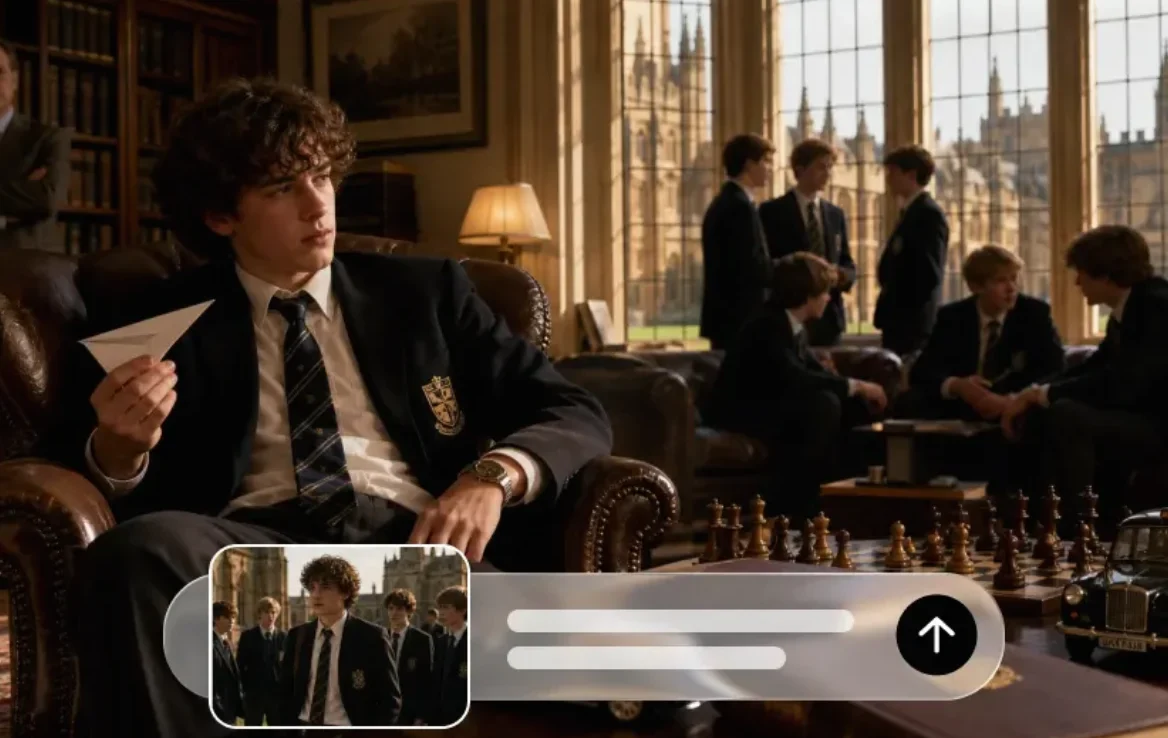
A photograph of a handmade lantern, an illustration of a shared meal, or a picture from a family celebration can hold more than a pleasing composition. Each may carry a memory or a cultural meaning. An ai video generator can turn a still visual into a moving scene, but the more interesting question is not simply what can move. It is what the movement should help the viewer notice.
For creators making cultural or reflective content, a gentle shift in light or a slow camera movement may say more than a dramatic transformation. A thoughtful short video begins with the story behind the image, respects what the image represents, and gives viewers enough context to understand what they are seeing.
Start with a story, not an effect
Think about why you chose the image. Is it a visual reminder of time spent with family? An illustration inspired by a craft? An invitation to learn about a celebration? The answer will shape both the movement and the words around it.
Imagine a creator sharing an illustration of paper lanterns for a community celebration. The lanterns look beautiful, but their video becomes more meaningful when it also explains whose celebration it represents, who made the artwork, or what the gathering means to the people involved. A few seconds of soft movement can create atmosphere; a caption can provide the human context.
Keep that idea small enough to fit the format. A short video does not need to explain an entire tradition. It could introduce an object, share a personal memory, or invite viewers to read a longer account. When the topic has religious significance, speak from your own experience or consult reliable sources and members of the relevant community rather than presenting one interpretation as universal.
Choose an image that can carry the idea
A strong starting image gives the viewer something clear to follow. Look for a visible subject, a composition that will work on the intended screen, and enough space around the edges for a small camera move or crop. If you do not have a suitable image yet, a text to video AI tool can build a first scene from a short written description, which you can then review the same way.
A photograph of a ceramic bowl on a table, for example, could introduce a story about a family meal. A hand-drawn floral pattern might become the background for a message about a local craft. A scene of a decorated doorway could support a short introduction to a seasonal gathering. In each case, the visual should connect with the story you actually intend to tell.
Use your own image or one you have permission to upload, adapt, and share in the intended setting. A picture being easy to download does not automatically make it available for AI generation or commercial use. Check the original creator’s license and any relevant platform terms, and credit the creator when required.
For a photograph of an identifiable person, particularly a child, consider privacy and obtain appropriate permission before uploading or publishing. Avoid uploading private family documents, addresses, or other sensitive details just because they happen to appear in the background.
Decide what should stay still
When an image already has a strong mood, motion should support it rather than compete with it. Before writing a prompt, identify the elements that must remain recognizable: perhaps the shape of a handmade object, the colors of a design, or the arrangement of a room.
Then choose one simple movement. A slow camera push toward a table, light shifting gently across a wall, or fabric moving slightly in a breeze can add depth without changing the entire scene. Asking for several actions at once can make it harder to see which instruction caused an unwanted result.
For example: “Keep the bowl and table arrangement unchanged. A soft morning light gradually moves across the table. Slow camera push-in, calm and natural movement, no added objects or text.”
This is a creative direction, not a promise that the result will perfectly preserve every detail. Review the generated frames closely. If a pattern changes or an important object becomes distorted, try a simpler motion, use another image, or keep the original still image in the finished video.
Turn an image into a first video draft
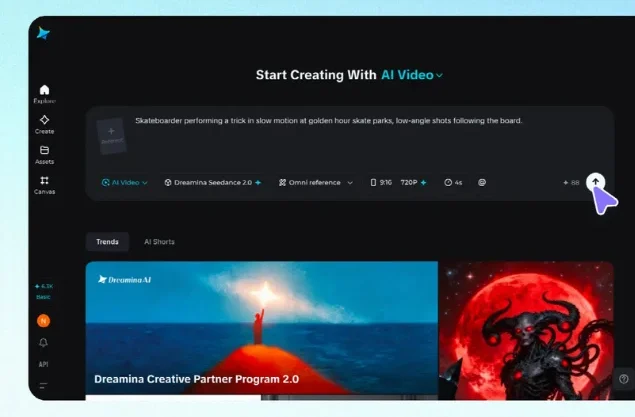
Dreamina supports video generation from a written prompt and can use an image as a reference. A creator could upload an authorized picture, describe one subtle movement, and generate a short draft to see whether the motion supports the intended mood.
Begin by choosing the image and checking the available settings for the selected model. Write the action in plain language: what moves, what remains still, and how the camera behaves. If the video is for a phone screen, choose an appropriate vertical composition where available; if it will be shown in a presentation, a horizontal frame may be more useful.
Generate a first version and review it before changing several things at once. Does the subject remain recognizable? Is the movement calm enough for the message? Does anything appear that was not in the original? If a result is close but the camera moves too quickly, revise that instruction first. Save the original image and note the prompt you used so you can compare later versions.
Available models, controls, credit costs, and export options can change, so check the current interface before starting. Avoid assuming that an image-based workflow will reproduce a reference exactly.
Four ideas for cultural and reflective short videos
A story about a shared meal. Begin with an authorized photograph of a table setting or an original illustration. Keep the objects still while introducing a gentle change in daylight. Add a caption about a personal memory or the people who prepared the meal. If you describe a dish’s history, check the claim and acknowledge regional differences.
A closer look at a handmade object. Use a picture of a textile, pottery piece, or paper craft with the maker’s permission. A slow move toward the texture can invite attention to the work. Name and credit the maker, and explain the technique only if you have verified it. Avoid implying that a generated detail is an authentic feature of the original object.
An invitation to a community event. An original visual of decorations or a gathering place can set the tone. Add the real event name, date, location, and accessibility information as editable text after generation. Confirm those details with the organizers. A generated crowd should not be presented as footage of a previous event.
A quiet visual for a personal reflection. A window, a garden, or a candle can create a calm background for a short personal message. You do not need to assign a religious or cultural meaning to a symbol simply because it looks appropriate. If the reflection is connected to a specific practice, explain your relationship to it and avoid implying that your experience speaks for everyone.
Be especially careful with sacred imagery

A visual element may be decorative to one viewer and sacred to another. Before using an image of a deity, religious text, ritual object, or place of worship, take time to understand its context and the wishes of the people or community involved.
Consider whether animation is appropriate at all. Some people may welcome a creative interpretation; others may find certain depictions or movements disrespectful. There is no single rule that covers every community or tradition. If you are creating for an organization or an audience with a specific relationship to the material, ask an informed representative and follow their guidance.
It can be better to focus on a neutral surrounding detail, such as light falling across an empty room, while explaining the subject accurately in the accompanying text. Do not invent script, chants, symbols, clothing, or rituals and present them as authentic. If the project requires an accurate depiction of a specific practice, use verified material and knowledgeable human review rather than relying on a generated reconstruction.
Add words that make the scene meaningful
The motion may catch attention, but a few well-chosen words help the viewer understand why the image matters. A useful caption can answer a simple question: whose story is this, what are we looking at, or why did you choose this moment?
Compare “A beautiful tradition” with a more specific personal introduction: “My grandmother taught me to fold these paper decorations before our family gathering.” The second gives the viewer a person and a memory. It also makes clear that the account belongs to the speaker rather than claiming to represent everyone.
Write dates, names, and other important details as editable text rather than asking the generator to place them inside the video. Review spelling, contrast, and timing, and leave space for captions to be read on a small screen. If you add narration or music, use material you have permission to use and include captions for spoken words.
A short source note or creator credit can sit in the description when appropriate. If the video is an AI-assisted interpretation, a clear label can help distinguish it from a recording of an actual event or place.
Review more than the first frame

Watch the full clip slowly before sharing. A picture that begins accurately can change unexpectedly as it moves. Look for altered patterns, misspelled writing, inconsistent hands, unfamiliar objects, or changes to features that carry particular meaning.
Check the framing as well. A crop that looks attractive on a desktop may cut out the object you are discussing on a phone. If the platform places interface controls over part of the screen, keep essential text away from those areas and preview the upload before publishing.
Finally, ask whether the finished piece suggests something you cannot support. Does an imagined scene look like documentary footage? Does a caption imply that a personal family practice is shared by an entire religion or culture? Does the video use an artist’s work without making the relationship clear? Correcting the context can matter as much as improving the image.
If you are unsure, show the draft to someone familiar with the subject. Listen to their feedback, and be prepared to choose a still image or a different direction if movement adds confusion instead of meaning.
Let the story lead the motion
A meaningful short video does not need a dramatic reveal. Sometimes a quiet scene, one careful movement, and a few honest words are enough to invite someone into a story.
AI can help explore those visual possibilities, while the creator remains responsible for the source image, the context, and the way the result is shared. Begin with something worth saying, choose motion that supports it, and give the people and traditions behind the image the care they deserve.

Noah Sterling is a technology research writer with 8+ years of experience covering emerging technologies, software trends, digital tools, and innovation. He creates practical, research-based articles to help readers understand the evolving technology landscape.