
A new laptop status is a short social media message used to announce, celebrate, or describe a newly purchased or gifted laptop. People usually share it on WhatsApp, Instagram, Facebook, TikTok, or LinkedIn with an unboxing photo, desk setup, or first-day update. A useful status says more than “I got a new laptop.” It adds a mood, purpose, or goal, such as starting college, improving a home office, learning to code, gaming, editing videos, or building a business.
The phrase can also refer to an order update such as “processing,” “shipped,” or “out for delivery.” I focus mainly on captions here, while explaining the delivery meaning later so the term is completely clear.
What Does New Laptop Status Mean?
In social media language, a new laptop status is a caption that tells friends, followers, classmates, or professional contacts about a laptop upgrade.
The phrase can also be used in two technical contexts:
| Meaning | What the person wants | Best answer |
|---|---|---|
| Social media status | A caption for a new laptop photo or video | Short, personal wording suited to the platform |
| Order status | An explanation of processing, shipped, delayed, or delivered | Tracking guidance and practical next actions |
| Device status | A way to check battery, storage, warranty, or performance | A first-day laptop inspection checklist |
For a social post, I recommend including three elements: what changed, why it matters, and how you feel. That simple combination makes a caption sound personal rather than copied.
How to Choose a Good New Laptop Caption
When I review a caption, I ask whether it could belong to anyone or whether it sounds connected to a real moment.
“New laptop, new beginning” is clean but broad. “New laptop, ready for my final semester and fewer library computer queues” gives the reader a story.
A practical formula is:
Upgrade + purpose + personality
For example, you might say that you finally replaced an old laptop, explain that the new one is for design work, and finish with a light personal observation.
You do not need all three parts every time. A WhatsApp status may need one sharp line, while an Instagram or Facebook caption can include the reason behind the purchase.
Match Your Status to the Platform
The same sentence does not work equally well everywhere. A professional LinkedIn update needs a different tone from a casual WhatsApp post.
| Platform | Best format | Suitable tone | Detail worth adding |
|---|---|---|---|
| One short line | Casual and direct | A quick reaction or purpose | |
| One or two lines | Personal and visual | The story behind the photo | |
| A short paragraph | Warm and conversational | Why you upgraded or who helped | |
| TikTok | Brief on-screen text | Fast and witty | The unboxing or first-boot moment |
| Two to four sentences | Professional and forward-looking | How it supports your work |
A platform-aware caption feels more natural because it matches the audience and the way people use that network.
Short New Laptop Status Ideas
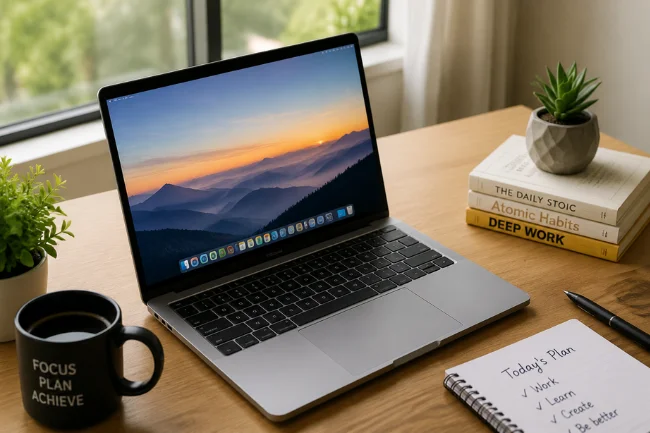
- New laptop, fresh plans.
- A smarter setup for bigger goals.
- Finally upgraded and ready to work.
- New screen, new focus.
- My workspace just got better.
- A fresh start with faster tools.
- New laptop day feels good.
- Better device, clearer direction.
- My next chapter starts at this keyboard.
New Laptop Status for WhatsApp
WhatsApp statuses are easy to scan, so simple wording usually works better than a long explanation.
- Finally got the upgrade I needed.
- Today’s good news arrived in a laptop box.
- My desk has a new favorite.
- Work mode just received an upgrade.
- A new laptop and a long list of ideas.
- Starting fresh, one keystroke at a time.
- The wait is over. My new setup is here.
- New device, serious plans.
- More speed, more focus, fewer excuses.
Instagram Captions for a New Laptop
Instagram gives you more room to connect a photo with a story. These work well with unboxing pictures, desk setups, and first-day posts:
- A clean desk, a new laptop, and enough ideas to keep both busy.
- I did not just buy a device; I invested in the work I want to create.
- Fresh out of the box and already part of the plan.
- New laptop, new projects, and a very ambitious calendar.
- The setup changed today. The goals did not.
- I saved, compared, waited, and finally chose the laptop that fits my work.
- One new screen, many new possibilities.
- My creative space feels complete again.
- Here is to faster work and better use of my time.
Professional New Laptop Status for Work or LinkedIn
A professional post should focus on purpose rather than price or specifications. Mention the result the laptop supports, such as serving clients, traveling easily, editing faster, or handling demanding software.
- I have upgraded my primary laptop to support a faster, more reliable workflow.
- A new tool for the next stage of my professional growth.
- I am grateful to invest in equipment that helps me deliver better work.
- My mobile office received a practical upgrade today.
- Better tools do not replace good work, but they can remove unnecessary friction.
- This laptop will support upcoming projects, client work, and plenty of learning.
- New equipment, renewed energy, and clear priorities.
New Laptop Status for Students
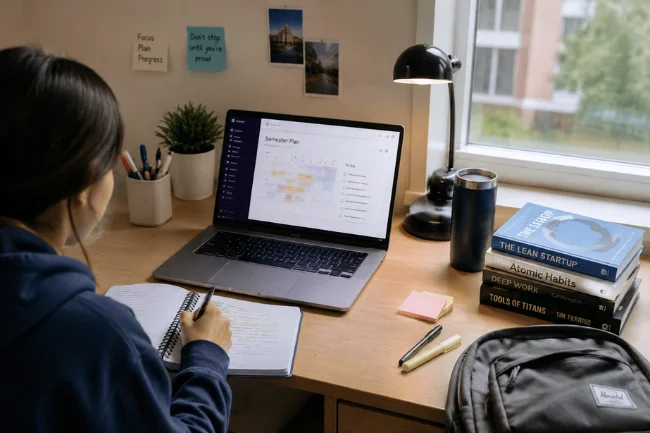
- New laptop, ready for a new semester.
- My study setup finally matches my goals.
- Assignments have officially lost one excuse.
- A fresh device for notes, research, and deadlines.
- From lectures to projects, this laptop is coming with me.
- New laptop, same habit of opening too many research tabs.
- Investing in the tools behind the degree.
- Ready for classes, presentations, and everything between them.
- This upgrade is for the student I am becoming.
Funny New Laptop Captions
Humor works best when it reflects a familiar habit rather than forcing a joke.
- My new laptop is fast. My decision-making remains unchanged.
- I bought more storage so I can lose files in more places.
- New laptop, same 37 open tabs.
- The fan is quiet, so I can finally hear myself procrastinate.
- I upgraded the processor. Now I need to upgrade my attention span.
- This laptop starts in seconds. I still need three coffees.
- New keyboard, same typing mistakes.
- The laptop is fully charged. I am not.
- I bought a faster laptop to reach deadlines at higher speed.
New Laptop Gift and Unboxing Captions
- Unboxed a gift I will use every day.
- Feeling grateful for a thoughtful and practical surprise.
- The box was exciting, but the opportunities inside it are even better.
- A generous gift and a meaningful new beginning.
- Today’s unboxing came with a lot of gratitude.
- From sealed box to favorite workspace tool.
- The best gifts support what you are trying to become.
Captions for Creators, Coders, Designers, and Gamers
- New laptop, ready to turn rough ideas into finished work.
- More power for editing, designing, and creating without interruption.
- The code is still mine; the compile time is finally shorter.
- A stronger setup for better builds and fewer frozen screens.
- New machine, new canvas.
- Ready to edit the projects my old laptop struggled to open.
- New hardware for the stories, designs, and videos ahead.
- Game library restored. Weekend plans confirmed.
- The setup is complete; now it is time to create something worth sharing.
Caption Styles Compared
| Style | Best for | What to emphasize | Example |
|---|---|---|---|
| Simple | WhatsApp or Stories | The upgrade | “New laptop, fresh plans.” |
| Grateful | Gifts or family posts | The person or opportunity behind it | “Grateful for a tool that supports my goals.” |
| Professional | LinkedIn or business pages | Work and future projects | “A practical technology upgrade for upcoming projects.” |
| Funny | Friends and casual followers | A relatable habit | “New laptop, same 37 tabs.” |
| Motivational | Students and creators | Progress and ambition | “My next chapter starts at this keyboard.” |
| Aesthetic | Desk photos and reels | Mood and workspace | “Clean desk, clear screen, focused mind.” |
How to Make a Generic Caption Personal
The fastest improvement is to add one detail that only you would naturally mention.
Instead of “New laptop, new goals,” write:
New laptop, ready for my first semester of architecture projects.
Instead of “My new work setup,” write:
My new work setup is ready for client calls, editing days, and travel.
You can personalize a new laptop status by mentioning why you replaced the old device, whether it was a gift, or the first project it will support.
One specific detail is enough. You do not need to publish the price or a long purchase story.
What Not to Show in a New Laptop Post
A good post should celebrate the moment without exposing private information. Before uploading a photo or video, check the screen, box, desk, and background.
Avoid showing:
- Serial numbers, service tags, or warranty codes
- Shipping labels with your address or phone number
- Receipts containing order and payment details
- Work emails, client documents, or private browser tabs
- School portals, student numbers, or personal schedules
- Password notes or login information
- A home location you would rather keep private
I also recommend closing confidential windows before photographing the screen. A polished desk picture is not worth sharing sensitive information by accident.
If You Mean New Laptop Order Status
A retailer or courier uses order-status wording to show where the package is in the fulfillment process.
Processing
The seller has received the order and may be confirming payment, checking inventory, or preparing the laptop for shipment.
Shipped or In Transit
The package has left the seller and is moving through the courier network. Use the tracking number for the latest scan.
Out for Delivery
The package is on a local delivery route and is normally expected that day. Keep a secure delivery location available, especially when a signature is required.
Delayed
The expected date has changed because of transportation, weather, inventory, address, or processing issues. Review the newest tracking scan before contacting support.
Delivered
The courier marked the package as delivered. Check safe locations, household members, reception areas, and any delivery photo before reporting it missing.
Major couriers use similar language: “in transit” means the package is moving through the carrier’s network, while “out for delivery” means it has been dispatched or loaded for final delivery.
The order-tracking meaning deserves its own detailed support article. A worried buyer needs practical actions, not a long list of social captions.
Frequently Asked Questions
What is a new laptop status?
A new laptop status is a short caption or update announcing a new laptop, usually shared with a photo or unboxing video.
What should I write when I buy a new laptop?
Mention the upgrade, why you bought it, and what you plan to do with it. For example: “New laptop, ready for the work ahead.”
What is a short caption for a new laptop?
“New screen, new focus” is a short caption suitable for WhatsApp, Instagram Stories, or Facebook.
How do I announce a new laptop professionally?
Focus on how the device supports your work rather than its price. Try: “A practical technology upgrade for upcoming projects and client work.”
Can I use the same status on every platform?
Yes, but adapting the length and tone reads better. Keep WhatsApp brief, add context on Instagram, and emphasize professional value on LinkedIn.
Your Next Post
The best new laptop status is not necessarily the cleverest line. It is the one that fits your real reason for upgrading and still sounds natural when you read it aloud.
Choose a caption that matches your platform, add one personal detail, and check the photo for private information before publishing. That small effort makes the post more memorable and genuinely yours.

Noah Sterling is a technology research writer with 8+ years of experience covering emerging technologies, software trends, digital tools, and innovation. He creates practical, research-based articles to help readers understand the evolving technology landscape.