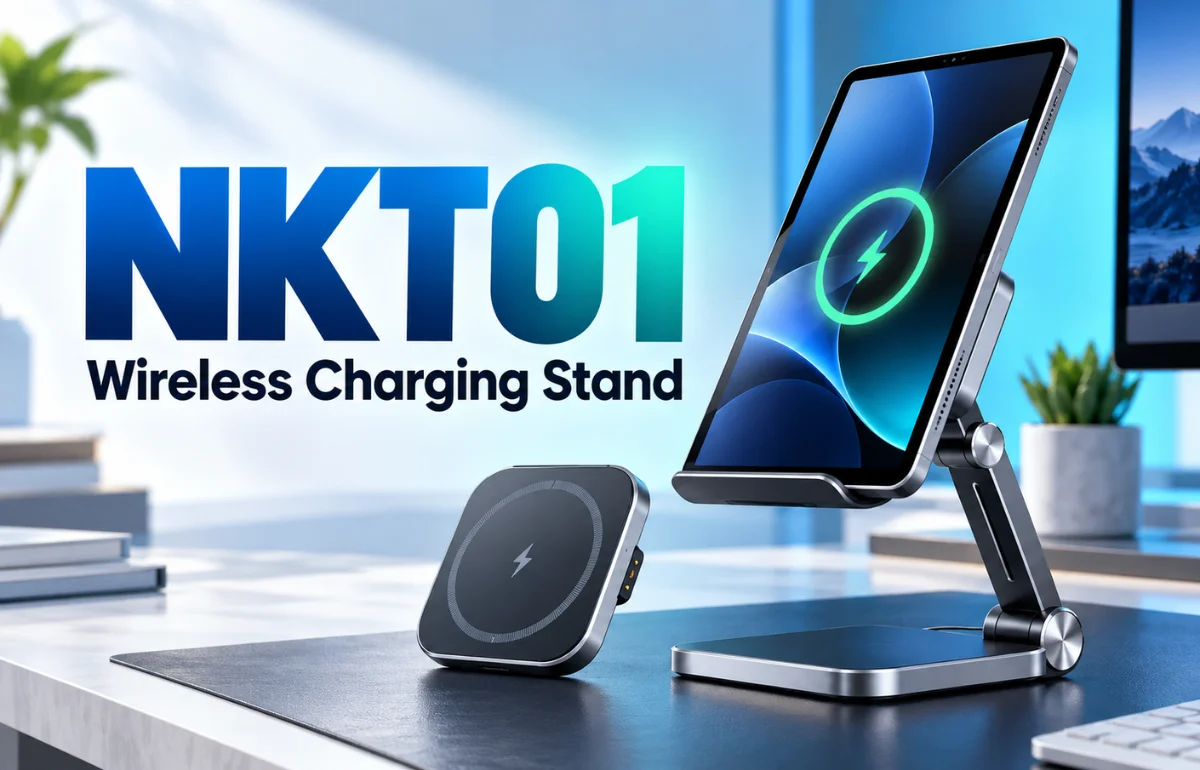
NKT01 is a model identifier used for the Nillkin PowerHold tablet wireless charging stand, an adjustable desktop holder with a detachable wireless charging pad. It props up a phone or tablet for viewing and can deliver up to a claimed 15 W of wireless power to a compatible device. The crucial qualification is that a tablet fitting on the stand does not automatically mean it can charge there: the tablet needs a built-in wireless receiver or a suitable add-on receiver.
NKT01 is also used for unrelated products, so I use it here to mean the PowerHold stand identified by Nillkin’s product name and the NKT01 model listings. Before buying, I would check the exact device, receiver, adapter, and package contents rather than rely on the model code alone. Nillkin’s product listing identifies PowerHold; its product demonstration shows the adjustable, folding design.
What is included in the NKT01 design?
The PowerHold combines a hinged stand with a wireless charging surface. The stand’s job is mechanical: it raises a screen and lets you change its viewing angle. The charging pad’s job is electrical: it transfers power to a compatible receiving coil while the stand itself draws power from an adapter. The pad can be detached, according to product descriptions, so the holder and charger can serve separate purposes.
I would find the stand useful for a video call even without wireless charging. For cable-free charging, device compatibility decides its value.
Descriptions of NKT01 commonly specify a folding metal-and-plastic construction, a silver finish, an approximately 306 g stand, a 1.2 m cable, and a maximum 15 W output. Those details come from a seller’s NKT01 specification sheet; packaging and regional bundles may differ. I would check the current seller’s box contents, especially the power adapter and any tablet receiver, before treating those figures as a guarantee.
A quick specification check
| Feature | What the listing says | What to verify for your setup |
|---|---|---|
| Charging output | Up to 15 W | Your device and receiver’s supported wireless rate |
| Power input | 5 V, 9 V, or 12 V at up to 2 A; suitable QC or PD adapter specified | Adapter protocol, cable, and connector in your particular package |
| Construction | Folding, adjustable stand with detachable pad | Stability at your device’s size and preferred angle |
| Wireless standard | Described as Qi-compatible | Whether the exact product is Qi Certified in the WPC database |
| Box contents | Stand, pad, cable, manual in one retailer listing | Whether a wall adapter or tablet receiver is sold separately |
These are advertised specifications, not results from my own bench test. The phrase “Qi-compatible” should not be read as proof of certification. The Wireless Power Consortium says certified products receive the Qi logo after compliance and interoperability testing; its product database is the place to verify a specific model.
How does wireless charging work?
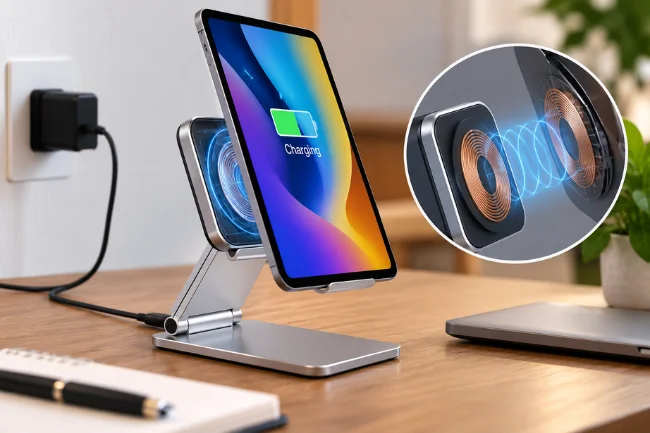
Wireless charging uses induction: a coil in the powered pad produces a changing magnetic field, and a receiving coil in the device turns that field into electrical power. The two parts must be close enough and positioned well enough for the transfer to work. You still plug the stand into a power source; “wireless” describes the final connection between pad and device, not the connection to the wall.
The advertised 15 W is the charger’s maximum output under suitable conditions. It is not a promise that every device will receive 15 W, nor does it tell you how long a tablet takes to fill. The receiving device negotiates its supported power, while alignment, the adapter, the case, and temperature can change what happens during a charge. The Wireless Power Consortium’s explanation of Qi specifications describes 15 W as a possible transmitter and receiver level, not a universal result for every pairing.
For a concrete example, Apple says many Qi-certified chargers supply iPhones at up to 7.5 W. A stand marked 15 W therefore does not, by itself, mean 15 W charging for an iPhone. Apple also advises placing the device in the center of the charger and removing a thick or metal case if charging is slow or fails. Those are useful checks for NKT01, although the precise result depends on the particular phone and pad. Apple’s wireless charging guidance gives the device-side context.
Why a tablet may sit securely but never charge
“Supports tablets” can mean two different things. A wide holder may support a tablet’s weight. Wireless charging support requires a receiving coil and a compatible charging arrangement as well. This is the most costly misunderstanding I see in listings for tablet charging stands.
For example, Apple’s specifications for the 11-inch iPad (A16) specify charging through a power adapter or USB-C connection; they do not list built-in Qi charging. Nillkin also lists a separate Magic Tag Plus receiver for tablet models, which helps explain how some tablet-and-stand setups are advertised. A receiver is an additional accessory, with its own device, connector, placement, and case requirements. Check those before buying one. Do not assume an accessory advertised for one iPad generation will fit another.
| Device situation | Can NKT01 hold it? | Can it charge wirelessly? |
|---|---|---|
| Phone with compatible built-in Qi receiver | Usually, if it fits securely | Potentially, once the coils align and the power supply is suitable |
| Tablet with compatible built-in receiver | If its size and weight suit the stand | Potentially; confirm its supported rate and coil location |
| Tablet without built-in wireless charging | Potentially | Only with a suitable add-on receiver, if the arrangement works |
| Device with no suitable receiver | Potentially | No; use a cable for charging |
The table separates physical fit from electrical compatibility. It also explains why a sales photo showing an iPad on the stand is not evidence that the iPad charges directly from the pad.
Is NKT01 useful for everyday work?
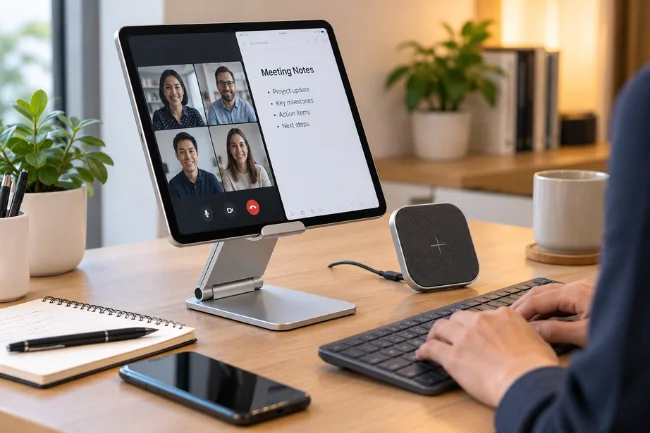
Its clearest use is at a desk. You can raise a screen for reference material, keep it visible during a call, or position it beside a keyboard without holding it in your hand. The adjustable hinge matters more here than the headline wattage: a screen at a comfortable angle is useful throughout the day, while wireless power only helps if your device supports it.
The detachable pad lets you use the frame as an ordinary stand and move the pad for a compatible phone. The listed configuration has one charging pad, so do not assume simultaneous charging.
Check stability with your actual device and case. A case can change both balance and coil spacing, while product photos seldom show your setup.
For travel, folding saves space, but the adapter, cable, and possible receiver add pieces to pack. A plain stand and charging cable may be easier if your tablet lacks wireless charging.
What should you check before purchasing?
I would start with the full product name on the box. “NKT01” is a short code reused in other catalogs, including non-charging products; “Nillkin PowerHold tablet wireless charging stand” makes the item identifiable. Some listings shorten the name to PowerHold or PowerHold Mini, so compare photos, dimensions, model markings, and included parts rather than assuming similar titles describe identical bundles.
Next, check whether your exact device has built-in Qi wireless charging. For an iPad or another tablet without it, identify the appropriate add-on receiver and confirm its connector, thickness, and charging position. The receiver may occupy the device’s port, which matters if you regularly attach storage, audio gear, or a wired display. That is a practical tradeoff easily missed when a listing says only “tablet compatible.”
Then read the power-input requirements. One NKT01 seller specifies a QC 2.0, QC 3.0, or PD adapter and lists 5 V, 9 V, and 12 V input options. The cable may be included, while the wall adapter is not. A weak or unsuitable adapter could leave you with slower or inconsistent charging, even if the stand and device are otherwise compatible. Use the instructions for the actual unit you receive.
Finally, separate claims about standards. “Qi wireless charging” in a listing describes the technology or claimed compatibility. “Qi Certified” is a specific testing status that can be checked in the WPC database. I would ask a seller for a certification ID if certification is central to my purchase decision. A 15 W label also does not establish Qi2 or magnetic alignment; those are distinct product claims.
A sensible first-use check
Set the stand on a level surface and connect the recommended adapter. Place a known compatible phone on the charging area, watch for its charging indicator, then check that the charge continues after a few minutes. If it stops, adjust the placement and try without a thick case. Apple’s guidance notes that cases and movement can interfere with wireless charging.
For a tablet fitted with a separate receiver, follow the receiver’s installation instructions and confirm the charging icon appears before relying on it for an overnight charge. Keep the receiver, stand, and cable clear of strain. A tablet held in place is not necessarily positioned over the charging coil, so treat alignment as something to confirm with the actual device rather than guess from the stand’s dimensions.
If charging becomes unusually slow or the device gets warm, let it cool and check the adapter, case, and placement. Some warmth is normal with wireless charging, and phones can reduce charging as their temperature rises. I would avoid claiming a specific charge time for NKT01 without a controlled test using the same device, receiver, case, adapter, and starting battery level.
Is NKT01 the right choice for you?
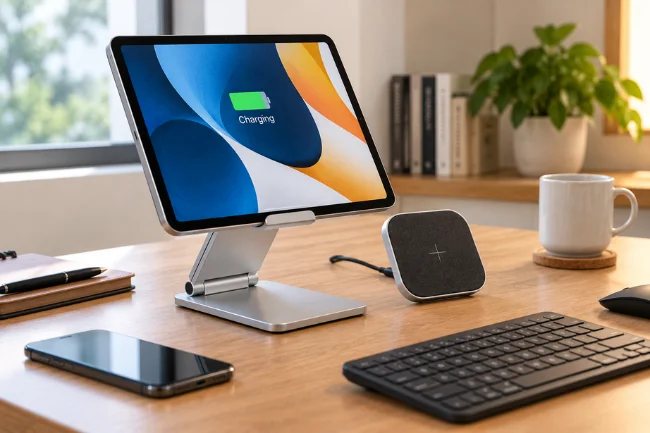
The PowerHold makes the most sense when you want a raised screen and already have a compatible wireless device, or when you are willing to set up the correct receiver for a tablet. Its useful feature is the combination of a movable viewing position and a charging pad that can be detached. The advertised 15 W is a ceiling to investigate, not the sole reason to buy it.
For predictable iPad charging, consider its wired connection. If you mainly need a viewing angle, compare NKT01 with an ordinary adjustable stand before paying for a charging feature you cannot use.
FAQs about NKT01
What does NKT01 refer to?
In this article, NKT01 refers to the model identifier used for Nillkin’s PowerHold wireless charging stand. The same code can appear on unrelated products, so confirm the full brand and product name.
Can NKT01 charge an iPad without an extra accessory?
An iPad should not be assumed to have built-in Qi charging. Check your exact model; a suitable external receiver may be required, and it is often sold separately.
Does NKT01 charge every device at 15 W?
No. Fifteen watts is an advertised maximum for the pad. The device, receiver, adapter, alignment, and temperature determine the actual result.
Is NKT01 a Qi2 or MagSafe charger?
A Qi or 15 W claim alone does not establish Qi2 or MagSafe support. Verify those exact claims and any certification in the product documentation and WPC database.
What should I try if NKT01 is not charging?
Confirm your device supports wireless charging, use the recommended adapter, center the receiving coil over the pad, and remove a thick or metal case before testing again.
My take
NKT01 is easiest to understand as an adjustable stand with an optional wireless charging benefit for the right device. Before ordering, look up your device’s charging method, verify what the seller includes, and decide whether the viewing setup still earns its place on your desk. Those three checks will tell you more than the 15 W badge alone.

Noah Sterling is a technology research writer with 8+ years of experience covering emerging technologies, software trends, digital tools, and innovation. He creates practical, research-based articles to help readers understand the evolving technology landscape.