
MyHaiku is a name used by digital apps that help people write, save, and revisit haiku, the brief Japanese poetic form known for capturing a moment through carefully chosen images. Rather than referring to one universal website, the name appears on different mobile products. Satoshi Sato’s myHaiku app for Apple devices focuses on composing and organizing poems with seasonal references, photographs, and a collection of classic Japanese haiku. MyHaiku: A Mindful Journey, available on Android from Godi’s Apps, emphasizes reflective writing and keeping a personal poetry journal.
Both serve a simple purpose: making it easier to notice something worth writing about and preserve it. If you’re exploring MyHaiku for the first time, the distinction between these apps matters. Their platforms and advertised features are not identical, and neither should be confused with a general-purpose AI poetry generator.
What Does MyHaiku Actually Mean?
At its most practical, MyHaiku describes a space for creating your own haiku. A haiku usually presents a moment, often from nature or everyday life, in remarkably few words. A dedicated app gives that moment somewhere to live beyond a loose note or forgotten draft.
There is a naming detail I would check before installing anything: two products can share a similar title without sharing a developer, account system, or feature set. The Apple listing identifies Satoshi Sato as the developer of myHaiku. The Google Play listing attributes MyHaiku: A Mindful Journey to Godi’s Apps. I treat them as separate products, not versions of the same service.
MyHaiku App Features: What the Listings Confirm

Apple’s myHaiku: A Writing Space With Classical References
The Apple app is aimed at users who want to compose, record, and manage haiku. According to its official App Store listing, it prepares an in-app reference database containing nearly 30,000 public-domain poems associated with Matsuo Basho, Kobayashi Issa, Yosa Buson, and Masaoka Shiki.
Its creation screen lets users record a poem’s date, topic, seasonal word, text, and a photograph that evokes the scene. The seasonal-word search groups suggestions by spring, summer, autumn, and winter. Users can also search the historical collection by poet, seasonal term, or words appearing in a poem.
Once a poem is saved, it appears in a list that can be searched by details such as topic or seasonal word. The developer also describes deleting an entry with a swipe. These are useful organizational features, although I would not assume that the app automatically critiques verse, checks every syllable, or publishes poems online; those capabilities are not established by the listing.
The Apple version is a paid download in the stores I checked. Its listed compatibility starts with iOS and iPadOS 18, and availability or pricing may differ by region. One small usability consideration: the description itself is in Japanese, even though the store identifies English as the app language.
Android’s MyHaiku: A Mindful Journey
The Android product takes a different angle. On its Google Play page, Godi’s Apps encourages users to take a short pause, notice their surroundings or feelings, and turn that observation into a haiku.
The description emphasizes saving short poems in a journal. Release notes also mention returning to earlier entries and exporting poems to share with friends. This makes it especially relevant to people interested in reflection, a small creative ritual, or a personal record of everyday moments.
The listing was updated on April 9, 2026, but an update date alone does not prove that an app is actively developed or that every feature works on every device. I would check the current Play Store entry, recent feedback, and the export experience before relying on it as my only poetry archive.
MyHaiku on iPhone vs. Android
| Detail | myHaiku by Satoshi Sato | MyHaiku: A Mindful Journey |
|---|---|---|
| Main platform | Apple devices | Android |
| Main focus | Poetry creation and organization | Mindful haiku journaling |
| Classical poem collection | Nearly 30,000 poems described | Not advertised |
| Seasonal word search | Described in the listing | Not advertised |
| Personal entries | Save and search poems | Save and revisit journal poems |
| Sharing or export | Not clearly specified | Export mentioned in release notes |
| Best match | Poets seeking references and structure | Writers seeking a reflective daily habit |
“Not advertised” does not mean a feature is impossible. It means I could not verify it from the official product information. That distinction is worth keeping whenever an app review makes a sweeping promise.
Understanding Haiku Before Using a Writing App
A good tool can store a poem, but it cannot decide whether the poem captures something real. That judgment begins with understanding haiku itself.
The Haiku Society of America’s 2026 definition emphasizes imagistic language, an experience of nature or a season connected to human life, and a meaningful relationship created by a cut between images or perceptions. That gives writers a more useful target than simply producing three short lines.
Does Every Haiku Have to Follow 5-7-5?
The familiar classroom pattern is five syllables in the first line, seven in the second, and five in the third. It is a helpful exercise in brevity, but it is not the only acceptable way to write an English-language haiku.
Traditional Japanese poetry counts sound units called morae, which do not correspond exactly to English syllables. The Poetry Foundation discusses this difference, while the Haiku Society of America recognizes varied English-language forms.
My preference when explaining the craft is straightforward: start with 5-7-5 if a constraint helps you write, then remove words that exist only to satisfy arithmetic. A vivid image usually survives that edit; padding rarely does.
Seasonal Words and the Power of a Pause
A seasonal reference, or kigo, can do a surprising amount of work. “First frost,” “plum blossom,” and “cicadas” locate a scene in time without an explanatory sentence. The Apple app’s seasonal-word finder can help a beginner see how much meaning such details carry.
The other useful technique is a cut: a turn or pause that places two impressions beside each other. In English, a dash, line break, or change of image can create that effect. Rather than announcing how I feel, I can show a window still wet with rain beside a cup of untouched tea.
How I Would Build a Better Writing Habit With MyHaiku
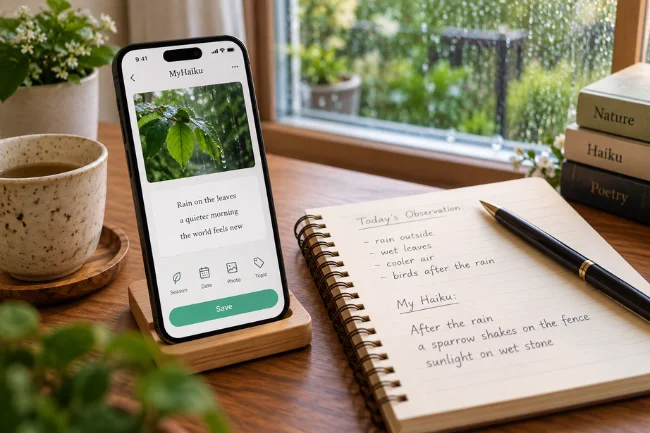
I would treat the app as a notebook, not a machine for producing perfect poems. A simple routine makes more sense than waiting for inspiration or writing several forced verses just to maintain a streak.
Start With One Specific Observation
A useful prompt is not “write about happiness.” It is “What changed outside my window today?” Look for movement, texture, light, temperature, or sound: wet bicycle tires, a moth near a lamp, a flower bending after rain.
I would write the observation in plain language first. Once the scene feels clear, I would compress it into a poem. Starting with something visible or audible usually produces more distinctive lines than beginning with an abstract message.
Keep the Draft Separate From the Explanation
Suppose I want to express relief after a difficult afternoon. A flat draft might say, “The rain has finally ended, and I feel hopeful again.” It explains the emotion but leaves almost nothing for the reader to discover.
Here is an original alternative:
After the downpour
a sparrow shakes from the fence
sunlight on wet stone
That version follows a 5-7-5 syllable pattern, yet the count is not its main achievement. The sparrow and sunlight carry the change in mood. I do not need to write the word “hopeful.”
Save the Context, Not Just the Poem
A date, a seasonal cue, and a short subject label can turn a scattered collection into a useful archive. If an app supports photographs, an image of the actual scene can sharpen the memory. I would use a photo as context, not as a substitute for vivid wording.
For example, a poem tagged “winter commute” will be easier to rediscover than one buried among dozens of unnamed entries. The Apple app explicitly supports several of these fields. For Android, I would confirm what entry details and search options are available before planning around them.
Revisit a Poem After a Few Days
The first draft records the moment; a later reading tests the language. I would look for extra adjectives, repeated ideas, or a final line that explains what the earlier images already suggest.
A useful question is, “Can I remove this word without losing the scene?” Another is, “Could someone picture this without standing beside me?” If the answer to the second question is no, the poem may need a more precise object or action.
Keep a Small, Sustainable Rhythm
Five minutes a few times a week is enough to build a collection. I would rather save one attentive poem than ten rushed ones. The goal is to become more observant, not to turn creative writing into another obligation.
A Simple Editing Test for Stronger Haiku
A common mistake is confusing shortness with precision. Three lines can be brief and still feel vague. I use the following questions as a practical editing framework, whether the poem lives in MyHaiku or an ordinary notes app.
| Editing question | Less effective approach | Stronger approach |
|---|---|---|
| Can I picture it? | “Nature is beautiful” | Show light crossing a leaf |
| Is the detail specific? | “A bird makes a sound” | Name the sound or action |
| Does it explain emotion? | “I am very lonely” | Let an empty chair suggest it |
| Is every word needed? | Extra words to reach 17 syllables | Keep only words that earn their place |
| Is there movement or contrast? | Three lines describing the same fact | Place two related images together |
This is a writing checklist, not a claim about built-in app features. That matters because storing good advice inside an article should never be mistaken for promising that a particular product supplies it automatically.
Where MyHaiku Fits Into Mindful Journaling
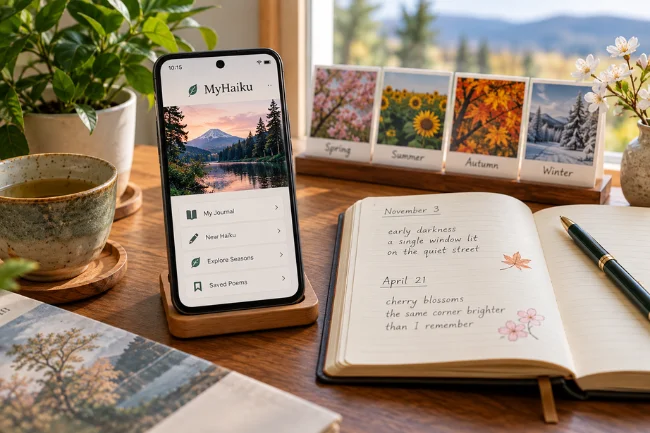
The Android app’s reflective angle makes intuitive sense. Haiku asks for attention to a small scene, while journaling helps preserve what stood out on a particular day. Combined, they can create a compact record of what someone noticed rather than a long account of everything that happened.
I especially like the idea of comparing entries across seasons. A poem about early darkness in November may read differently when revisited in April. You might recognize recurring places, habits, or images that you missed at the time.
Still, I would avoid treating haiku writing as a proven medical or mental-health intervention. An app may provide a pleasant reflective exercise, but it is not a replacement for clinical care, and its benefits will vary from person to person.
Privacy, Backups, and Limitations to Check
Poetry can feel personal, particularly when an entry records grief, conflict, or an intimate memory. Before choosing an app, I would look at three practical questions: what data it collects, how easily poems can be exported, and what happens if the phone is replaced.
Apple’s listing for Satoshi Sato’s app displays a developer-provided “Data Not Collected” disclosure, which Apple says it has not independently verified. Google Play’s data-safety panel for the Android app indicates that device or other identifiers may be collected or shared. Neither statement tells the entire story of storage, backups, or access controls.
I would not assume either app provides end-to-end encryption, automatic cloud synchronization, password protection, or permanent recovery of deleted entries without confirming those details directly. The Android release notes mention export; the Apple description does not clearly establish an equivalent workflow.
For poems I truly want to keep, I would maintain an additional copy in a location I control, such as a document or a personal backup.
Who Should Use MyHaiku, and Who Might Prefer Something Else?
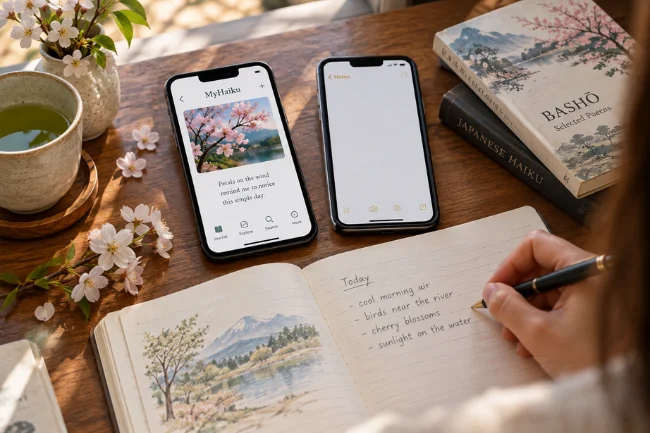
I see the strongest match for beginners learning the discipline of short poetry, experienced writers collecting seasonal observations, teachers demonstrating imagery, and people who enjoy keeping a compact creative journal.
The Apple option makes particular sense when classic Japanese examples and seasonal-word research are priorities. The Android option appears better aligned with writing brief reflections and revisiting them over time. Those judgments come from published descriptions, not a hands-on comparison of installed versions.
A normal notes app may be sufficient if you only want a blank page and dependable synchronization. A paper notebook might be better if writing by hand helps you pay attention. Dedicated haiku software becomes worthwhile when its organization or inspiration features genuinely change how consistently you write.
I would also separate poetry tools from automated text generation. If you are searching for an AI haiku generator, do not assume these apps offer AI-written suggestions, instant scoring, or editing feedback. The verified descriptions focus on writing, preserving, and exploring haiku.
Common Mistakes I Would Avoid
The first is treating syllable counting as the entire art. A mechanically correct poem can still be flat if its images are generic. The second is explaining the lesson at the end, which often weakens a scene the reader could interpret independently.
Finally, I would avoid copying famous haiku too closely. Read classic poets to understand technique, then write from your own surroundings. A roadside puddle, a familiar bus stop, or a kitchen at dawn can be worthy subjects. The originality comes from the observation, not from finding an exotic setting.
Frequently Asked Questions About MyHaiku
What is MyHaiku used for?
MyHaiku apps are used to create, save, and revisit short haiku poems. Features vary by developer and mobile platform.
Is MyHaiku available for Android and iPhone?
Yes, similarly named apps exist on both platforms, but they are separate products from different developers rather than one shared app.
Is MyHaiku free to use?
Satoshi Sato’s Apple app is listed as a paid download. Check the current Google Play and regional App Store pages for up-to-date pricing.
Does MyHaiku write poems automatically with AI?
The official descriptions reviewed do not establish an AI poem-generation feature. They mainly describe tools for composing, collecting, and reviewing your own work.
Do haiku poems always need 17 syllables?
No. The 5-7-5 structure is a useful English-language exercise, but contemporary haiku also uses shorter and more flexible forms.
Final Thoughts
MyHaiku is most useful when understood as a way to make small moments easier to notice and remember, not as a shortcut to instant poetry. Choose the app whose confirmed features suit your device and writing style, then start with one ordinary scene today. Write it clearly, save it, and return later to see whether the image still speaks for itself.

Noah Sterling is a technology research writer with 8+ years of experience covering emerging technologies, software trends, digital tools, and innovation. He creates practical, research-based articles to help readers understand the evolving technology landscape.