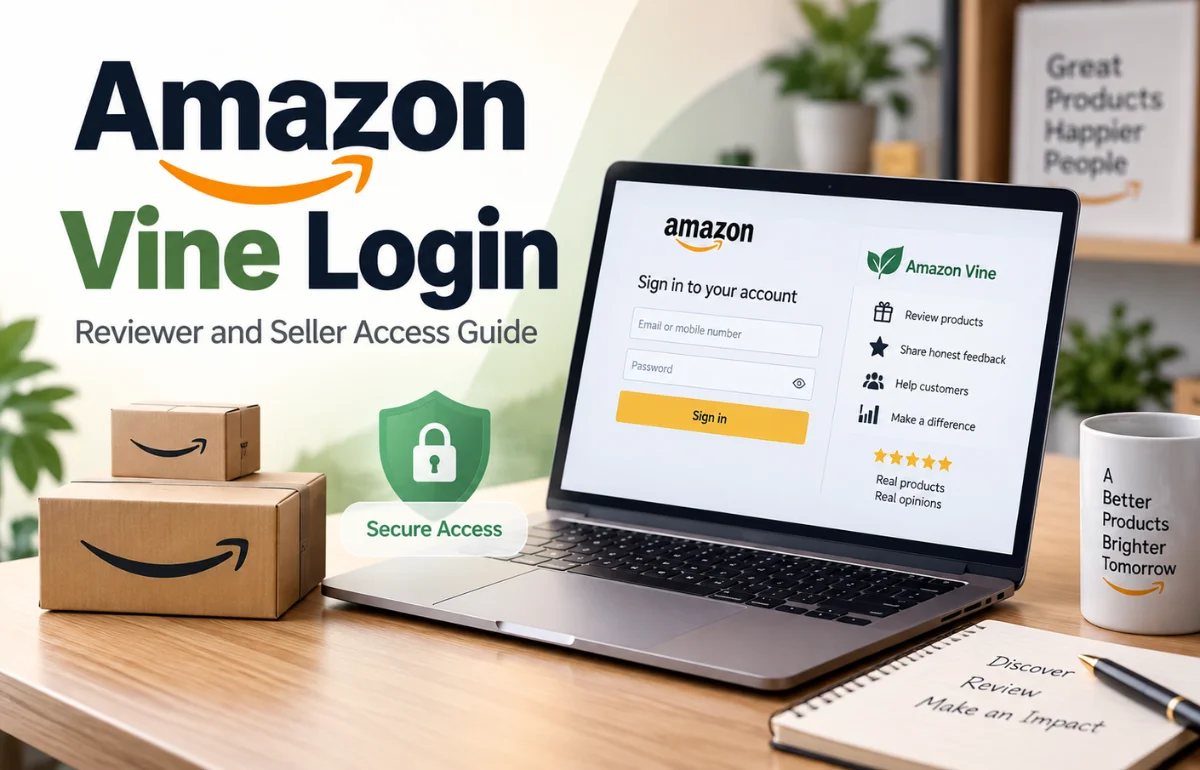
Amazon Vine login is the way an invited Amazon reviewer opens the Vine product and review area using a normal Amazon account. There is no separate Vine username, paid membership, or public registration form. If Amazon has invited you, you sign in with the same email address or mobile number and password that you use for Amazon shopping, then open the Vine page at amazon.com/vine. If you are an Amazon seller, your route is different: you use Seller Central and open Vine from the Advertising menu.
Many people search for a Vine login expecting a special sign-in screen. Reviewer access is invitation-based, while seller access depends on selling-account, Brand Registry, product, and FBA requirements. I cover both routes, login problems, fees, tiers, and taxes below.
The quickest answer: which Amazon Vine login do you need?
Use the reviewer route if Amazon has invited you to become a Vine Voice. Open the Vine page in a browser, sign in to the invited Amazon account, and accept any participation terms shown on screen. An invitation does not give access to every Amazon account you own; it is connected to the specific account selected by Amazon.
Use the seller route if you want to place your own products in Vine. Sign in to Seller Central, select Advertising, and choose Vine. Amazon’s official seller page says eligible sellers need a Professional selling account, a suitable Brand Registry role or eligible generic products, and an FBA offer. The seller dashboard is separate from the reviewer product-selection area.
Do not enter your Amazon password on a website promising a paid invitation or “instant Vine approval.” I always check that the address ends in an official Amazon domain before signing in.
What Amazon Vine is and why the login is invitation-only
Amazon Vine connects participating sellers with selected customers called Vine Voices. A Voice receives access to eligible products, tries them, and publishes an independent review. The purpose is to give shoppers useful information, especially when a product is new and has little or no review history.
For reviewers, Vine is not employment or a normal rewards club. Amazon chooses participants largely from the usefulness and insightfulness of reviews already published in the Amazon store. Purchase history and category experience can also affect product matching.
That is why there is no “create a Vine account” button. Better reviews may help, but they do not guarantee an invitation. I treat social-media offers for paid or instant Vine access as scams.
Amazon also runs Vine in multiple national stores. The available marketplace, currency, taxes, and exact rules can differ by country, so a US login page may not behave like a UK, Canadian, or Australian account.
How to access Amazon Vine as an invited reviewer
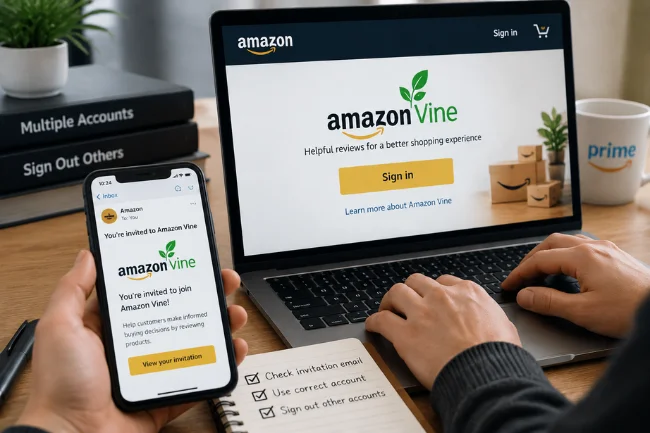
Check the account before opening the page
First, identify the Amazon account that received the invitation. Look for the invitation email, but do not rely only on the message link. If you use several Amazon accounts, sign out of the others in your browser or open a private window and sign in with the invited account.
Prime membership is not the same thing as Vine membership. Paying for Prime does not create Vine access, and an ordinary Amazon customer cannot use Prime credentials to bypass the invitation requirement.
Sign in through a browser
Open the official Vine address for your marketplace. On the US store, that is amazon.com/vine. Sign in with your normal Amazon email address or mobile number and password. Complete two-step verification if Amazon requests a security code.
After authentication, an invited member should see the Vine experience rather than a general explanation of the program. The exact design may change, but the useful areas usually include products available to you, products you have requested, shipping information, and reviews that still need attention.
If the page shows general Vine information instead of your dashboard, check the account shown in the Amazon header. In my troubleshooting process, the wrong signed-in account is one of the first things I rule out.
Use a phone without letting the app take over
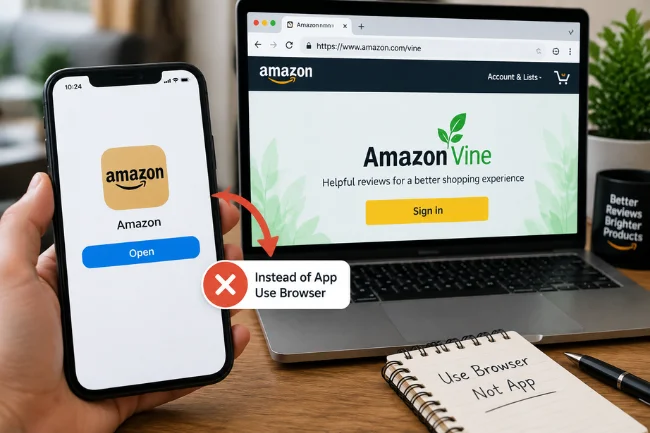
The Amazon shopping app and a mobile browser do not always open the same Vine experience. If tapping the link launches the app and sends you back to a public information page, copy the address into Safari, Chrome, or another browser instead.
On Android, you may need to disable the setting that automatically opens Amazon links in the app. On iPhone, opening the URL in a private browser tab or choosing the browser version can help. A desktop browser is often easier when you need to read program terms, compare products, or write a detailed review.
If you were invited but still cannot enter
Confirm four details before assuming that Amazon removed your access:
- The invitation went to the same email or account you are using now.
- You are visiting the correct national Amazon store.
- Your browser is not carrying an old account session.
- Amazon is not waiting for you to accept updated terms or a tax questionnaire.
If all four checks pass, clear site cookies for Amazon, close every Amazon tab, reopen the browser, and sign in again. I would avoid repeatedly guessing passwords because multiple failed attempts can create a separate security lock.
How sellers use Amazon Vine login through Seller Central
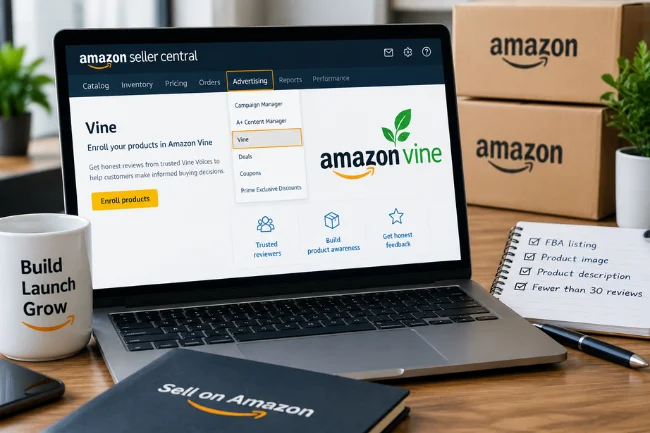
A seller does not normally sign in through the reviewer page to enroll a product. The route is Seller Central, followed by Advertising and Vine. Amazon currently describes the program for Professional sellers, brand representatives or resellers connected to an enrolled Brand Registry brand, and sellers with eligible generic products.
Seller requirements to check first
The product normally needs an FBA listing, an image, a description, and fewer than 30 reviews on its product detail page. Adult, digital, and bundled products are excluded under Amazon’s current seller information. Inventory must be sent through Amazon fulfillment so reviewer contact information remains private.
For a new product, Amazon allows enrollment once the customer-ready FBA listing exists and a future launch date is set. That makes Vine useful before a launch, but enrollment does not guarantee that every unit will be claimed or that every review will be positive.
Seller access and enrollment process
- Sign in to the correct Seller Central marketplace.
- Open Advertising and select Vine.
- Search for the eligible ASIN or review Amazon’s recommended products.
- Verify the listing, parent-product relationship, and available inventory.
- Select the number of units and submit the enrollment.
- Track claimed units and published reviews inside the Vine dashboard.
Seller Central access can be affected by user permissions. If the Vine menu is missing, check whether the account has the correct administrator, Brand Representative, or Reseller role rather than assuming the ASIN itself is disqualified.
Reviewer access versus seller access
What you see after Amazon Vine login
A reviewer normally works from three practical areas. “Available for You” contains products that Amazon has matched to the account. “Your Vine Items” shows requested products, shipping progress, and outstanding obligations. The reviews area contains products waiting for a review and any drafts already started.
The list varies by marketplace, inventory, category matching, account status, and request limit. A product disappearing does not necessarily mean the account is broken.
A seller sees eligible ASINs, enrolled units, claimed quantity, enrollment status, and published reviews. Sellers provide products but cannot choose reviewers, demand positive ratings, or edit independent reviews.
Amazon Vine invitations, Silver tier, and Gold tier
There is no public application that guarantees Vine access. Amazon’s selection is not based simply on the number of reviews a person has written. Helpful, specific, balanced reviews are more useful than a large pile of one-line ratings.
A reviewer should explain performance, limitations, practical use, and who may benefit. That detail helps shoppers and shows genuine usefulness.
Many US Vine accounts use Silver and Gold membership levels. The tier affects the number and value range of products a member can request. Program limits and evaluation rules can change, so I would always treat the current Vine account page as the final authority rather than an old blog table.
The Review Insightfulness Score is another quality signal discussed in the Vine experience. A strong score is not created by repeating keywords. It comes from clear observations, relevant testing, and honest explanations that help a buyer make a decision.
Amazon Vine fees, free products, and taxes
Seller enrollment fees
Amazon’s current seller information lists these US enrollment tiers:
The fee is separate from the cost of giving away inventory. Sellers may also pay their normal Professional selling plan, referral, storage, fulfillment, and other FBA charges. Amazon currently says the fee is charged 30 days after enrollment and after the first review is published. If no Vine review arrives within 90 days of enrollment, the seller is not charged. I still recommend checking the live terms in Seller Central before budgeting a launch.
Amazon also offers incentives that can change. I would check the eligibility date, marketplace, and conditions before including a credit in a launch forecast.
Reviewer tax considerations
A reviewer may receive a product without paying cash, but that does not automatically make the product tax-free. Amazon states that Vine Voices are responsible for income tax on products they receive. In the United States, a 1099-NEC may be issued when reportable nonemployee compensation reaches the applicable threshold.
Tax treatment can depend on the year, reported value, and whether reviewing is a hobby or business. Keep the product name, date, assigned value, and review status. I would take that record to a tax professional rather than copy a forum answer.
Rules outside the United States can be different. Canadian, UK, European, Japanese, and Australian members should check local guidance rather than assuming that US 1099 rules apply to them.
Common Amazon Vine login problems and fixes
Amazon keeps opening the shopping app
Use the URL in a normal browser, turn off automatic app opening for Amazon links, and sign in inside that browser. The app may hold a different account from the browser session.
I see “not eligible” or a public Vine page
Check the invited email, account, and marketplace. Sign out of all Amazon accounts, delete Amazon cookies, and sign in again with the account that received the invitation.
The dashboard loads but products are missing
Product availability changes constantly. Check “Available for You,” confirm that your request limit has not been reached, and remember that a regional inventory shortage can make the list look empty.
The page will not load or shows an error
Try a current browser, a private window, and a different network. Temporarily disable aggressive browser extensions, then clear Amazon site data. Avoid entering credentials into unofficial “Vine login” pages that appear in search ads.
I cannot find the Vine menu in Seller Central
Confirm that you are in the correct marketplace and that your user role has permission to manage the brand or selling account. Verify the product’s FBA status, review count, category, image, and description before opening a support case.
Habits that protect Vine access
I recommend writing every review from actual product use, including limitations and practical details. Avoid copied language, promotional promises, personal contact information, or claims you cannot verify.
Track review deadlines and do not request more products than you can reasonably test. Late or missing reviews can affect account standing and future request limits. If a product is unsafe, defective, or unsuitable, use the available program controls and support channels instead of publishing a review that hides the problem.
Use a unique Amazon password, enable two-step verification, and never share a one-time code. Amazon will not ask you to pay someone to unlock Vine access.
Frequently Asked Questions
Is Amazon Vine login different from my normal Amazon login?
No. Invited reviewers use their normal Amazon credentials. Sellers use their existing Seller Central credentials.
Can I apply for Amazon Vine?
There is no public application that guarantees access. Amazon invites selected customers based mainly on review usefulness, purchase history, and account signals.
Do I need Amazon Prime to join Vine?
Prime membership does not create Vine access. Reviewer participation depends on an Amazon invitation.
Why can’t I see Vine after signing in?
You may be using the wrong Amazon account, marketplace, or browser session. Sign out, clear Amazon cookies, and reopen the official Vine page.
How much does Amazon Vine cost sellers?
US seller enrollment is currently $0 for up to two units, $75 for three to 10 units, and $200 for 11 to 30 units, plus normal inventory and selling costs.
Final thoughts
Amazon Vine login is simple once you use the right route. An invited reviewer signs in through the regular Amazon account, while a seller enters Vine through Seller Central. The difficult parts are account selection, regional access, changing program rules, review obligations, and tax records.
If you are troubleshooting access today, start with the official Amazon page, confirm the invited account, use a browser instead of the app, and check the current Vine terms before requesting or enrolling anything. Those few checks solve many login problems without risking your account details.

Ethan Caldwell is a business research writer with 9+ years of experience covering entrepreneurship, market trends, business strategies, and industry insights. He focuses on creating clear, data-informed articles that help readers understand modern business concepts.