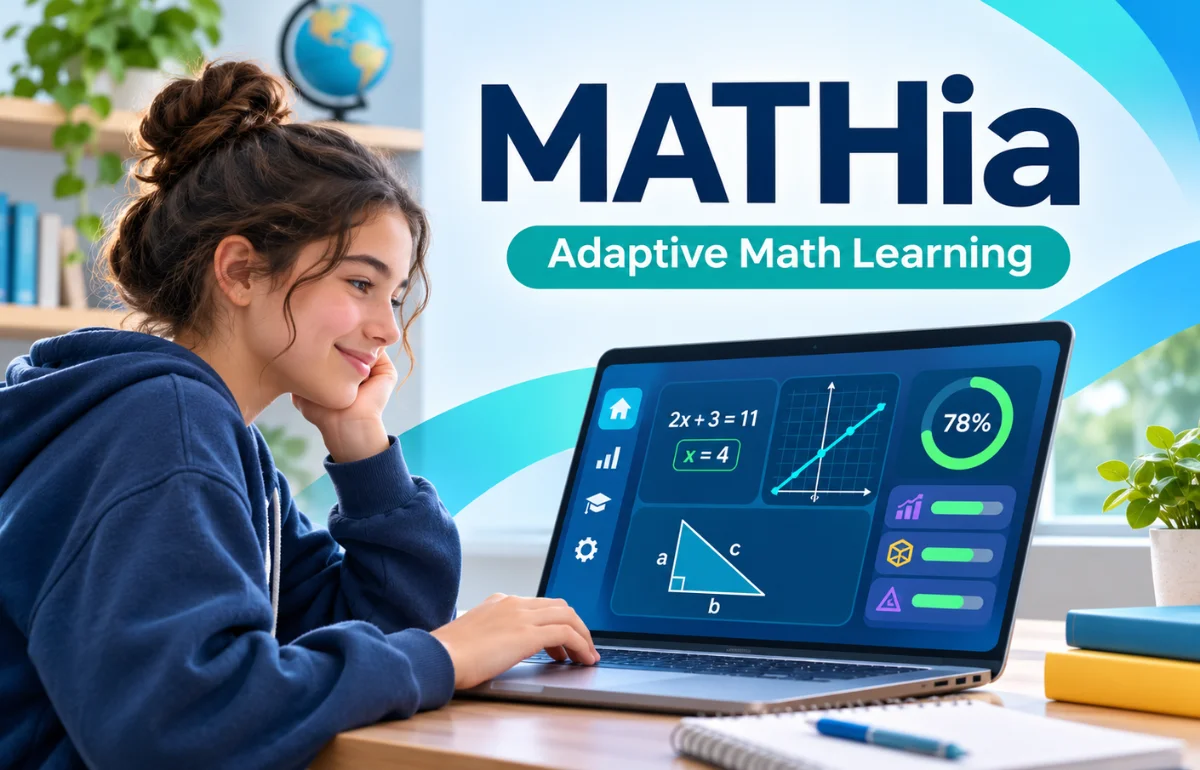
MATHia is an AI-powered, adaptive math learning platform developed by Carnegie Learning for students in grades 6–12. It works like a personal digital math tutor, providing individualized instruction, interactive exercises, and immediate feedback based on each student’s learning needs.
Unlike traditional math programs that give everyone identical questions, MATHia analyzes how students solve problems and adjusts its guidance accordingly. It helps students understand mathematical concepts, practice difficult skills, and develop confidence at their own pace.
Teachers also benefit from detailed progress reports that identify learning gaps and support more effective classroom instruction.
But how does the software actually work? And can it genuinely improve mathematical understanding? I’ll explain its features, benefits, limitations, and practical uses to help students, parents, and educators understand what the platform offers.
What Is MATHia, and Why Is It Different?
MATHia is an intelligent tutoring system that combines artificial intelligence, cognitive science, and mathematics education.
Developed by Carnegie Learning, the software builds on educational research originating at Carnegie Mellon University.
Its main purpose is to make personalized math instruction available to students who learn at different speeds and have different levels of mathematical understanding.
Consider a classroom where one student understands algebraic equations immediately, while another struggles with basic operations.
A conventional worksheet might give both students the same twenty questions. MATHia takes a different approach.
It monitors their individual responses and provides support appropriate to their demonstrated skills.
This distinction matters because mathematical difficulties often develop gradually. A student struggling with algebra may actually need additional help with fractions, negative numbers, or mathematical reasoning.
I find this focus on the learning process more meaningful than simply marking answers correct or incorrect.
The software attempts to identify what students understand, not merely what they can finish.
How Does MATHia Work?
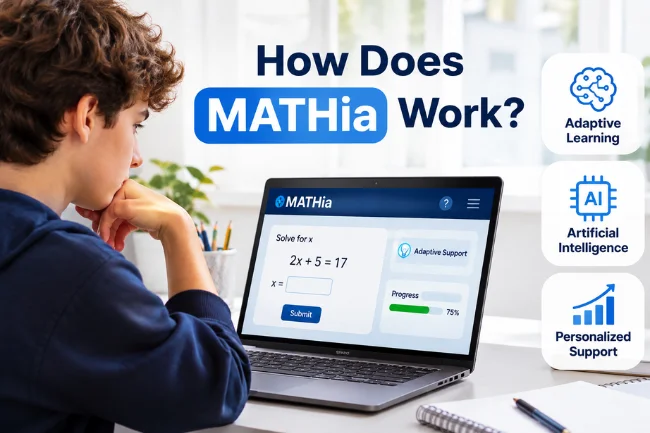
The platform uses adaptive learning technology to monitor students’ mathematical decisions throughout their practice sessions.
Its artificial intelligence includes symbolic reasoning and machine-learning techniques designed to recognize problem-solving strategies and provide appropriate instructional support.
1. Analyzing Students’ Responses
When students solve mathematical problems, MATHia examines the steps they take toward their answers.
For example, a student might understand how to simplify an equation but make an error when working with negative numbers.
Rather than treating the entire solution as evidence of misunderstanding, the software can provide guidance related to the relevant skill.
This makes feedback more specific.
2. Providing Personalized Feedback
MATHia delivers contextual hints, instructional prompts, and guided assistance when students encounter difficulties.
Instead of immediately revealing an answer, these supports encourage students to reconsider their reasoning.
This approach helps students understand why a mathematical procedure works.
3. Adjusting Practice Based on Mastery
As students demonstrate proficiency, the system updates its estimates of their knowledge.
Skills requiring additional attention receive further practice, while demonstrated mastery allows students to progress.
The number of problems can therefore differ between students working on the same topic.
This is a central feature of adaptive mathematics instruction.
Understanding MATHia Workspaces
MATHia organizes learning activities into smaller instructional units called workspaces.
These workspaces fall into two main categories.
Concept Builder Workspaces
Concept Builders help students develop mathematical understanding through instructional activities.
They may include animations, exploration tools, classification exercises, and worked examples.
Students complete a defined set of problems designed to introduce or strengthen important concepts.
Mastery Workspaces
Mastery Workspaces focus on developing and demonstrating proficiency in specific mathematical skills.
Students receive adaptive practice while the software estimates how well they understand each skill.
Unlike Concept Builders, the number of problems is not necessarily fixed.
A student can complete a workspace after demonstrating mastery of its skills or reach the maximum allowed problems without mastering everything.
This distinction is frequently misunderstood.
Finishing a Concept Builder demonstrates activity completion, while mastery status reflects the software’s assessment of skill proficiency.
For teachers, treating these outcomes differently can prevent misleading interpretations of student performance.
What Math Subjects Does MATHia Cover?
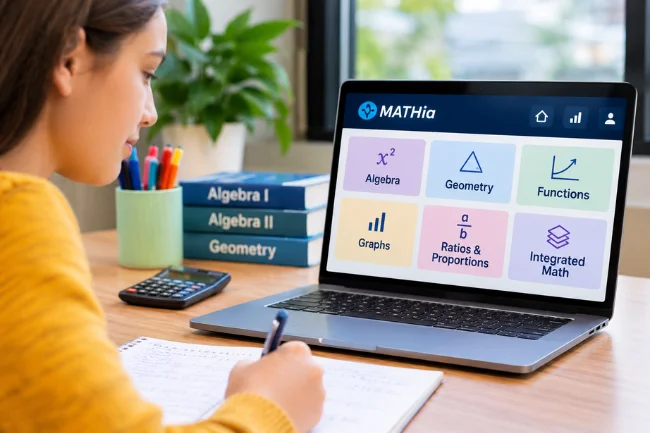
MATHia primarily supports middle school and high school mathematics.
Its content includes foundational mathematical concepts and more advanced secondary-level topics.
Common subject areas include:
- Ratios, proportions, and numerical relationships
- Algebraic expressions and equations
- Linear equations and functions
- Geometry and geometric transformations
- Graphs and mathematical representations
- Algebra I and Algebra II
- Integrated Mathematics I, II, and III
Available content depends on the course, curriculum configuration, and assignments selected by the school.
The platform also provides intervention resources to help students strengthen prerequisite skills.
For example, students studying linear functions may need additional practice interpreting graphs or understanding proportional relationships.
MATHia can support these learning needs through targeted activities rather than relying entirely on additional worksheets.
Key Features of MATHia
Several features distinguish the software from basic online math practice platforms.
Personalized Learning Paths
Students receive learning experiences that respond to their individual performance.
This reduces unnecessary repetition of already-mastered skills while providing support when understanding is incomplete.
Interactive Mathematical Tools
MATHia uses multiple instructional formats, including animations, worked examples, classification activities, and mathematical exploration tools.
These activities encourage students to reason through problems instead of memorizing procedures.
Immediate Feedback and Hints
Students receive assistance while solving problems, rather than waiting until an entire assignment has been graded.
This allows them to recognize mistakes while their reasoning is still fresh.
Progress Monitoring
A visual progress system helps students understand their development across mathematical skills.
In Mastery Workspaces, progress indicators reflect estimated proficiency rather than simply the number of questions completed.
LiveLab for Teachers
LiveLab is a classroom monitoring tool that provides real-time information about student activity.
Teachers can identify students who may need assistance, monitor engagement, and respond during practice sessions.
These features make the platform useful for both independent learning and teacher-supported instruction.
How Students Can Use MATHia Effectively
Using an adaptive math platform successfully requires more than answering questions quickly.
I recommend treating each session as an opportunity to understand mathematical ideas rather than a race to finish assignments.
Before beginning a workspace, students should review the learning goals and identify any unfamiliar mathematical terms.
During practice, they should attempt problems independently before requesting hints.
Hints are learning supports, not shortcuts. However, repeatedly requesting answers without attempting the underlying reasoning can reduce their educational value.
A useful habit is to explain the solution after completing a difficult problem.
For instance, after solving an equation, students can ask themselves why they performed a particular operation.
Writing down recurring mistakes can also help.
If negative numbers repeatedly cause difficulty, that pattern deserves attention even when the student eventually completes the activity.
Small reflections like these help turn digital practice into lasting mathematical understanding.
How MATHia Helps Teachers
One of the platform’s strongest practical advantages is its ability to provide teachers with detailed learning information.
Instead of relying exclusively on homework grades or occasional tests, teachers can review evidence collected during student practice.
MATHia includes reporting tools covering student activity, proficiency, standards, and overall progress.
Understanding MATHia Reports
| Report | Information Provided | Practical Classroom Use |
|---|---|---|
| Session Report | Time, sessions, problems, and workspaces completed | Monitor participation and practice |
| Skills Report | Progress toward individual skill mastery | Identify students needing targeted support |
| Standards Report | Performance against mathematical standards | Plan standards-focused instruction |
| Progress Report | Progress through assigned content | Identify unfinished or concerning areas |
| APLSE Report | Predictive progress toward learning goals | Review longer-term progress trends |
I would never rely on a single metric when evaluating a student’s learning.
High usage does not automatically mean strong understanding. Similarly, slower progress does not necessarily indicate poor effort.
A student who spends additional time correcting misconceptions may be learning more meaningfully than someone rushing through familiar material.
Teachers can combine these reports with classroom observations, discussions, and written assessments.
That combination provides a stronger picture of student understanding.
How Parents Can Support MATHia Learning at Home
Parents don’t need advanced mathematical knowledge to support their children.
Their most useful contribution is often creating a consistent learning routine and encouraging productive problem-solving habits.
I suggest asking children to explain what they learned rather than simply asking how many questions they completed.
Questions such as “What was challenging today?” or “How did you solve that problem?” can reveal more than a completion percentage.
Parents should also encourage students to use the platform’s built-in hints before supplying answers.
When students become frustrated, a short break may be more productive than immediately completing the problem for them.
Teachers remain the best contact for questions about assigned workspaces, learning expectations, or persistent mathematical difficulties.
Benefits and Limitations of MATHia
No educational platform works equally well for every learner, and MATHia is no exception.
Its value depends partly on how teachers and students use it.
Main Benefits
MATHia offers individualized practice, immediate instructional feedback, and detailed progress monitoring.
Students can work at different speeds, while teachers receive information that helps them plan interventions.
Its emphasis on mathematical reasoning also provides more educational depth than simple answer-checking exercises.
Potential Limitations
Students need suitable devices, reliable access, and sufficient digital literacy.
Some learners may find sustained computer-based practice tiring or frustrating, particularly when they repeatedly struggle with a concept.
Adaptive hints cannot always identify emotional barriers, language difficulties, or the exact reason behind a misconception.
Additionally, students can become overly focused on progress indicators instead of mathematical understanding.
For these reasons, I view MATHia as a supplement to thoughtful teaching, not a replacement for personal instruction and classroom discussion.
MATHia vs. Other Math Learning Tools
Carnegie Learning offers several educational products with different instructional purposes.
Understanding those differences helps schools and families avoid choosing the wrong solution.
| Platform | Target Grades | Primary Purpose | Learning Format |
|---|---|---|---|
| MATHia | 6–12 | Personalized mathematical coaching | Adaptive problem-solving |
| MATHia Adventure | K–5 | Foundational math practice | Game-based learning |
| MATHstream | 6–12 | Personalized math instruction | Interactive video lessons |
| Traditional online worksheets | Varies | Practice and review | Mostly fixed exercises |
MATHia Adventure is specifically designed for younger children, while MATHia targets secondary mathematics.
MATHstream emphasizes interactive instructional videos rather than the same problem-solving experience offered by MATHia.
Ordinary online worksheets can still be useful, especially for quick revision.
However, they generally provide less personalized information about the reasoning behind students’ answers.
Is MATHia Effective? What Research Shows
Educational effectiveness is one area where I prefer research evidence over promotional promises.
Carnegie Learning’s instructional approach has been examined in several studies, although their findings require careful interpretation.
A randomized study conducted by RAND evaluated Cognitive Tutor Algebra I, an earlier blended curriculum combining teacher-led instruction with technology.
The study found statistically significant benefits for high school students during the second year of implementation, but not during the first year.
That finding supports the potential value of blended mathematical instruction. It should not be treated as proof that today’s standalone MATHia software produces identical results.
Another investigation, the 2021 EMERALDS study, examined relationships between earlier mathematical learning and later Algebra I achievement.
It found that students completing more MATHia workspaces tended to demonstrate better subsequent algebra performance, with particularly encouraging associations among lower-performing students.
Nevertheless, associations alone cannot establish that software usage caused every observed improvement.
My interpretation is that MATHia offers a research-informed approach with promising evidence, but outcomes still depend on instructional quality, implementation, and student engagement.
How to Access and Log In to MATHia
Students usually access MATHia through an account provided by their school or educational institution.
The standard Carnegie Learning login address is:
www.carnegielearning.com/login
Students generally sign in using their assigned credentials and select the appropriate MATHia class or activity.
However, the exact process depends on the school’s setup.
Some institutions use single sign-on through services such as Clever or ClassLink.
Others access their assigned work through Carnegie Learning’s Clear Learning Center.
If a student cannot find the MATHia application, the first thing to check is whether their school has assigned access through a different portal.
Students who forget their passwords should contact their teacher or follow their school’s approved account recovery procedure.
Is MATHia Free, and What Devices Does It Support?
MATHia is primarily distributed through educational licensing arrangements.
Carnegie Learning does not display a universal public price for every school or individual user on its main product page.
Schools interested in purchasing the platform can request information or a demonstration directly from the company.
Students whose institutions already provide licensed access generally use their school-assigned accounts rather than purchasing separate subscriptions.
Regarding devices, MATHia supports specified configurations of Windows computers, Macs, Chromebooks, and tablets.
However, compatibility depends on operating system, browser, and display requirements.
Smartphones and other small-screen devices are not recommended for the full learning experience.
Before using the software, I recommend checking Carnegie Learning’s official system requirements.
A Practical Way to Get Better Results With MATHia
One mistake schools can make with educational technology is measuring success mainly through minutes spent online.
I prefer a three-part evaluation: participation, understanding, and independence.
Participation answers whether students are completing the assigned learning activities.
Understanding examines whether students are demonstrating proficiency in the intended mathematical skills.
Independence considers whether they can solve similar problems without repeated hints or extensive support.
Imagine two students completing the same algebra workspace.
One finishes quickly but struggles to explain the reasoning afterward. The other takes longer yet successfully solves a comparable question independently.
The first student may appear more efficient on a usage report, but the second may demonstrate stronger transferable understanding.
This is a hypothetical example, not a reported MATHia study.
I would therefore combine MATHia’s progress data with occasional independent questions, brief student explanations, and targeted teacher feedback.
This approach makes it easier to distinguish genuine mathematical growth from activity completion.
Final Thoughts
MATHia offers a practical combination of adaptive learning, personalized math coaching, and progress monitoring for secondary school students.
Its greatest strength is the ability to respond to individual mathematical needs while giving teachers information they can use to support learning.
Still, effective mathematics education involves much more than software.
For schools evaluating MATHia, I recommend exploring the official demonstration, reviewing the available workspaces, and considering how its reporting tools would fit existing classroom instruction.
The goal should be stronger mathematical understanding, not simply more screen time.
Frequently Asked Questions About MATHia
1. What is MATHia used for?
MATHia provides personalized mathematics instruction, adaptive practice, and feedback to help students in grades 6–12 develop mathematical understanding and skills.
2. Is MATHia free for students?
Students generally access MATHia through their school’s educational license. Individual access and purchasing options depend on Carnegie Learning’s licensing arrangements.
3. Does MATHia use artificial intelligence?
Yes. MATHia uses AI-powered adaptive technology to analyze problem-solving steps, estimate skill mastery, and provide personalized mathematical guidance.
4. Can students use MATHia at home?
Yes. Students with authorized accounts can access their assigned activities at home using compatible devices and a suitable internet connection.
5. Is MATHia better than traditional math learning?
MATHia offers personalized feedback and skill tracking that conventional worksheets may lack, but its effectiveness depends on students’ needs and how it complements teacher-led instruction.

Noah Sterling is a technology research writer with 8+ years of experience covering emerging technologies, software trends, digital tools, and innovation. He creates practical, research-based articles to help readers understand the evolving technology landscape.