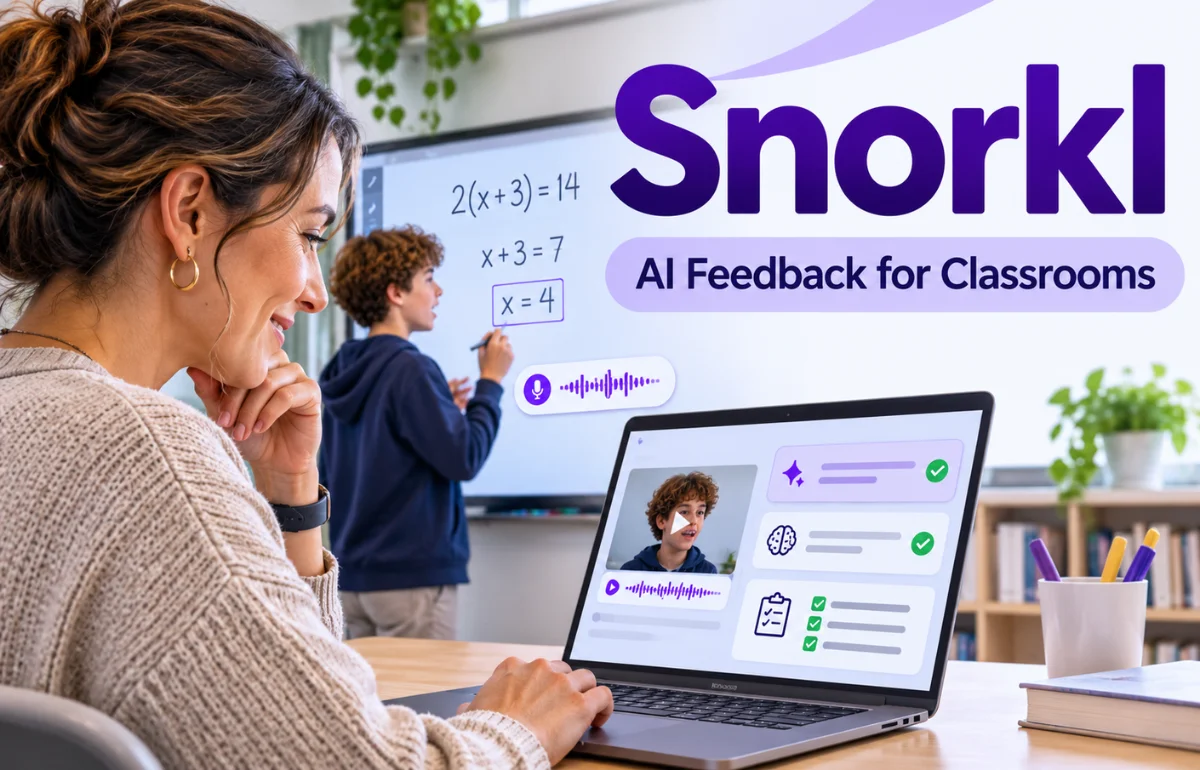
Snorkl is a web-based, AI-powered formative assessment platform that helps teachers understand how students think, not just whether their answers are correct. Students can explain an idea aloud while drawing on a digital whiteboard, or complete writing, audio-only, and whiteboard-only activities.
After they submit their work, Snorkl provides personalized feedback and gives teachers information about individual responses and class-wide learning patterns.
The goal is to make reasoning visible, encourage revision, and help educators identify misunderstandings before they become persistent problems.
It supports subjects including mathematics, science, language arts, history, and world languages. Unlike a conventional online quiz, Snorkl emphasizes the explanation behind an answer.
That makes it especially relevant to teachers looking for meaningful classroom uses of artificial intelligence rather than another way to automate grading.
Why Is Snorkl Different From a Regular Quiz Tool?
A multiple-choice question can show me a selected answer, but not whether it came from understanding, guessing, or memorization. Snorkl tries to reveal that missing information.
Consider two students solving the same fraction problem. One reaches the correct answer but offers no explanation. Another makes an arithmetic mistake yet accurately describes why equivalent denominators are needed. Those students need different teaching responses.
Snorkl captures a student’s explanation alongside the answer. Its AI then evaluates that response against criteria set or reviewed by the teacher. That gives teachers better evidence for deciding what to teach next.
That does not make the AI infallible. A student’s actual work remains the primary evidence; automated feedback is an aid to interpretation.
How Does Snorkl Work?
The workflow connects an assignment, a response, feedback, and a second attempt.
1. Teachers Choose or Create an Activity
A teacher can select an existing task from the Snorkl Library or build one around a specific learning objective.
For a recorded whiteboard activity, the teacher adds the question, any helpful images or diagrams, and instructions for the response.
Snorkl can generate draft answer criteria from the question. The teacher can edit those criteria to specify what a strong explanation should include. Poorly chosen criteria can produce misleading feedback.
2. Students Show Their Reasoning
Students open the assigned activity and respond in the format the teacher selected.
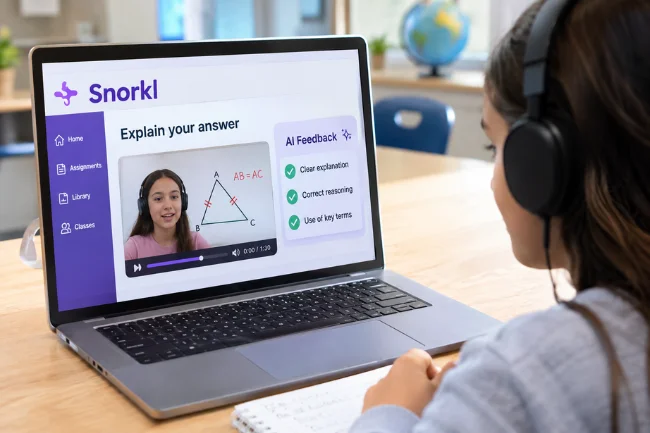
In the signature whiteboard recording mode, they draw, annotate, and explain aloud while their screen and voice are recorded.
The platform also supports written responses, audio-only explanations, and whiteboard work without a recording. Not every learning objective requires a microphone.
3. AI Feedback Arrives After Submission
Once the response is submitted, Snorkl generates personalized comments about strengths and areas for improvement.
For recorded whiteboard responses, feedback can refer to specific moments in the recording.
Students can then improve their existing work or begin a fresh attempt. Teachers can inspect those attempts instead of seeing only a final answer. See Snorkl’s official overview for details.
Key Snorkl Features That Matter in a Classroom
Multimodal Student Responses
Multimodal simply means students can express understanding in more than one way.
A visual model may clarify a mathematical explanation, while speaking can reveal connections that a short written answer leaves out.
I would match the format to the objective: writing for persuasive composition, or a labeled diagram and narration for scientific reasoning.
Teacher-Controlled Feedback Criteria
Snorkl does not have to use a generic standard for every task. Teachers can edit the answer key and describe the concepts, vocabulary, or reasoning they expect.
They can also preview the activity as a student before assigning it.
I would preview one strong answer and one misconception. If both get similar feedback, the criteria need work.
Progress Tracking and Classroom Insights
Teachers can see student submissions, compare attempts, inspect recordings, and review trends.
The progress view helps distinguish a student’s first response from their latest or best response.
Premium schools also have access to Custom Insights, a feature documented in September 2026 that lets educators ask questions about patterns in their class data.
Its summaries still need to be checked against student work.
Multilingual Support and Learning Accessibility
Students can respond in a preferred language and choose the language used for AI feedback.
Teachers can view translated captions for recordings in another language. This can make a lesson more accessible to multilingual learners without assuming that language proficiency and subject knowledge are identical.
Translations still need checking, especially in technical subjects.
Snorkl Coach and Activity Sets
Snorkl Coach is a Premium, optional AI assistant that offers guiding prompts while students work instead of simply supplying answers.
Teachers can see those interactions, and the feature is off by default.
Activity Sets connect multiple activities with progression rules based on factors such as correctness, score, or attempts. I would favor short, purposeful sequences over excessive tasks.
Practical Ways to Use Snorkl Across Subjects
Mathematics: Explain the Method, Not Just the Result
Ask students to solve 3/4 + 1/6 and explain why the fractions need a common denominator.
The correct sum is 11/12, but the explanation is the teaching opportunity.
A student who draws an accurate model but slips on arithmetic needs different support from one who adds numerators and denominators directly.
A recording reveals both without public speaking.
Science: Connect Observations With Causes
After a simple experiment, ask students to describe what happened and why.
For example, students might annotate a diagram of a closed electrical circuit and explain why a bulb lights up when the circuit is complete.
I would set criteria around cause-and-effect reasoning rather than rewarding the appearance of technical vocabulary alone.
English and Language Arts: Defend an Interpretation
Students can identify a claim about a character, select evidence from a text, and explain how the evidence supports their view.
In a writing activity, the feedback can focus on whether the reasoning connects the quotation to the claim.
This approach works best when the assignment allows more than one defensible interpretation and the teacher avoids building a rubric around one preferred answer.
History and Social Studies: Evaluate Evidence
Give students two short sources describing the same event. Ask them to explain where the accounts agree, where they differ, and which details shape their judgment.
That can reveal misconceptions about source reliability.
Language Learning: Practice Communication
An audio-only activity could ask learners to describe their daily routine in the language they are studying.
Feedback can encourage more complete responses, while teachers still assess pronunciation, accuracy, and context themselves.
These are illustrative lesson ideas, not guaranteed outcomes.
How to Get Started With Snorkl as a Teacher
I would begin with one short activity to assess the student experience and the feedback.
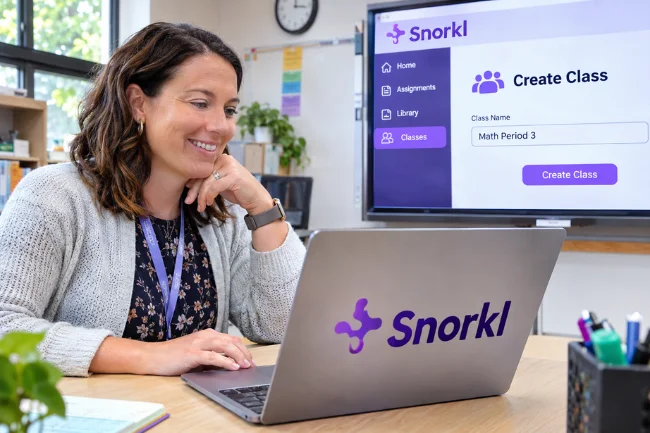
- Visit Snorkl’s official website and create a teacher account.
- Create a class in the Classes area, or prepare an activity before inviting students.
- Choose an activity from the Library or create one using the appropriate response format.
- Review the AI-generated answer criteria. Remove anything unrelated to your learning objective.
- Select “Try as a Student” to check the instructions and sample feedback.
- Assign the activity, then share its link or class code. Students can join through the link or at join.snorkl.app.
- Review the first responses, invite revisions, and use common misconceptions to plan the next lesson.
Students generally sign in through school-approved Google or Microsoft accounts.
Schools may need to authorize Snorkl and confirm that their devices, browsers, microphones, and network settings support the activity.
Before assessing unfamiliar content, I would let students practice recording something familiar so technical problems are not mistaken for subject difficulties.
How Snorkl AI Scores and Feedback Should Be Interpreted
Snorkl distinguishes between whether an answer is correct and how well the student explains it.
Its explanation score uses a scale from 0 to 4: 0–1 means reasoning is absent or unclear, 2 indicates a partial explanation, 3 indicates a mostly clear explanation, and 4 indicates a thorough one.
A correct answer with a score of 1 may lack justification. An incorrect answer with a 3 may reflect a sound method with a small mistake. Always inspect the response.
Teachers can hide scoring indicators from students and disable correctness scoring when it does not fit an open-ended assignment.
Snorkl typically offers two or three pieces of feedback that highlight strengths and suggest improvements.
My rule would be to use these scores as conversation starters, not as independent high-stakes grades.
For more details on the scoring method, see Snorkl’s explanation of AI scores.
Snorkl Pricing: Free vs. Premium
Snorkl has a free plan for individual teachers and a Premium option for schools and districts.
The free plan includes core AI feedback, the activity library, activity insights, co-teachers, and unlimited classes, but limits activities.
Premium expands access and adds organization-level tools.
| Feature | Free Teacher Plan | Premium School/District Plan |
|---|---|---|
| Classes | Unlimited | Unlimited |
| Activities | Limited | Unlimited |
| AI feedback and activity insights | Included | Included |
| Snorkl Library | Included | Included |
| Snorkl Coach | Not included | Included |
| School dashboards and shared school library | Not included | Included |
| Dedicated support and professional development | Not included | Included |
Premium pricing requires a quote.
Check Snorkl’s pricing page for current plan details; not every feature shown in a school demonstration is free.
Snorkl vs. Traditional Classroom Assessment Tools
Quizzes check recall quickly; teacher conversations explore thinking deeply. Snorkl collects richer responses with rapid feedback.
| Method | Evidence Collected | Main Strength | Main Limitation |
|---|---|---|---|
| Multiple-choice quiz | Selected answers | Quick checks at scale | Can hide guessing or flawed reasoning |
| Written exit ticket | Short written explanation | Simple and familiar | Feedback often arrives later |
| Live teacher discussion | Spoken reasoning and follow-up | Flexible human questioning | Hard to hear every student |
| Snorkl activity | Voice, visuals, or writing, depending on task | Captures explanations with rapid AI feedback | Requires devices and teacher review of AI judgments |
I would choose Snorkl when the process of reasoning is the learning objective.
For a five-question vocabulary recall check, a simpler tool may be faster. For understanding why a student believes an answer is correct, the additional explanation is worth the effort.
Benefits and Limitations Teachers Should Weigh
The strongest potential benefit is participation.
In a typical discussion, a few students speak while others remain silent. A short recorded explanation gives more learners an opportunity to articulate their thinking without performing in front of the whole class.
Immediate feedback gives students time to revise while an idea is fresh. Class patterns can also guide targeted teaching.
There are trade-offs. AI feedback can misunderstand unusual but valid reasoning, miss context, or overvalue polished language.
Recording activities require functioning microphones and a reasonably quiet environment. Some students may feel uncomfortable speaking into a device, and teachers still need time to examine important submissions.
I would not present Snorkl as a substitute for teaching, a reliable plagiarism detector, or a final authority on grades.
Its value depends on task design, teacher oversight, and whether students actually use the feedback to improve.
Is Snorkl Safe for Students?
Snorkl says it does not sell student data or show advertising to students.
Its trust-and-safety documentation also states that it removes personally identifiable information from data sent to its AI providers and has agreements intended to prevent that data from being retained or used to train their models.
These safeguards do not eliminate a school’s duty to review data handling, especially for voice recordings.
Before assigning activities, I would check institutional approval, parental notice or consent requirements where applicable, retention practices, and the school’s data-processing agreement.
Snorkl references FERPA and COPPA in its documentation, but compliance decisions should be made by the responsible school or district rather than inferred from a marketing statement.
Its trust and safety page is a sensible starting point.
A Better Way to Plan Your First Three Snorkl Activities
Rather than using the same question format repeatedly, I would design a three-activity sequence around different kinds of evidence:
- Reveal the starting idea. Ask for a 30- to 60-second explanation before formal instruction. Look for prior knowledge and misconceptions, not polished performance.
- Test one key connection. After teaching, ask students to explain why a method works, using a diagram or example. Set the rubric around one or two essential concepts.
- Check transfer. Change the context while keeping the underlying skill. Ask students to explain whether the same reasoning still applies.
This is my instructional framework, not a built-in Snorkl feature.
I would also examine a small sample of high-scoring, middle-scoring, and low-scoring submissions.
If the AI repeatedly misreads a particular approach, I would adjust the answer criteria, discuss the issue with students, and avoid using that score for consequential decisions.
My closing question would be: “What did these explanations reveal, and what will I change tomorrow?”
Is Snorkl Worth Using in 2026?
Snorkl is worth considering for reasoning, explanation, and revision. It is less suitable for simple recall checks or classrooms without dependable recording access.
My recommendation is to test one clearly defined learning objective using the free teacher plan, then compare what the student responses reveal with what you would have learned from a conventional exit ticket.
That comparison is more useful than adopting any AI tool because it appears innovative.
Frequently Asked Questions About Snorkl
Is Snorkl free for teachers?
Yes. Snorkl offers a free teacher plan with core AI feedback and limited activities; Premium school access requires a quote.
How do students join Snorkl?
Students can open an assigned activity link or use a class code at join.snorkl.app, typically signing in with an approved school account.
Can Snorkl be used for subjects other than math?
Yes. Teachers can create activities for science, language arts, history, world languages, and other subjects that involve explaining ideas.
Does Snorkl grade students automatically?
It provides AI-generated correctness indicators, explanation scores, and feedback, but teachers should review results before using them for consequential grading.
Can students redo an answer after receiving feedback?
Yes. Students can revise their existing response or start again, and teachers can compare attempts to monitor progress.

Noah Sterling is a technology research writer with 8+ years of experience covering emerging technologies, software trends, digital tools, and innovation. He creates practical, research-based articles to help readers understand the evolving technology landscape.