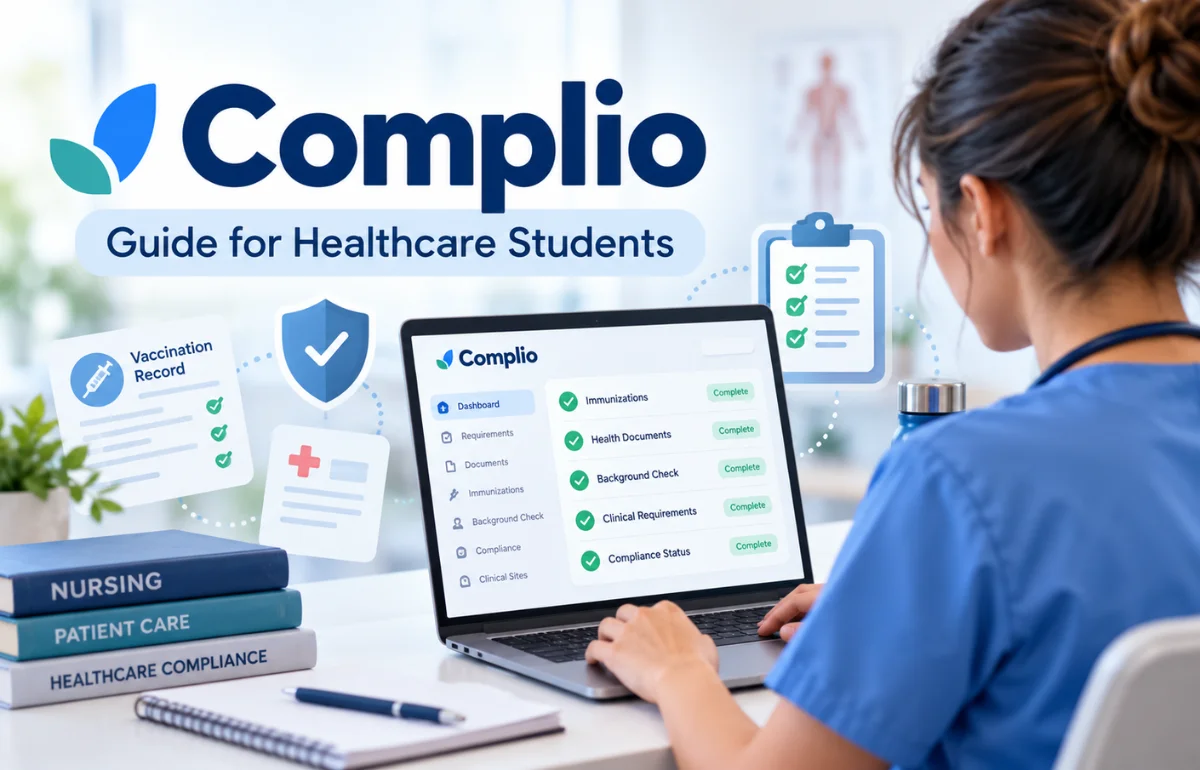
Complio is an online compliance management platform used by healthcare education programs to collect, review, and track the records students need for clinical training. Developed by American DataBank and now presented as DISA Complio, it helps schools organize immunization documents, background checks, drug screening, and other program-specific requirements in one place.
Students use it to submit evidence and monitor their status, while authorized administrators check whether they meet the rules for their program or clinical placement.
In practical terms, Complio is not a vaccination provider or a college admissions office. It is a system that records whether your documents and screenings satisfy the requirements set by the organizations overseeing your training.
The distinction matters. Uploading a file is only part of the process; the relevant requirement usually must also be reviewed and accepted before a student is considered compliant. DISA Healthcare’s official description confirms that the platform brings program requirements and verification together.
What Is Complio Used For?
I think the easiest way to understand Complio is to picture the paperwork that appears between acceptance into a nursing program and the first day at a hospital.
A student may need proof of immunity, tuberculosis screening, a current CPR certification, a background check, and signed training forms. Those records come from different places and may expire at different times.
Complio gives the program a shared location to organize that evidence. Instead of assuming a student is ready because they sent five emails, administrators can review requirements against the school’s rules and identify what’s still missing.
It’s especially relevant to nursing, allied health, and other clinical education programs. However, each school configures its own checklist.
A requirement listed at one college is not automatically mandatory at another, and a clinical site may impose additional conditions.
Who Actually Uses the Platform?
Students and applicants upload documents, enter dates, place orders where required, and check their compliance status.
Faculty, coordinators, and authorized reviewers use the system to monitor readiness, process documentation, and prepare students for clinical placements.
Healthcare partners may receive permitted status information or use associated rotation workflows.
Main Complio Features Explained
Immunization and Health Record Tracking
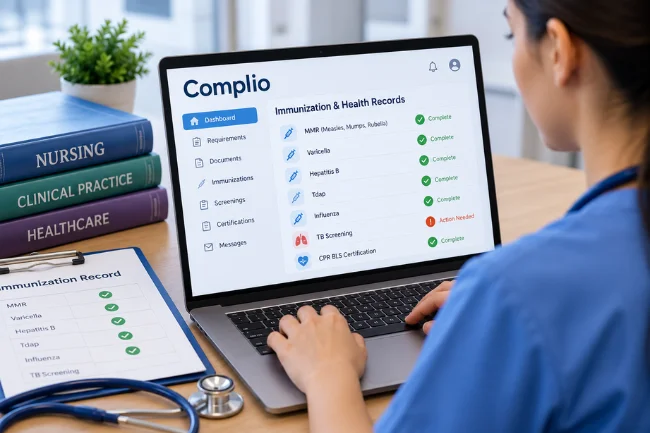
Many programs require proof of measles, mumps, and rubella (MMR), varicella, hepatitis B, Tdap, or seasonal influenza vaccination.
Other requirements can include TB screening, blood-test evidence of immunity (titers), or completed health forms.
Students typically associate each uploaded record with the correct requirement and enter dates from the underlying document.
The rules engine then helps identify whether the submitted information fits that program’s accepted compliance path. For example, an institution might recognize a vaccination series or an appropriate immunity titer, depending on its policy.
DISA describes configurable compliance paths, calculated expiration dates, and automated reminders.
Background Checks and Drug Screening
Some Complio packages let students order criminal background checks and drug testing required by their school.
A drug-screening order may involve selecting a collection location, following instructions sent after purchase, and completing the test within a designated window.
Results can travel through the provider’s established workflow rather than being uploaded as a student-taken photograph of a receipt.
One detail worth remembering: a background check that satisfies today’s program requirement does not necessarily remain acceptable for a future placement or professional license.
The institution sets the acceptable age of the report, and licensing bodies may require separate checks.
Document Review and Expiration Alerts
Complio can flag missing records, rejected submissions, and expiring items.
DISA states that reminder schedules can be customized, with its default expiration notifications occurring 60, 30, 15, and 7 days before expiration.
Compliance Reporting and Clinical Placement Support
DISA also describes sharing permitted compliance information with clinical sites and integrating with placement systems.
Some programs connect Complio with other software, such as ACEMAPP.
When a supported connection is set up, completion and expiration data can appear in the linked platform. A successful upload in Complio, however, should not be assumed to have synchronized immediately elsewhere.
How to Create and Use a Complio Account
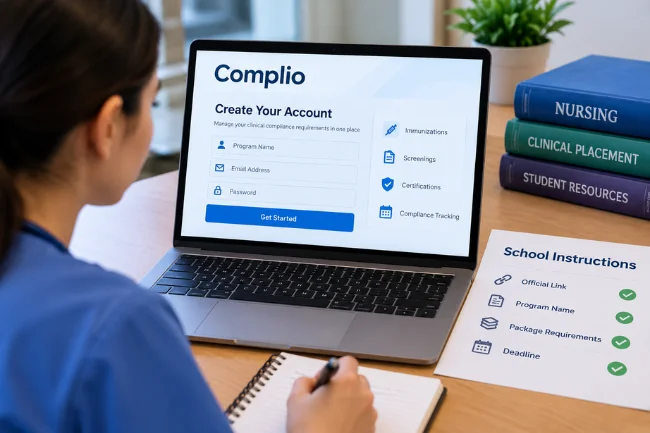
1. Start With Your School’s Official Instructions
Before registering, get the exact link, program name, package requirements, and deadline from your department.
Many institutions provide a dedicated Complio address or approved entry page.
This is not a formality. Austin Community College expressly warns students not to create accounts before their program instructs them, because they could purchase the wrong package.
I consider that one of the most useful pieces of advice for new users.
2. Register With Accurate Personal Details
Follow your institution’s access link, create an account if necessary, and complete any email verification.
Use the identity information required for screening and make sure you can consistently access the registered email address.
Check names, previous names where requested, date of birth, and contact details before submitting a paid screening order.
If you already have a Complio account from another course, ask whether to change the program or link an existing profile rather than opening duplicate accounts without guidance.
3. Select the Correct Package and Review the Total
Programs may require a compliance tracker, screening services, or a combination of products.
Read the order summary carefully, including duration, optional services, taxes, and transaction fees.
The platform does not have a single universal student price. Your school, package, and screening details determine what you pay.
Also, DISA’s published FAQ says submitted screening orders cannot be canceled or refunded. Confirm everything before you place an order.
4. Upload Evidence to the Matching Requirement
Gather readable records that show your name, relevant dates, provider information, and any program-required signatures or results.
Choose the correct requirement, enter the date requested by the form, and attach the supporting file.
Here’s a distinction I often see overlooked in instructions: the event date and upload date are different.
If your vaccine was administered in March, entering today’s date merely because you uploaded the record today can undermine the review.
South Texas College’s published FAQ tells students to enter the administration date for vaccines and the signing date for forms.
5. Check the Status Until Every Required Item Is Accepted
Return to your dashboard to see whether submissions are pending, rejected, complete, or approaching expiration, using the labels displayed by your institution.
If a file is rejected, read the reason before replacing it. Submitting the same incomplete image usually won’t solve the problem.
Finally, check your school’s deadline and any separate clinical site approval. A completed screening purchase or uploaded PDF isn’t, by itself, proof of clearance.
Which Documents Might You Need?
There’s no universal checklist. Still, these categories help students prepare without assuming every program asks for the same evidence.
| Requirement | Typical evidence | Common issue to prevent |
|---|---|---|
| Vaccinations or titers | Provider record or laboratory report | Missing dose, name, or result details |
| TB screening | Approved test report or alternative documentation | Wrong test type or outdated result |
| CPR/BLS certification | Current card from the accepted training provider | Course does not match the school’s policy |
| Background check | Screening completed through the approved process | Incorrect package or personal information |
| Drug screening | Test ordered and completed through the designated workflow | Missed collection deadline |
| Insurance or orientation | Valid coverage evidence or signed course forms | Old policy period or missing signature |
Use this table to organize files, not to determine medical care.
Vaccine schedules, exemptions, acceptable testing methods, and placement rules should be confirmed with the program and the appropriate qualified professionals.
What Does Complio Cost in 2026?
A common search is “Is Complio free?” For many students, the answer is no: their program requires paid tracking, screening, or both.
Yet publishing a single price for everyone would be misleading.
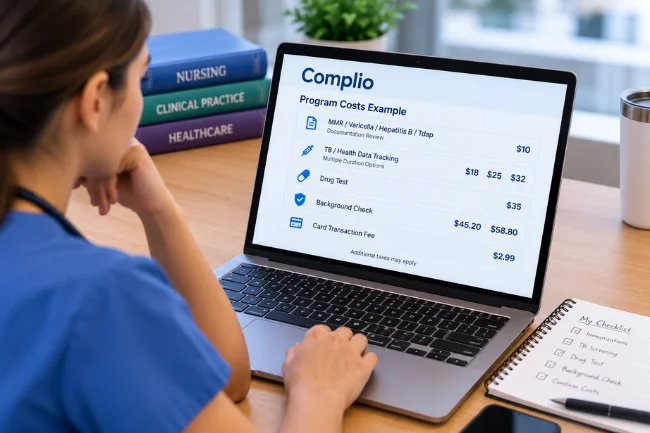
For a concrete example, Austin Community College’s September 2026 guidance lists different components: a $10 MMR/varicella/hepatitis B/Tdap documentation review option, TB/health-data tracking durations at $18, $25, or $32, a $35 drug test, and background check examples at $45.20 or $58.80.
The school also lists a $2.99 card transaction fee and possible taxes.
Those figures illustrate how pricing can be split into services; they are not universal Complio rates and may change.
Before paying, I would check three questions: Does this order cover every required service? How long does the tracking subscription last? And could additional charges apply because of previous addresses, names, or third-party court fees?
Complio vs. Email, Spreadsheets, and Learning Portals
A useful comparison is not whether Complio replaces every campus system. It usually doesn’t. Its value lies in managing compliance evidence against defined requirements.
| Capability | Complio | Email or spreadsheet tracking | General learning management system |
|---|---|---|---|
| Upload requirement-specific evidence | Designed for this workflow | Possible, but often manual | Depends on course setup |
| Apply institution-specific compliance rules | Core purpose | Typically requires manual interpretation | Not usually the primary purpose |
| Track expiring documents | Built-in capability | Requires separate reminders | May need configuration |
| Order associated screening services | Available in relevant packages | Usually separate | Usually separate |
| Manage teaching materials and grades | Not its main purpose | No | Core purpose |
There are trade-offs.
Review queues can still take time, students may pay fees, and the interface cannot correct an inaccurate health record or resolve a policy dispute on its own.
A specialized compliance portal is useful only when its underlying requirements are clear and the review process works well.
The Two-Clock Problem: Why Early Uploads Matter
After comparing published directions from several colleges, I noticed a practical issue that deserves more attention: students are managing two different clocks.
The first is the submission clock. You must request records, book tests, upload files, and allow someone to review them before a cutoff date.
The second is the validity clock. An accepted record may expire while you’re still enrolled or even during a clinical rotation.
Imagine your rotation starts on a Monday. You upload a CPR card on Friday, but your program’s reviewers do not work weekends.
Even with a perfectly valid card, your status might still be incomplete when the rotation begins.
South Texas College warns that late uploads are not reviewed after hours or on weekends, and advises uploading at least a week early.
Now imagine the opposite situation: everything is accepted in October, but a required document expires midway through a November placement.
Your compliance status can change without you having made a new submission.
My practical solution is to track three dates for each requirement: the underlying test or certificate date, the document’s expiration or renewal date, and the school’s acceptance deadline.
Add a fourth date when a clinical site has its own cutoff.
This simple framework exposes risks a single “uploaded” checkbox cannot show.
Common Complio Problems and How I Would Handle Them
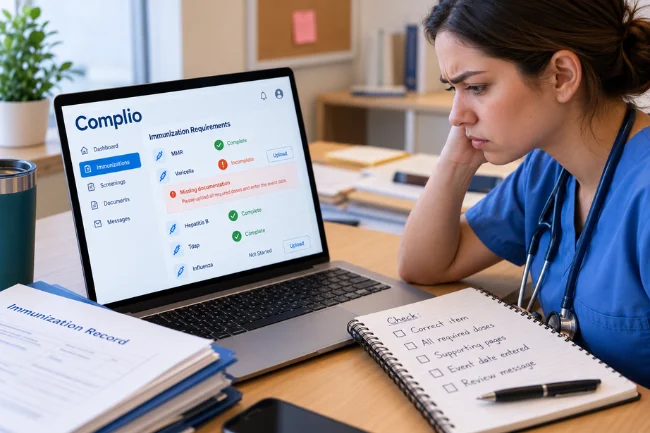
My Upload Still Says Incomplete
Check whether the document is attached to the correct item, whether all required doses or supporting pages are included, and whether the necessary event date was entered.
Then review any rejection message. At some schools, human review can take several business days.
My Record Was Rejected Even Though It’s Genuine
A genuine certificate may be missing a required signature, use an unaccepted training format, or fall outside the school’s validity window.
Ask the reviewer which exact rule the document failed, then get corrected evidence from the issuing source.
My Program Changed or Another Portal Shows Different Results
First confirm that you are viewing the correct program and profile.
If an integration is involved, check the email associated with both accounts.
ACEMAPP’s support instructions say matching email addresses are needed when linking Complio, and linked data can take time to appear.
I’m Having Login or Payment Trouble
Use the official DISA Complio support page instead of entering sensitive details on an unfamiliar site.
The listed help desk number is 800-200-0853.
For payment disputes or errors in a completed background report, contact the appropriate service team promptly; the school’s academic department usually cannot edit a screening report itself.
Privacy, Access, and Responsible Document Handling
Because Complio can contain health records and screening information, I recommend treating account access as carefully as an online banking login.
Use a unique password, keep control of your email account, and send documents through the school’s authorized workflow rather than a public file-sharing link.
Ask your institution who may view your information, how compliance status is shared with clinical partners, and what happens to your account after graduation.
Access permissions and retention arrangements may depend on the organization’s configuration and relevant policies.
Don’t share screenshots of your dashboard or screening results on social media, even when you’re frustrated by a review delay.
A Practical Routine for Staying Compliant
I would build a short weekly routine rather than logging in only when an email warning appears.
Open the dashboard, scan incomplete and expiring items, check whether any rejected document needs replacement, and compare the displayed status with your program’s latest notices.
Store a separate list of deadlines, including screening appointments and clinical-site cutoffs.
If your school requires a printable health passport or compliance report, confirm how to generate the current version before your first placement.
Most importantly, ask about discrepancies early.
A useful support message identifies the requirement, date submitted, current status, and the precise question, without broadcasting private medical details to unnecessary recipients.
Final Thoughts
Complio solves a specific problem: helping healthcare programs confirm that clinical requirements have been documented, reviewed, and kept current.
It can reduce confusion, but it doesn’t remove the student’s responsibility to submit accurate records or the school’s authority to decide what qualifies.
If you’re preparing for clinical training, start with your program’s official checklist, verify the correct package, and allow time for review before your first placement.
Frequently Asked Questions About Complio
What is Complio used for in nursing school?
Nursing programs use it to collect and verify clinical compliance records, including immunizations, screenings, certifications, and other placement requirements.
How do I log in to Complio?
Use the official DISA Complio login page or the approved link supplied by your school, then enter your registered credentials.
How long does Complio take to approve documents?
It depends on the institution and reviewer. Some colleges advise allowing up to three business days, so don’t assume uploads are approved instantly.
Is Complio free for students?
Not necessarily. Tracking subscriptions, background checks, drug tests, and transaction fees depend on your school’s package and payment arrangements.
Can I use the same Complio account for another program?
Possibly, but account and package changes depend on the institution’s setup. Ask your program or Complio support before creating another profile or paying again.

Noah Sterling is a technology research writer with 8+ years of experience covering emerging technologies, software trends, digital tools, and innovation. He creates practical, research-based articles to help readers understand the evolving technology landscape.