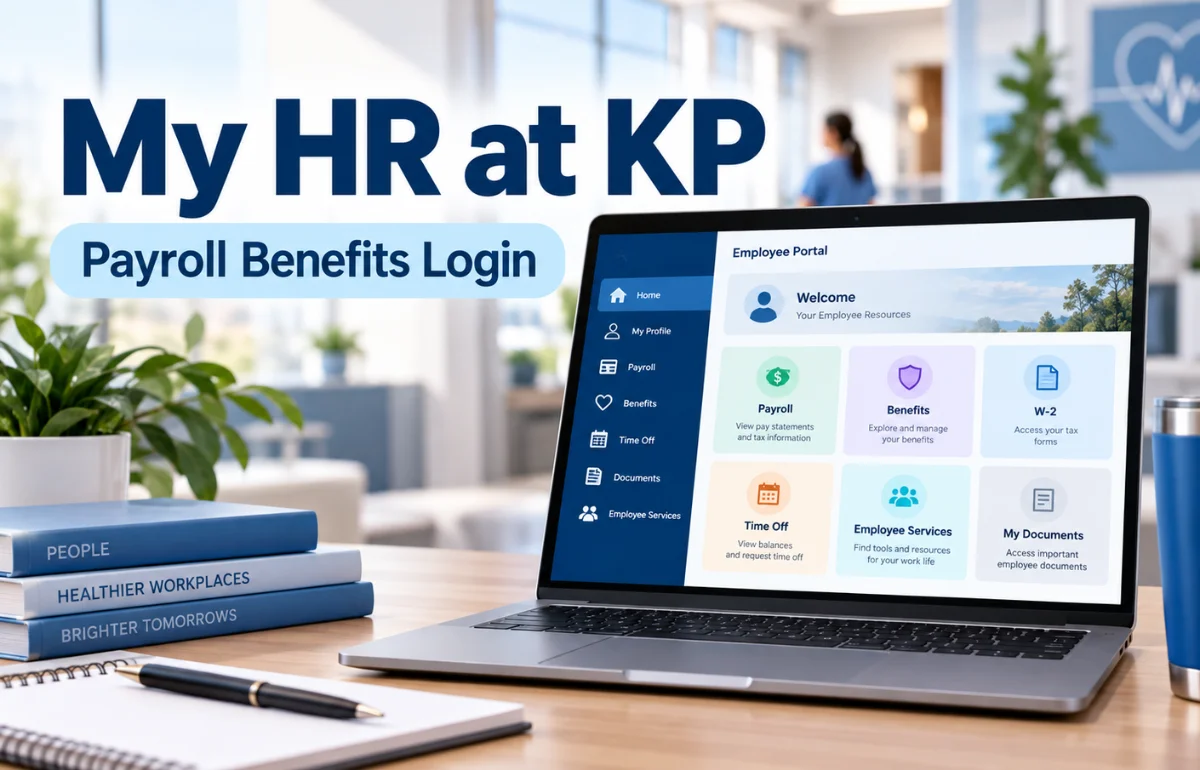
My HR at KP is Kaiser Permanente’s employee human resources portal, commonly accessed through HRconnect. It gives eligible employees a central starting point for work-related information, including pay, W-2 tax forms, time off, benefits enrollment, HR cases, and career resources.
Rather than contacting different departments for every routine question, staff can use the portal to find relevant services and, when authorized, open their personal employment records.
The official public HRconnect homepage is available at hrconnect.kp.org. What appears after sign-in can vary by job, region, and eligibility.
I’ll explain how to recognize the correct site, what the major sections are for, and how to avoid common mistakes with sensitive HR information.
What Is My HR at KP, and Who Is It For?
Kaiser Permanente is a health care organization with employees working across hospitals, medical offices, administrative teams, and other departments. My HR helps those workers navigate employment matters without treating every question as a separate paperwork exercise.
The name can be confusing because Kaiser Permanente uses both “My HR” and “HRconnect” in its employee resources. In everyday searches, people also call it the KP employee portal, Kaiser My HR, or KP HRconnect login.
These names generally point to the same employee-HR experience, although individual tools may have their own sign-in screens.
It is primarily for people with authorized employee access. Applicants, contractors, former employees, and dependents should not assume they have the same permissions as active employees.
Access to a particular service depends on the organization’s current rules and the user’s status.
How to Access the Official My HR at KP Portal
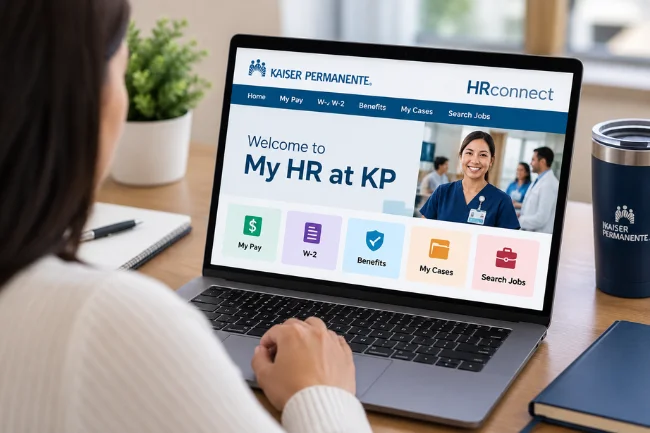
I recommend starting with the official HRconnect homepage rather than following a login button on an unfamiliar website.
Its public menu identifies services such as My Pay, W-2, Benefit enrollment, My Cases, and Search Jobs.
From there, select the service you need and follow the organization’s sign-on prompts. If authentication is required, use the employee credentials and verification method supplied through Kaiser Permanente.
A National User ID, often called an NUID, may be requested for employee single sign-on.
Never type your network password into a page simply because it contains “KP,” “MyHR,” or “HR Connect” in its title. Look closely at the actual web address and use a link provided through your employer if you are unsure.
Why the Portal Asks for Your Work Location
Kaiser Permanente’s official HRconnect location page asks where you work so it can personalize your experience.
It lists regions such as Northern California, Southern California, Colorado, Georgia, Hawaii, Mid-Atlantic States, and the Pacific Northwest, as well as certain employee groups.
This choice is about your work assignment, not where you happen to be sitting while you log in. Someone working in one region but traveling through another should not select a new region just because their laptop is elsewhere.
The site warns that changing browsers, clearing cookies, or using a different computer can cause the location prompt to appear again. That is not necessarily an account problem.
What First-Time Users Should Know
New employees may need their account established or activated through the approved onboarding process.
I would check the welcome materials or ask the manager or internal service desk which sign-on method currently applies. Avoid trusting old screenshots that show menus which may have changed.
If you have never signed in, do not create a separate account through an unofficial third-party website.
Employee access must be tied to the identity and permissions assigned by Kaiser Permanente.
What Can You Do Through KP HRconnect?
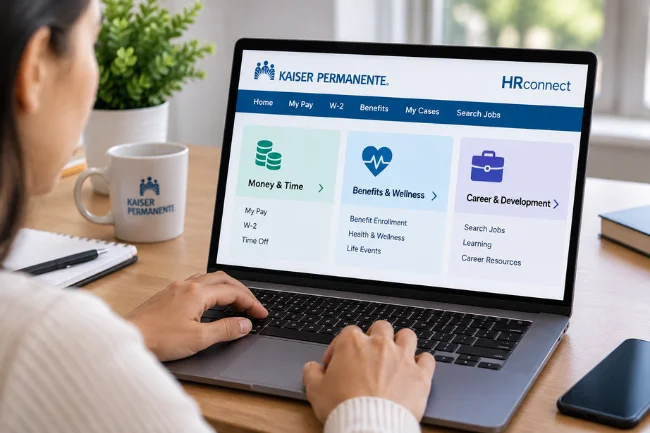
The public homepage groups resources under Money & Time, Benefits & Wellness, and Career & Development.
I find that organizing questions by those three categories is the fastest way to locate the right starting point.
Check Pay Information and W-2 Forms
The My Pay and W-2 links are particularly useful when you need to review payroll information or locate tax documents.
Depending on your access, the underlying system may provide earnings statements or additional payroll actions.
When a payment looks unexpected, compare the relevant pay period, hours, deductions, and any adjustments before assuming there is an error.
A pay statement reflects a specific processing period; it does not always mirror a current scheduling screen.
For tax season, download documents only from an authenticated employer service. Store copies securely and check that the tax year is correct before giving them to an accountant.
Find Time-Off and Leave Resources
HRconnect links to Time Off (absences) and Leave of Absence, including a route for submitting required leave documents.
That distinction matters. Planned vacation, a short absence, and a formal leave may involve different policies, notices, and approvals.
I suggest checking the actual request status rather than assuming that clicking Submit means the absence has been approved.
If your department relies on a manager, scheduling team, or separate timekeeping application, follow that workflow too.
Keep a personal note of the date submitted, the type of request, and any confirmation shown. That small habit is valuable when schedules change or a request needs clarification.
Review Benefits and Enrollment Information
The Benefits & Wellness section includes benefit enrollment, document submission, and benefit coverage summaries.
Employees can use those starting points to find plan information and complete actions for which they are eligible.
Benefits are not identical for every employee. Region, scheduled hours, employment group, and applicable agreements can affect coverage and program rules.
The HRconnect homepage itself says governing plan documents, contracts, and bargaining agreements take precedence over general website summaries.
I would therefore check the effective date, eligible dependents, required supporting documents, and enrollment deadline before making changes.
A successful upload does not automatically establish that a coverage change has been approved.
Follow Up on HR Questions Through My Cases
“My Cases” appears on the official public homepage. It is a useful place to start when an HR issue has already been raised or needs follow-up, subject to the access available to your account.
Before opening a new inquiry, gather the basic facts: the affected pay period or benefit, the date you noticed the issue, and any previous reference number.
Describe one problem clearly rather than combining several unrelated requests into a long message.
I also recommend keeping the case reference in a private record. It makes later conversations more precise and reduces the need to repeat sensitive details.
Explore Career and Development Resources
The Career & Development area links to job searches and student financial aid information.
Kaiser Permanente also directs current employees to internal employee job search options, which may differ from the application route for outside candidates.
For professional growth, I would review the eligibility conditions before assuming every course, tuition program, or job opening applies to my role.
For example, Kaiser Permanente’s Nurse Scholars Academy points employees to HRconnect for National Tuition Reimbursement information; eligibility still needs to be checked.
Look for Employee Discounts and Well-Being Support
HRconnect lists employee discounts and workforce well-being among its resources.
Discounts can be easy to overlook when an employee visits the portal only for a pay stub.
I would treat them as optional benefits to explore, not guaranteed savings. Check current terms, expiration dates, and eligibility before making a purchase or enrolling in an outside offer.
My HR at KP vs. Other Kaiser Permanente Accounts
One of the most common sources of confusion is assuming every Kaiser Permanente login serves the same purpose. It does not.
Here is how I separate the main destinations.
| Service | Main purpose | Typical user question |
|---|---|---|
| My HR / HRconnect | Employment, payroll, benefits, leave, HR support | “Where can I find my W-2?” |
| kp.org member account | Personal health care, appointments, prescriptions, medical information | “How do I refill a prescription?” |
| KP Careers | Job searches and application management | “Where can I apply for a position?” |
An employee may also be a Kaiser Permanente health plan member, but that does not make a member login a substitute for employee HR credentials.
The official member website describes health care tasks such as appointments, test results, and prescriptions—not employment payroll.
Likewise, the consumer Kaiser Permanente mobile app is primarily associated with member health services.
I would not describe it as a dedicated HRconnect app unless Kaiser Permanente specifically identifies an employee HR application for that purpose.
A Practical Checklist for New Employees
In the first few weeks of a new role, there is more to remember than just getting a password.
My recommendation is to use the portal as a checklist rather than waiting until something goes wrong.
First, confirm that your name, work assignment, and contact details appear correctly wherever the authorized HR system allows you to view them.
Next, find out where payroll statements are delivered and when benefit enrollment decisions are due.
Then locate the time-off policy that applies to your position, learn how your department records hours, and bookmark the official homepage—not a temporary sign-on page.
Finally, identify the internal support channel your manager recommends for access problems.
Doing this early can prevent an overlooked enrollment deadline, a lost document, or a payroll question that becomes harder to investigate weeks later.
Common My HR at KP Login Problems and Fixes
A failed login does not always mean the password is wrong.
Location settings, browser sessions, access permissions, and identity verification can all affect the experience. I would troubleshoot the symptom rather than repeatedly trying random passwords.
| Problem | Possible explanation | Sensible next action |
|---|---|---|
| Region selection keeps appearing | New browser, cleared cookies, or changed device | Choose the correct work region again |
| Password is rejected | Expired or incorrect credentials | Use the employer-approved recovery process |
| A page says access is denied | Missing permission or a session problem | Confirm eligibility and contact internal support |
| A section does not load | Browser, network, or service issue | Retry through the official homepage |
| Information looks outdated | Processing delay or unresolved HR change | Check the effective date and raise a targeted inquiry |
When Troubleshooting Is Not Enough
If account recovery does not work, use your internal IT service desk or the support route communicated by your employer.
Avoid unofficial sites that promise to unlock a Kaiser Permanente account or ask you to send an NUID and password by email.
The official HRconnect location-selection page specifically provides hrconnect-portal@hr.kp.org for continuing difficulty setting a location.
I would reserve that contact for the issue it addresses rather than treating it as a universal payroll or benefits help desk.
For a pay discrepancy or an enrollment question, start with the relevant HR section, case channel, or designated HR support team.
The right specialist is often more useful than a general technical reset.
Handling Payroll and Benefits Information Safely
An employee portal holds information that deserves more care than an ordinary shopping account.
Pay details, tax forms, addresses, and dependent records can expose personal information if handled casually.
I recommend opening HRconnect from a trusted device, verifying the domain before signing in, and completing any employer-required identity checks.
Do not approve unexpected authentication prompts, and never share one-time codes or passwords with someone claiming to be technical support.
When working on a shared computer, sign out completely and avoid saving downloaded tax forms to a public folder.
If you need a local copy, protect the device and remove duplicates you no longer need.
One more distinction is worth making: a secure login protects access, but it does not prove that every detail displayed is correct.
Read records carefully and report discrepancies through approved channels.
What to Check Before Changing Benefits or Requesting Leave
I use a simple three-part test for important HR actions: eligibility, evidence, and confirmation.
First, verify that your employment category and circumstances qualify for the change. Second, check whether the system requires a supporting document.
Third, look for an acknowledgment or final status.
For example, a life event such as having a child may allow a benefits change outside ordinary enrollment, but applicable timelines and proof requirements still matter.
Kaiser Permanente’s employee guidance emphasizes recording qualifying events and submitting documentation. The exact rules should come from your current plan materials.
The same approach works for leave requests.
A submitted form is a request; it is not necessarily an approved absence, a payroll adjustment, or a guarantee of job protection.
Keep those outcomes separate until the responsible team confirms them.
Small Habits That Make HRconnect More Useful
I would rather spend five minutes on routine checks than discover a problem during tax season or just before a planned vacation.
Reviewing pay after each payday, checking pending HR cases, and reading benefit notices near enrollment periods can catch issues while the details are fresh.
Keep a secure personal log of important transactions: what you requested, when you submitted it, and whether you received confirmation.
Record reference numbers, not passwords or sensitive identity documents.
Most of all, use the portal as a starting point for official information, not as a substitute for reading policies.
When the online summary and a plan document disagree, follow the governing documents and ask HR to clarify how they apply to your situation.
Frequently Asked Questions About My HR at KP
1. What is the official website for My HR at KP?
The official public HRconnect homepage is hrconnect.kp.org. Use your employer’s approved links for authenticated employee services.
2. How do I reset my Kaiser Permanente My HR password?
Use the approved account-recovery option shown during employee sign-on. If it does not work, contact Kaiser Permanente’s internal IT support.
3. Can I access My HR at KP from home?
Some HR resources are publicly reachable, but personalized services require authorized sign-on and may have additional security restrictions.
4. Where do I find my KP pay stub or W-2?
Start with the My Pay or W-2 links under Money & Time on the official HRconnect homepage, then authenticate if prompted.
5. Is the Kaiser Permanente app the same as My HR?
No. The main Kaiser Permanente member app focuses on health care services; HRconnect is the employee human resources destination.
Final Thoughts
My HR at KP can simplify everyday employment tasks when you know which section handles which question.
I suggest bookmarking the official HRconnect homepage, verifying your account access, and checking your pay, benefits, and leave details before a deadline approaches.
When a record needs correction, use the appropriate HR case or internal support channel rather than trusting an unofficial login guide.
The goal is not simply to sign in; it is to leave with reliable information and a clear next action.

Ethan Caldwell is a business research writer with 9+ years of experience covering entrepreneurship, market trends, business strategies, and industry insights. He focuses on creating clear, data-informed articles that help readers understand modern business concepts.