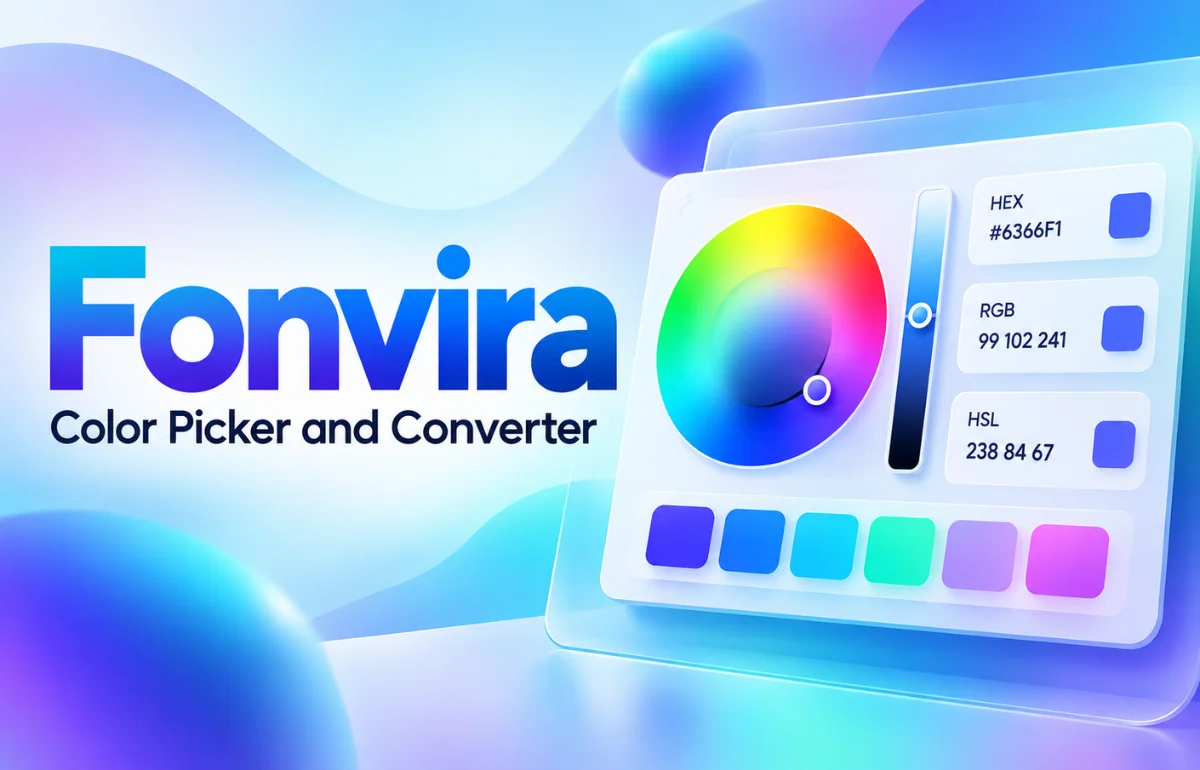
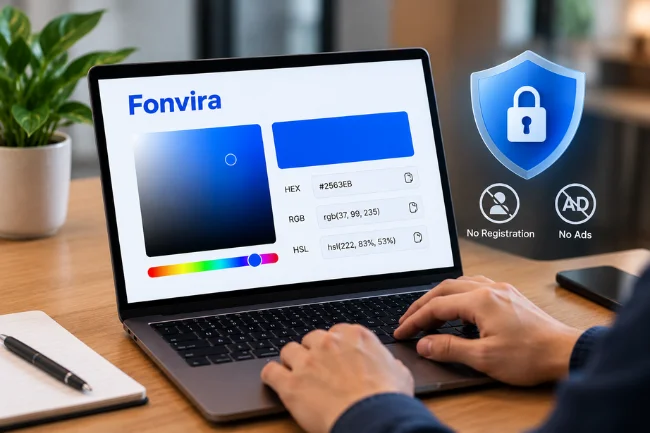
Fonvira is a free, browser-based color picker and converter that helps designers, developers, and content creators identify colors and convert them between HEX, RGB, and HSL formats. It provides a live color preview and lets users copy color values without downloading software or creating an account.
The platform focuses on making everyday color-related tasks faster and easier. Instead of manually calculating color codes or switching between multiple applications, users can select a color, view its corresponding values, and use them in websites or digital designs.
Fonvira works on desktop and mobile browsers, making it accessible to people with different levels of technical experience.
Although it has a relatively simple purpose, understanding its features, limitations, and practical applications can help users make more consistent design decisions.
Why Fonvira Matters in Digital Design
Color plays a bigger role in digital experiences than many people realize.
A poorly chosen background can make text difficult to read. Inconsistent button colors can weaken a website’s visual identity, while slightly different shades across pages can make an otherwise professional design feel unfinished.
I believe one of the most overlooked parts of good design is color consistency.
Creating an attractive color palette is only the beginning. Designers must also communicate those colors accurately to developers, marketing teams, and other people working on a project.
This is where Fonvira becomes useful.
The tool addresses a specific problem: finding the correct numerical representation of a color without unnecessary effort.
For example, a designer might provide a HEX color code, while a developer needs its RGB equivalent for a particular implementation. Rather than calculating the conversion manually, the developer can retrieve the corresponding value immediately.
This straightforward functionality can reduce small but repetitive interruptions during design and development.
What Are the Main Features of Fonvira?
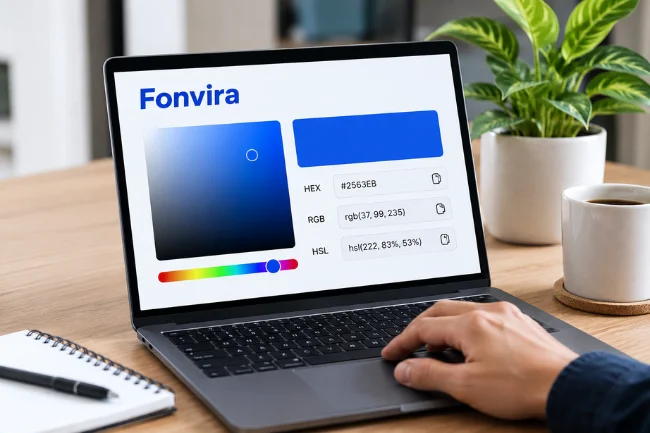
Fonvira is designed around a focused collection of color utilities rather than an extensive creative workspace.
According to its official website, its primary capabilities include color selection, format conversion, live previews, and convenient copying.
1. Browser-Based Color Picker
The color picker allows users to choose a color visually instead of entering numerical values from memory.
This is useful when experimenting with website backgrounds, navigation elements, buttons, or visual accents.
Users can also enter a HEX value directly when they already know the color they want.
2. HEX to RGB and HSL Conversion
Color conversion is one of the platform’s central functions.
When a user selects or enters a color, Fonvira displays its corresponding RGB and HSL representations.
These formats describe colors differently, but they can represent the same underlying sRGB color.
Having multiple formats available makes it easier to move between design files, stylesheets, and development environments.
3. Live Color Preview
A numerical color value does not always communicate how a color will look.
Fonvira includes a live preview that responds to the selected value.
This allows users to visually confirm their choice before copying the code into another application.
However, a preview alone cannot establish whether a color will be accessible or suitable for every screen.
4. One-Click Copying
Instead of selecting and manually copying a displayed value, users can use the tool’s copy controls.
This small convenience becomes meaningful when someone is working with several colors during a project.
It also helps avoid transcription mistakes, particularly when working with six-digit hexadecimal codes.
5. Free Access Without Registration
Fonvira states that users do not need a paid subscription or account to access its color conversion functionality.
There is no installation requirement, and the service is intended to work directly in a browser.
Its terms of service also permit personal and commercial use of the tool and its output, subject to the stated conditions.
Who Can Benefit From Using Fonvira?
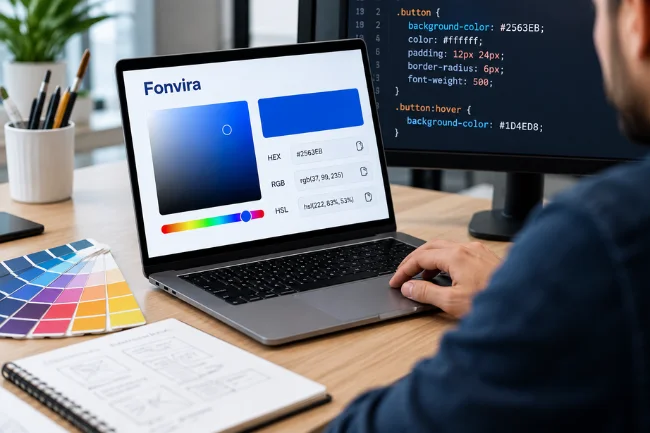
Although the interface is straightforward, the tool can serve several different audiences.
Web Designers and Developers
Web professionals regularly work with CSS color values.
Fonvira can help when transferring a selected color into a stylesheet, checking the RGB representation of a brand color, or retrieving HSL values for experimentation.
For smaller websites, this may eliminate the need to open a comprehensive design application just to convert a color.
Graphic Designers and Branding Teams
Brand consistency depends on using the same colors across different digital materials.
A graphic designer might need to communicate a primary brand color to a website developer or marketing specialist.
Providing its precise HEX and RGB values reduces ambiguity during that handoff.
Bloggers and Content Creators
Bloggers frequently make visual decisions involving headings, buttons, featured graphics, and website themes.
A color conversion utility can support these tasks without requiring advanced design knowledge.
For example, a blogger updating a website’s accent color can retrieve its HEX code and apply it consistently across supported theme settings.
Students and Beginners
People learning HTML, CSS, or digital design often encounter unfamiliar color notation.
Seeing different representations of the same color can help them understand how numerical values relate to visual output.
Fonvira can therefore serve as a simple companion while learning basic color concepts.
Understanding HEX, RGB, and HSL Color Formats
To make effective use of Fonvira, it helps to understand the differences between the three formats it supports.
Each format offers a different way to describe color.
| Color Format | What It Represents | Example | Common Application |
|---|---|---|---|
| HEX | Red, green, and blue expressed with hexadecimal digits | #2563EB | CSS, websites, brand guidelines |
| RGB | Numerical red, green, and blue components | rgb(37, 99, 235) | CSS, JavaScript, digital graphics |
| HSL | Hue, saturation, and lightness | hsl(222, 83%, 53%) | Color adjustments and design experimentation |
HEX: A Compact Way to Identify Colors
HEX color notation uses hexadecimal numbers to represent RGB components.
A common six-digit HEX code begins with a hash symbol, followed by pairs of characters for red, green, and blue.
For example, #FF0000 represents red, while #0000FF represents blue.
I generally consider HEX a convenient reference format because it is compact, recognizable, and widely supported.
However, HEX is not the only format available in modern CSS. Three-, four-, six-, and eight-digit hexadecimal forms are supported, with certain formats also expressing transparency.
RGB: Understanding Color Components
RGB stands for red, green, and blue.
In the familiar integer-based notation, each component ranges from 0 to 255.
For example, rgb(255, 255, 255) represents white, while rgb(0, 0, 0) represents black.
RGB is especially useful when a development task requires direct control of individual color channels.
Modern CSS also supports transparency through an alpha component, such as rgb(37 99 235 / 50%).
HSL: Adjusting Colors More Intuitively
HSL stands for hue, saturation, and lightness.
Hue identifies a position on the color wheel. Saturation describes color intensity, while lightness controls the value within the HSL model.
I find HSL conceptually useful when thinking about lighter, darker, or less saturated variations of a selected color.
However, HSL lightness is not identical to perceived brightness. Two different hues with the same HSL lightness may appear noticeably different to the human eye.
The MDN documentation on CSS color values explains this distinction and introduces more perceptually oriented color models.
How to Use Fonvira for Color Conversion
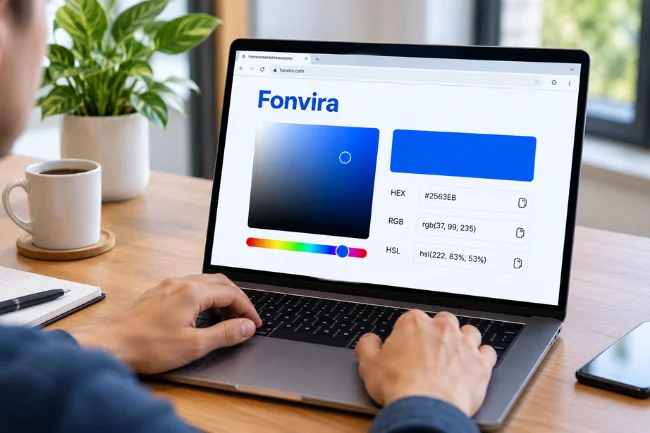
The basic process does not require specialized technical knowledge.
Start With the Official Website
Open fonvira.com in a compatible web browser.
The color selection interface is available directly on the homepage.
Because the utility is browser-based, users do not need to create a separate workspace before working with color values.
Select a Color or Enter a HEX Code
If you already have a brand color, enter its hexadecimal code into the relevant input field.
Alternatively, use the color picker to choose a shade visually.
The selected color becomes the reference for the values displayed by the tool.
Review the Generated Values
Once the color is selected, examine its HEX, RGB, and HSL representations.
The live preview provides visual confirmation, while the numerical values identify the color for use elsewhere.
I recommend checking the code carefully when copying colors from a brand document, especially if the source contains several similar shades.
Copy the Format You Need
Use the available copy control to retrieve the required value.
For CSS styling, HEX may be the simplest choice. RGB or HSL may be more convenient for other implementations.
After copying the value, paste it into your intended application and confirm that the appearance matches your expectations.
The final verification should happen in the actual design, not only inside the converter.
A Practical Example: Using Fonvira for a Website Button
Consider a website that uses #2563EB as its main blue accent.
This color can be represented as:
- HEX:
#2563EB - RGB:
rgb(37, 99, 235) - HSL: Approximately
hsl(222, 83%, 53%)
These values refer to the same color, allowing for small rounding differences in the displayed HSL values.
Suppose I want to apply the color to a call-to-action button.
I could use background-color: #2563EB; in CSS and pair it with white text.
For a darker hover state, I might independently choose #1D4ED8, creating a visible change when the user interacts with the button.
What I would not do is assume that the conversion tool automatically creates a complete button design or verifies the accessibility of that combination.
The tool provides color information. Choosing an appropriate visual hierarchy and interaction state remains a design responsibility.
This distinction is useful because color conversion and color evaluation are related tasks, but they are not interchangeable.
Fonvira and Website Accessibility
One of the most valuable uses of a color code is checking whether it works alongside other colors.
Readable text depends partly on sufficient contrast between foreground and background colors.
The Web Content Accessibility Guidelines, commonly called WCAG, provide measurable contrast requirements.
Under WCAG 2.2, the Level AA minimum is generally 4.5:1 for normal text and 3:1 for large text, with specified exceptions.
Why Color Conversion Alone Is Not Enough
A color may look attractive in isolation but become difficult to read when placed behind text.
For example, a light gray heading on a white background may appear elegant on a design mockup while being difficult to distinguish on a phone.
I prefer evaluating color combinations rather than individual shades for this reason.
The following examples illustrate how different pairings perform against the WCAG contrast requirement for normal text.
| Text Color | Background Color | Contrast Ratio | WCAG AA Normal Text |
|---|---|---|---|
White #FFFFFF | Blue #2563EB | 5.17:1 | Pass |
Black #000000 | Blue #2563EB | 4.06:1 | Fail |
Gray-blue #94A3B8 | White #FFFFFF | 2.56:1 | Fail |
Dark slate #111827 | Pale gray #F8FAFC | 16.96:1 | Pass |
These ratios are calculated using the WCAG relative-luminance formula. They are not reported results from a built-in Fonvira contrast checker.
What These Results Reveal
An interesting finding is that white text passes the normal-text contrast requirement on the example blue background, while black text does not.
That challenges the assumption that black lettering is always easier to read.
The correct choice depends on the actual foreground and background values.
Fonvira can help retrieve these values, but I recommend using a dedicated WCAG contrast checker to evaluate the combination before publishing.
Accessibility also involves more than contrast. Important information should not depend on color alone, and meaningful interface components need adequate visual distinction.
Is Fonvira Safe and Private to Use?
Privacy deserves attention even when a website provides a simple utility.
According to the platform’s privacy policy, color inputs and conversion operations are processed locally within the user’s browser.
The service also states that it does not require registration or use advertising and tracking cookies.
That reduces the need to provide personal information for ordinary color conversion.
However, browser-based processing does not necessarily mean that visiting a website creates no network activity.
What About Third-Party Services?
Fonvira’s published policy discloses that it uses Google Fonts and a content delivery network.
Loading web fonts may involve a connection to Google’s servers, while hosting and security infrastructure can generate technical request logs.
Its contact form also relies on an external service to deliver submitted messages.
For me, the useful distinction is between processing color values locally and making ordinary website requests to supporting infrastructure.
These are not the same thing.
Based on the published policy, Fonvira provides a privacy-conscious color conversion workflow, but users should read the current policy when privacy requirements are particularly strict.
Fonvira Compared With More Advanced Design Tools
Not every color-related task requires a sophisticated application.
A comprehensive graphic design platform may include layout editing, image manipulation, typography controls, collaborative libraries, and reusable components.
Fonvira takes a narrower approach.
Its documented functionality centers on selecting colors, converting formats, previewing results, and copying values.
That makes it suitable for quick tasks where opening a larger application would add unnecessary complexity.
However, it should not be mistaken for a complete visual design environment.
For projects requiring automated palette generation, professional color management, detailed accessibility audits, or advanced design collaboration, additional tools may be needed.
Similarly, it does not replace image editing software, website builders, or design systems.
I see its strongest use as a companion utility that handles one recurring task efficiently.
Common Color Mistakes to Avoid
Even a convenient conversion tool cannot prevent every design mistake.
Understanding a few common problems can improve the quality of the final result.
Confusing Color Formats With Different Colors
HEX and RGB can represent exactly the same sRGB color.
Changing from one notation to another does not inherently make a shade brighter, darker, or more saturated.
Displayed HSL values may involve rounding, so converting rounded values back into RGB can sometimes produce a tiny numerical difference.
Ignoring Transparency
A standard six-digit HEX code contains red, green, and blue information without a separate alpha component.
Transparency requires an additional representation, such as eight-digit HEX or CSS color functions with alpha values.
If transparency is needed, confirm that the destination application accepts the notation being used.
Relying Only on a Live Preview
A preview is helpful, but color appearance can vary with display settings, surrounding elements, lighting conditions, and the device’s capabilities.
I would not approve a complete brand palette solely because its colors look attractive inside a picker.
Testing in real page layouts is more informative.
Forgetting About Wider Color Spaces
HEX, RGB, and HSL values commonly used by simple web color tools operate within the sRGB model.
Modern CSS also supports wider-gamut and perceptually oriented formats, including Display P3 and OKLCH.
Converting a wide-gamut color into an ordinary sRGB representation may not preserve its original appearance exactly.
For advanced color workflows, the color space itself matters as much as the numerical notation.
How I Would Build a Consistent Color Workflow
The best way to use Fonvira is to treat it as one part of a repeatable process.
I would begin by selecting a small group of colors with clearly defined purposes: a primary brand color, secondary accent, background, text color, and status colors where needed.
Next, I would record a canonical HEX value for each color and use Fonvira when an equivalent RGB or HSL value is required.
Then I would evaluate accessibility and test the colors in their intended contexts.
Create a Simple Color Record
One practical method is to maintain a small reference document for every important color.
For example:
- Color name: Primary Blue
- HEX value:
#2563EB - Intended use: Main buttons and selected links
- Text pairing: White
#FFFFFF - Calculated contrast ratio: 5.17:1
This approach provides something more useful than an unorganized collection of color codes.
It connects each color to its purpose and records whether its intended text pairing meets a measurable contrast threshold.
Keep Design Decisions Consistent
When the same color appears across multiple pages, I prefer managing it through shared CSS custom properties or a centralized design reference.
That way, a future brand update can be applied consistently.
For example, defining --brand-primary: #2563EB; provides a reusable reference in CSS.
Fonvira helps identify the correct value, while the design system controls where and how that value is applied.
This separation reduces accidental inconsistencies and makes future maintenance easier.
Is Fonvira Worth Using in 2026?
Fonvira is worth considering if your main requirement is quick, free color conversion without account creation or software installation.
Its value lies in its simplicity.
Beginners can use it to understand common color formats, while experienced developers can use it to retrieve values during routine work.
The main limitation is its focused scope.
It should be evaluated as a color picker and conversion utility, not as a replacement for advanced design software or accessibility testing.
For someone who regularly transfers color values between design and code, that focused functionality may be exactly what is needed.
Final Thoughts
Fonvira offers a straightforward solution for selecting colors and converting HEX, RGB, and HSL values.
Its browser-based approach, live preview, and copying controls make it useful for routine website design and development tasks.
I recommend starting with a color you already use, checking its alternative representations, and testing the final combination inside your actual project.
Visit the official Fonvira website to explore its color picker and decide whether it fits your workflow.
Frequently Asked Questions About Fonvira
What is Fonvira used for?
Fonvira is used to select colors, preview them, and convert their values between HEX, RGB, and HSL for web design and digital development.
Is Fonvira free to use?
Yes. According to its official website, Fonvira is free and does not require registration, installation, or a paid subscription.
Can I use Fonvira on my mobile phone?
Yes. Fonvira is designed to work in web browsers on both mobile devices and desktop computers.
Does Fonvira save or collect my color selections?
Fonvira states that color processing happens locally in the browser and that selected color values are not stored on its servers.
Is Fonvira suitable for professional web design?
Yes, for basic color selection and conversion. Professional projects may also require separate tools for accessibility checks, color management, and complete design systems.

Noah Sterling is a technology research writer with 8+ years of experience covering emerging technologies, software trends, digital tools, and innovation. He creates practical, research-based articles to help readers understand the evolving technology landscape.