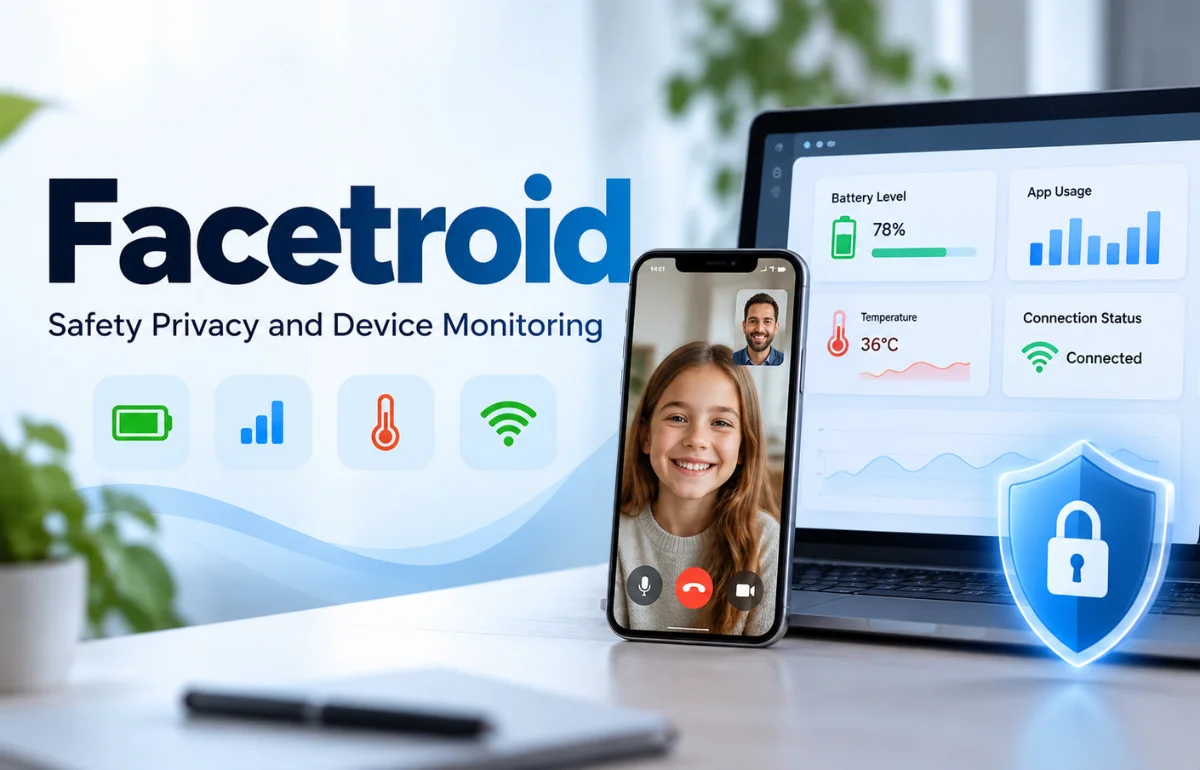
Facetroid is a service presented on its public website as a free FaceTime activity viewer, live device-monitoring tool, and browser-based dashboard for checking device status. The site describes live video streaming, battery information, app usage, temperature, connection status, and remote device access.
Based on the information currently available, Facetroid is not clearly documented as a conventional AI facial-recognition platform that identifies people from biometric faceprints. That distinction matters because some online articles describe Facetroid as facial-recognition software, while the product page I reviewed focuses on FaceTime and device monitoring.
Here, I separate documented product claims from assumptions and explain the privacy questions I would ask before using it.
What Is Facetroid, Exactly?
The simplest description of Facetroid comes from its own public website: it is marketed as a free tool for live FaceTime viewing and device monitoring. The page promotes a browser-based experience, live camera feeds, device diagnostics, and real-time information such as battery percentage, app usage, temperature, and connection strength.
That description is different from facial recognition. Facial recognition normally means analyzing a face in an image or video, turning facial characteristics into a mathematical template, and comparing that template with another image or a reference database. The purpose may be identity verification, access control, fraud prevention, or search.
Facetroid’s public-facing copy does not clearly document those biometric functions. I could not verify a published recognition model, accuracy rate, false-match rate, liveness benchmark, biometric template policy, or independent security audit from the product page. For that reason, I would describe Facetroid as a device-monitoring and live-view service unless the company publishes additional technical documentation.
The distinction matters: a live device feed raises privacy questions, while stored or compared facial biometrics introduce another layer of risk.
How Facetroid Appears to Work
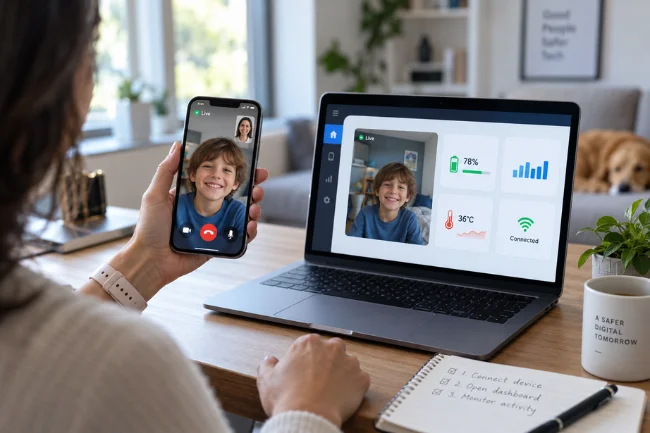
The public website presents a simple flow: connect a device, open a live dashboard, and view activity or diagnostics in real time. I use the word “appears” deliberately because the available page describes the user experience but does not publish a complete architecture or independent technical documentation.
Live camera and FaceTime viewing
Facetroid promotes access to live video feeds associated with FaceTime activity. Its marketing language frames this as a way to check what is happening on a device or to stay connected with family members and remote locations.
Any service involving a live camera feed should be treated as sensitive. A camera can reveal faces, conversations, rooms, screens, documents, locations, and daily routines. A user should never assume that “live” means “risk-free.” Even if a company says that feeds are not recorded, the connection may still generate metadata such as login events, device identifiers, IP addresses, timestamps, or diagnostic logs.
Device diagnostics
The Facetroid page shows device information including battery level, active app usage, temperature, and network connection. Those details can help with legitimate troubleshooting or remote support, but they can also reveal when someone is using a device, which applications are open, and whether the device is online.
That makes the permission model important. A trustworthy service should explain what access is required, whether the permission is temporary or persistent, what the account owner can see, and how access can be revoked. If those answers are difficult to find, I would pause before connecting a personal device.
Browser access and downloads
The site promotes a browser-based experience and also refers to downloading or getting started across iOS and Android devices. Those statements should be checked carefully before installation. Users should confirm that an app is distributed through an official store, that the developer name matches the company, and that the app requests only permissions related to its stated function.
I would avoid installing an unknown profile, configuration file, browser extension, or sideloaded application simply because a page promises instant access. Convenience is not a substitute for verified ownership and transparent permissions.
Cross-platform compatibility
Facetroid’s public page claims compatibility across iOS and Android. Cross-platform monitoring can be technically complicated because Apple and Android use different permission systems, privacy controls, background-process rules, and remote-access restrictions.
That claim therefore deserves more detail than a simple feature label. A useful product explanation would identify the supported operating-system versions, the exact setup for each platform, whether the monitored device owner must approve access, and what happens when operating-system permissions change.
Facetroid Compared With Facial Recognition
The terms “FaceTime monitoring,” “face detection,” and “facial recognition” are not interchangeable. Here is the practical difference.
| Capability | Facetroid’s publicly described service | Conventional facial-recognition system |
|---|---|---|
| Primary purpose | Live viewing and device monitoring | Detecting, verifying, or identifying faces |
| Main output | Video feed and device diagnostics | Match result, identity score, or biometric decision |
| Typical data | Camera stream, device status, connection details | Face images, facial landmarks, biometric templates |
| Common users | Remote support, device checking, personal monitoring | Banks, access-control teams, security systems, platforms |
| Evidence needed | Permission controls and secure streaming | Accuracy tests, liveness results, bias testing, retention rules |
Based on the current public product page, Facetroid fits the first column more closely. That does not prove that the service has no facial-analysis capability; it means the capability is not clearly documented where a prospective user would expect to find it.
If you are searching for Facetroid because you want identity verification, KYC, biometric login, or deepfake detection, do not rely on a general description. Look for a technical page that specifically explains how the system processes faces, whether it creates biometric templates, how long those templates remain available, and whether an independent party has tested the results.
Is Facetroid Safe?
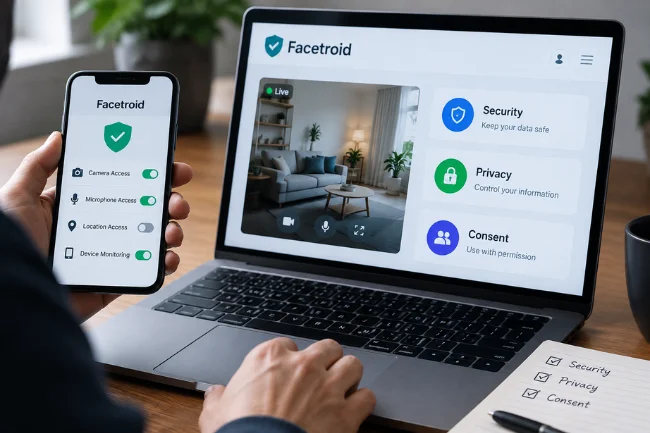
There is no single yes-or-no answer without knowing the exact app, permissions, infrastructure, and account setup being used. I would separate Facetroid’s safety question into three parts: security, privacy, and consent.
Security is not the same as privacy
Security asks whether data is protected from unauthorized access. Privacy asks whether the data should be collected, who can access it, how long it is kept, and whether the person being monitored agreed to it.
Encryption can help protect a video stream while it is moving between devices, but encryption does not make unwanted monitoring acceptable. Similarly, a service may avoid recording video while still collecting account information, connection logs, or device metadata.
The public Facetroid page claims that feeds are live, not stored, and protected with end-to-end encryption. Those are claims to investigate, not proof. I would look for a detailed privacy policy, third-party disclosures, and a clear deletion process.
Consent must be explicit
A live device-monitoring service should only be used with the informed permission of the device owner and anyone whose image, voice, or activity may be captured. This is particularly important when the proposed use involves a partner, family member, employee, tenant, student, or child.
Marketing language about “peace of mind” or “full transparency” can make monitoring sound harmless. It is not harmless if the other person does not understand what is being viewed, when it is being viewed, and who can see it. Secret surveillance can damage relationships, violate workplace rules, and create legal exposure.
I would not use Facetroid—or any comparable tool—to bypass a password, defeat a device owner’s security settings, or monitor someone without clear consent. A legitimate remote-support workflow should make authorization visible rather than encouraging users to hide it.
Questions I would ask before connecting a device
- Who operates Facetroid, and is the legal company name easy to verify?
- What exact permissions are required on the source and viewing devices?
- Does the device owner approve every connection?
- Is video ever cached, recorded, or processed by a third-party provider?
- Can the account owner revoke access immediately?
- Is there a public privacy policy and a clear deletion process?
- Does the service require an Apple ID, Google account, password, or device profile?
- Is there an official support channel with a real company identity?
The more sensitive the camera feed, the more specific the answers should be.
Facetroid Privacy: What to Check in Practice
Before using a monitoring service, I would review the privacy page from the same domain rather than relying only on the homepage. I would look for the identity of the data controller, the categories of data collected, the reason for collection, retention periods, sharing partners, international transfers, and user rights.
I would also check how live access ends. Does closing the browser stop the feed? Does the session expire automatically? Can the monitored device see an active connection? These details often matter more than broad phrases such as “secure and private.”
The safest setup is one that minimizes access. A service should not need a permanent password when a temporary authorization token or official operating-system permission can do the job. It should not require unrelated contacts, messages, photos, or location data if the only advertised function is live device viewing.
If a download asks you to disable built-in security controls, install an unknown certificate, or provide credentials through an unfamiliar form, stop. A free service is not worth compromising the device or account that contains your private life.
Is Facetroid Free?
Facetroid’s public marketing presents the service as free and advertising-supported. That is a pricing claim, not a complete cost analysis: users should check for limits, optional paid features, data charges, and third-party integrations. I would also review what privacy cost comes with allowing a company to handle camera feeds, device information, and account metadata.
Limitations and Red Flags to Consider
The main limitation is a lack of independently verifiable technical detail. The public page describes a polished experience but does not clearly identify the company behind the service, publish security certifications, explain its architecture, or provide independent testing.
The product language also creates questions that deserve direct answers. A page can say that feeds are never stored, but users still need to know whether temporary buffers exist, whether analytics providers receive metadata, and whether support staff can access sessions. A page can say that access is secure, but users need to know what happens when an account is compromised.
Another concern is feature confusion. A live FaceTime viewer is not automatically a facial-recognition platform. It may show a face without recognizing who the person is. It may monitor a device without creating any biometric profile. Treating those functions as identical can lead users to make the wrong privacy and security decisions.
I would also be cautious about generic testimonials, unexplained version numbers, and unsupported claims. None proves that a service is malicious, but together they make independent verification more important.
Facetroid or an Official Platform Tool?
For many common needs, an official platform feature may be easier to audit than an unfamiliar monitoring service. The best choice depends on the goal.
| Your goal | Option to investigate first | What to verify |
|---|---|---|
| Video calling | FaceTime, Google Meet, or Zoom | Account controls, meeting permissions, recording settings |
| Family device limits | Apple Screen Time or Google Family Link | Guardian consent, visibility, notifications, data controls |
| Remote technical help | Official remote-support or device-management tools | Temporary access, session expiry, audit logs |
| Biometric login | Device passkeys or built-in biometric authentication | Local processing, recovery methods, account security |
| Business identity checks | An established, audited identity provider | Accuracy, liveness testing, bias results, compliance, retention |
No large platform is automatically safe, but mature tools often publish more information about permissions, recovery, updates, and data handling.
A Practical Facetroid Verification Checklist
Before using Facetroid, I would make five checks.
Confirm the exact product
Start with the official domain and confirm whether the service is for live device monitoring, facial recognition, or both. Do not assume that an article, search snippet, or social post accurately describes the product.
Review access requirements
Write down every permission the service requests. If the function is live viewing, permissions for unrelated files, contacts, messages, or account credentials deserve an explanation.
Test with low-risk data
If the service passes the first checks, use a spare device without personal photos, saved passwords, financial applications, or confidential documents. This is not a substitute for vendor due diligence, but it limits the damage if access behaves differently than expected.
Confirm the off switch
Make sure you can revoke access, sign out every session, delete the account, remove permissions, and uninstall the software. A service that is easy to activate but difficult to disable is not a good privacy design.
Document consent
For any shared device or live camera, make sure the people affected know what is being accessed and why. Keep the arrangement visible and reversible.
Final Verdict: What Should You Believe About Facetroid?
Facetroid is best described, based on its public product page, as a free FaceTime and device-monitoring service with live viewing and diagnostics features. Its website highlights camera feeds, device status, browser access, cross-platform monitoring, advertising-supported access, and privacy claims such as no recording and encryption.
I would not describe Facetroid as a proven AI facial-recognition platform without stronger evidence. The public information I reviewed does not establish biometric identity matching, faceprint creation, KYC capability, deepfake detection, accuracy benchmarks, or independent validation.
That does not automatically make Facetroid unsafe or illegitimate. It does mean that users should verify the company, permissions, privacy policy, data retention, and consent model before connecting a device. If you are researching Facetroid for business or security purposes, ask the vendor for technical documentation and independent evidence instead of relying on broad marketing language.
For personal use, use only a clearly authorized device, avoid sharing passwords, review every permission, and stop if the service asks you to bypass normal security controls. A convenient live view is never worth losing control of your account or someone else’s privacy.
Frequently Asked Questions About Facetroid
What is Facetroid?
Facetroid is publicly presented as a free FaceTime activity viewer and live device-monitoring service with video feeds and device diagnostics.
Is Facetroid an AI facial-recognition platform?
That has not been clearly verified from the public product information. The official page emphasizes FaceTime viewing and device monitoring rather than biometric identity recognition.
Is Facetroid free?
The website markets Facetroid as free and advertising-supported, but users should check current terms, limits, optional charges, and data practices before signing up.
Is Facetroid safe to use?
Safety depends on permissions, consent, account security, data handling, and vendor transparency. Do not connect a sensitive device until those details are clear.
Does Facetroid record video?
The public website claims that feeds are live and not stored, but users should review the privacy policy and ask how temporary buffers, metadata, and third-party services are handled.

Noah Sterling is a technology research writer with 8+ years of experience covering emerging technologies, software trends, digital tools, and innovation. He creates practical, research-based articles to help readers understand the evolving technology landscape.