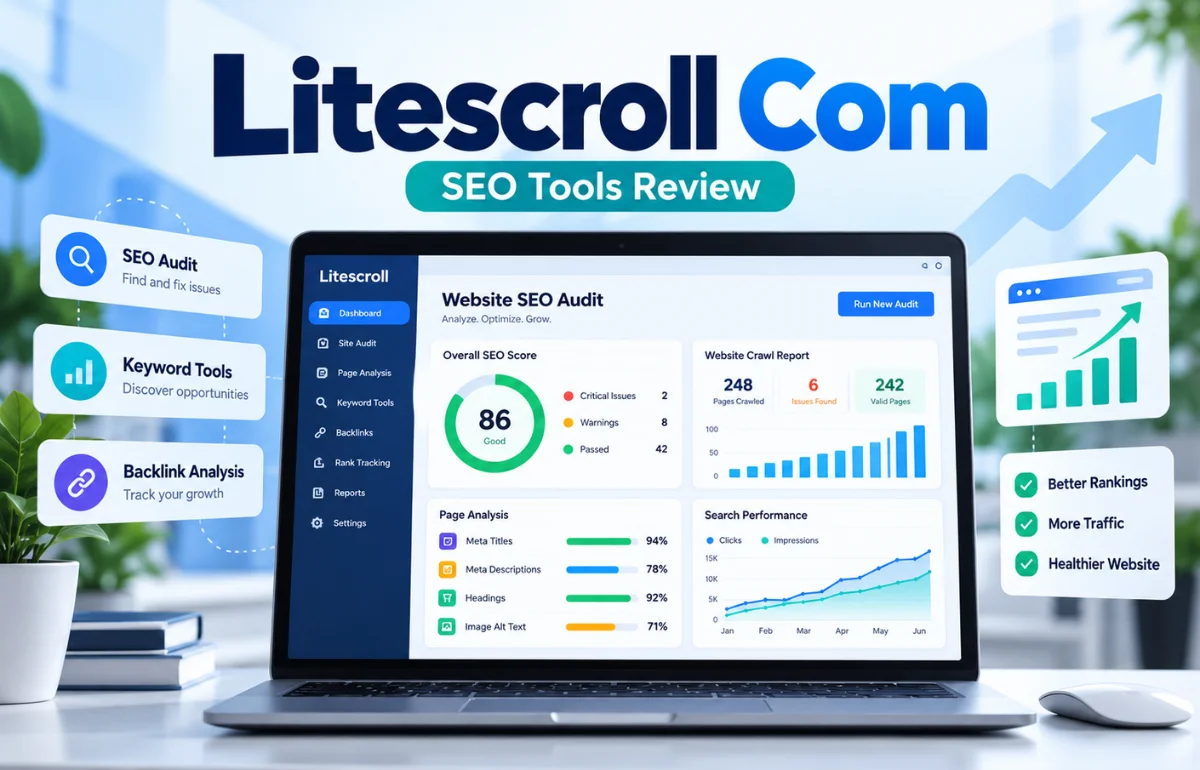
Litescroll. com is an SEO tools website that helps website owners find common technical and on-page search optimization problems. Its main products are LiteScroll SEO Crawler, which scans up to 25 website pages per free audit, and LiteScroll SEO Inspector, a Chrome extension for examining one page at a time.
The website also offers a request-based Pro SEO Audit for deeper reviews. In everyday terms, it helps you check whether titles, descriptions, headings, canonical tags, links, images, and indexing signals need attention.
It does not directly control Google rankings or replace Google Search Console. Based on the platform’s published product pages, I see its clearest role as an accessible first-pass SEO checker, especially for blogs and small business websites.
What Is LiteScroll.com, and Who Is It For?
LiteScroll positions itself as a straightforward website audit platform for bloggers, freelancers, small SEO teams, and business owners. Instead of starting with complex competitor databases or expensive subscriptions, it focuses on problems that can be spotted in a site’s pages.
I would classify LiteScroll as a technical and on-page SEO utility rather than a full digital marketing suite. It is built to examine visible website signals and produce reports. Keyword market research, competitive backlink intelligence, conversion analysis, and content strategy require other methods.
The search phrase “Litescroll. com” sometimes includes a space before the domain extension. The actual website address is litescroll.com. The brand name should not be confused with unrelated scrolling apps or browser software.
Main Features of Litescroll. com
LiteScroll SEO Crawler: A Free Multi-Page Audit
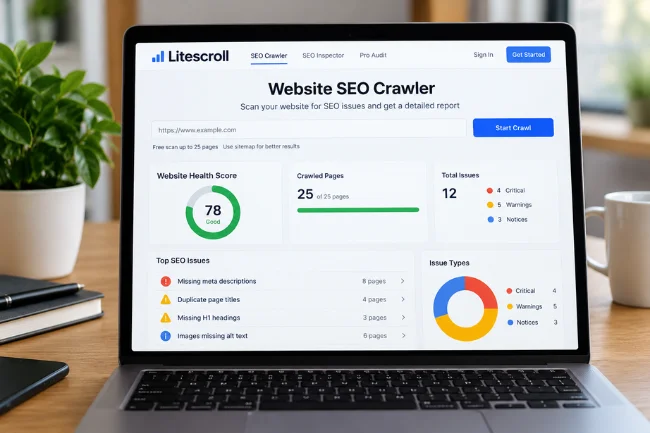
The LiteScroll SEO Crawler is the platform’s website-wide checking tool. You submit a public website URL and select the available crawl settings. The service describes a free limit of up to 25 pages per scan, with an option to use a sitemap when available.
It checks for missing, short, long, or repeated page titles; weak or absent meta descriptions; H1 and heading problems; canonical URLs; robots and noindex signals; and image alt attributes. It also groups issues into a report with an SEO score and page-level warnings.
The 25-page ceiling is worth remembering. A clean limited report does not mean a 500-page website is clean. It means the pages the crawler actually reached did not trigger the same warnings.
LiteScroll SEO Inspector: A Chrome Page Checker
LiteScroll’s second main product is SEO Inspector, a browser extension designed to inspect the current page in Chrome. Its advertised checks include page title, description, H1–H6 headings, internal and external links, image attributes, canonical and robots information, structured data, and social sharing tags.
The extension also offers a keyword tab to check whether a target phrase appears in key page locations. Its Copy Headings and Copy Summary functions are useful when editing a long article or reviewing a competitor’s public page structure.
Exportable Reports and SEO Scores
LiteScroll describes CSV-style crawler exports, printable or PDF-style reports, and JSON or HTML/PDF-style output from Inspector. Exact export behavior can depend on browser support and the particular tool.
Pro SEO Audit for Larger Reviews
The website also promotes a Pro SEO Audit for users who need deeper technical and on-page analysis. Its request form asks for a name, email address, website URL, audit size, website type, and review goals.
LiteScroll advertises a request flow for audits of up to 100 pages, along with prioritized recommendations. The public pricing page describes this as a custom request rather than publishing a fixed Pro fee. I would ask for the exact scope, cost, delivery format, and turnaround arrangements before committing.
| LiteScroll option | Primary purpose | Published scope | Best fit |
|---|---|---|---|
| Free SEO Crawler | Review multiple website pages | Up to 25 pages per scan | Small-site health checks |
| SEO Inspector | Inspect the current Chrome page | One page at a time | Editing and page reviews |
| Pro SEO Audit | Request deeper analysis | Up to 100-page request | Larger or higher-stakes sites |
How to Use LiteScroll for a Meaningful SEO Review
Start With a Question, Not Just a Score
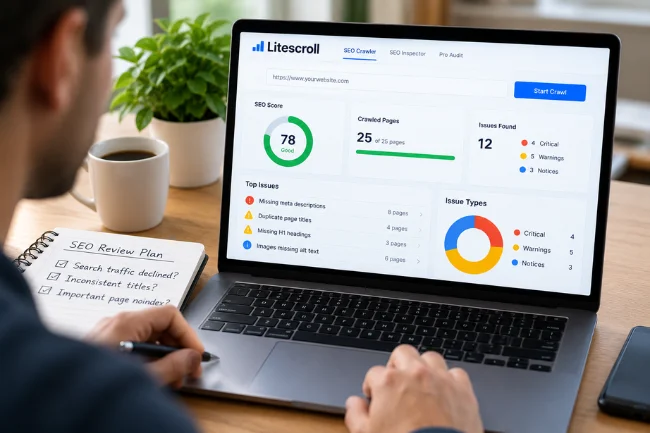
Before running any checker, I decide what I want to learn. Have search visits declined after a redesign? Do blog articles have inconsistent titles? Is an important service page unexpectedly marked noindex?
A specific question makes the report more useful. Otherwise, the temptation is to spend an afternoon correcting cosmetic warnings while ignoring the issue blocking a valuable page from appearing in search.
Run the Free Crawl and Check Coverage
Open the crawler, enter a public site address, choose the permitted crawl settings, and review the pages discovered. If a sitemap option is available, consider using it to improve page discovery.
My first check would be the URL list, not the score. Does it contain the homepage, main service pages, recent articles, and key categories? If important sections are missing, the report represents only part of the website.
Turn Warnings Into a Priority List
I sort findings by potential business impact. An unintended noindex directive on an important page comes before a slightly long meta description. A canonical leading away from the intended URL comes before a minor heading preference.
For each finding, I record the affected address, the evidence, the proposed correction, and who will make it. I also note whether the warning was confirmed manually. This simple distinction prevents teams from treating every automated suggestion as an emergency.
Inspect Important Pages Individually
The Chrome extension is especially relevant for checking a page after a CMS or theme update. I would examine the title shown in the browser, the H1, the canonical, internal links, and structured data before publishing major changes.
As of the site’s currently published download instructions, the extension is supplied as a ZIP file, version 0.3.3, installed through Chrome Developer Mode using Load unpacked. The page says Chrome Web Store availability is still pending. That is a meaningful installation distinction, not simply a technical detail.
Understanding What the SEO Checks Actually Tell You
Titles and Meta Descriptions
A title should accurately identify the page and distinguish it from similar pages. Repeated titles across different articles can make a site harder to understand and navigate.
Meta descriptions can help communicate why someone should visit, but Google may generate snippets from the page itself. A warning about character length is a useful editing prompt, not proof of a ranking problem. I favor accurate, useful descriptions over forcing every snippet into an arbitrary character count.
Headings and Content Structure
A crawler can flag a missing H1, an empty heading, or unusual heading order. These are worth checking for clarity and accessibility. However, Google’s guidance does not prescribe a magic number of headings, and a second H1 is not automatically a search penalty.
For a blog article, I ask whether a reader can understand the structure by scanning headings alone. That test often leads to better edits than mechanically chasing a perfect automated score.
Canonical URLs, Noindex, and Crawlability
Canonical tags suggest which URL should represent duplicate or substantially similar content. Noindex directives ask search engines not to include a page in results. Both may be intentional, so changing them blindly can create new problems.
For example, a filtered product URL might correctly point to a main category. A private thank-you page might correctly carry noindex. In contrast, a primary service page accidentally marked noindex deserves prompt investigation.
A third-party crawler cannot conclusively tell you whether Google indexed a particular URL. For Google’s actual view, use the URL Inspection and Page Indexing reports in Search Console.
Images, Links, and Structured Data
LiteScroll can identify images with missing alt attributes and inspect links or schema markup. I would review these findings in context. Informative images benefit from descriptive alt text, while decorative images may correctly use an empty alt attribute.
Broken navigation, vague anchors, and missing internal links can make content harder to discover. Structured data checks are useful too, but detecting JSON-LD is not the same as proving eligibility for a Google rich result. Google’s Rich Results Test and documentation remain the better verification sources.
LiteScroll vs. Google Search Console: Do You Need Both?
Yes, for many site owners, the tools answer different questions. LiteScroll examines selected page elements. Google Search Console provides Google-reported information about search queries, clicks, impressions, crawling, indexing, and URL status for verified properties.
| Question | LiteScroll | Google Search Console |
|---|---|---|
| Are key title or heading elements missing? | Designed to flag on-page issues | Not a dedicated sitewide heading audit |
| Which search queries bring impressions? | Not an advertised core feature | Provides query performance data |
| Is a particular URL indexed by Google? | Can inspect indexing signals | Shows Google’s reported URL status |
| Can I check a public page without property ownership? | Offers crawler and page-inspection workflows | Full property reports require access |
| What should I fix first? | Highlights detected page issues | Adds search visibility and indexing evidence |
I see the strongest workflow as complementary: Search Console identifies where search performance or indexing needs attention; LiteScroll highlights possible on-page causes; manual review confirms the fix.
Is Litescroll. com Free, and What Are Its Limitations?
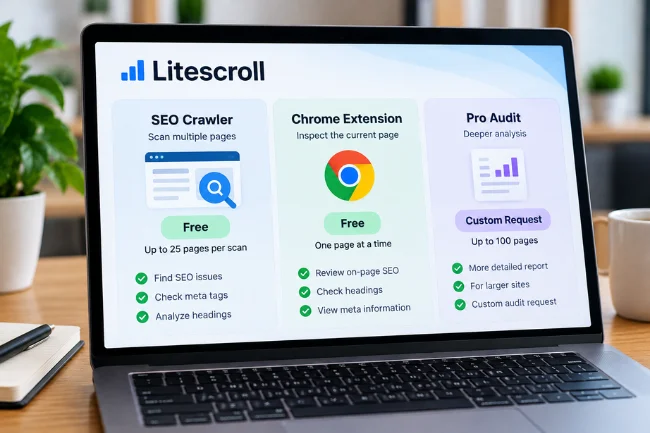
The website advertises its crawler and Chrome extension as free. The crawler is capped at up to 25 pages per scan. Pro is presented as a custom audit request, not a clearly published monthly subscription or fixed-price checkout.
Its main limitations follow from its scope. Twenty-five pages may miss large parts of a website. A browser inspector examines one page, not the site’s overall architecture. JavaScript-heavy or restricted content may be incompletely scanned. Neither tool replaces keyword demand research, backlink analysis, real-user performance monitoring, or strategic content evaluation.
I would also distinguish issue detection from issue resolution. Identifying a duplicate title is relatively straightforward. Deciding whether two pages should be consolidated, differentiated, redirected, or left alone requires an understanding of their audience and purpose.
Is LiteScroll.com Safe and Legitimate to Use?
LiteScroll publishes an About page, contact information, terms, disclaimer, and a privacy policy updated October 12, 2026. Those are useful transparency signals, although they do not independently verify the security or accuracy of every tool.
According to its privacy policy, the website may process submitted URLs, contact details, support messages, IP addresses, device information, and server logs. It also states that service providers may process information to operate the site. I would avoid submitting confidential or restricted URLs until the handling arrangements are suitable for that information.
The Chrome extension calls for extra care because the official download page instructs users to install an unpacked ZIP through Developer Mode. Before installing any extension this way, I would verify the source, examine requested permissions, and avoid granting unnecessary access. Sideloading is not evidence of wrongdoing, but it does remove some safeguards associated with Chrome Web Store distribution and review.
I have reviewed the published pages for this article, not independently penetration-tested the service or tested a completed crawl. Its public documentation supports describing its advertised functions; it does not justify a blanket claim that every scan is accurate or that any download is risk-free.
How to Get More Value From a 25-Page SEO Crawl
Here is a technique I recommend for small websites: judge the sample by page type, not merely by page count. A crawl containing 25 nearly identical blog posts may overlook the template used by service pages or product listings.
For a site with several content types, I would try to assess whether the results cover the homepage, principal services, category pages, recent posts, older posts, and important conversion pages. The tool’s actual discovery behavior may limit which URLs appear, so the point is to assess coverage, not assume that it accepts a custom sampling list.
I also separate template defects from page-specific defects. If ten pages share the same broken heading structure because of a theme component, fixing that template may solve ten warnings. If one landing page has an incorrect canonical, that needs a targeted correction.
Finally, I keep a small change log: URL, warning, confirmed cause, fix date, and next verification. This creates a useful record when a redesign, plugin update, or new content batch reintroduces an old problem.
Common Mistakes to Avoid With Automated SEO Audits
The first mistake is confusing a tool’s score with search performance. A technically neat page can fail to attract readers because it does not answer a real question. A valuable page can perform well despite minor formatting warnings.
The second is fixing every notice without asking why it exists. An empty alt attribute may be correct for decoration. Noindex may protect low-value pages from appearing in results. A canonical pointing to another URL may reflect an intentional content strategy.
I would also avoid repeatedly checking scores without changing anything meaningful. Make one documented improvement, verify it, and then evaluate its real effect over an appropriate period.
Final Verdict: Is LiteScroll Worth Trying?
For a blogger, freelancer, or small business owner who needs quick visibility into everyday on-page issues, LiteScroll appears to offer a useful starting point. Its free crawler and single-page Inspector address different tasks, while the Pro request option offers a route to discuss broader work.
I would begin with a public, non-sensitive website, check which pages the crawler covers, and manually validate its most consequential warnings. Pair the findings with Search Console before making major SEO decisions. Visit Litescroll. com to review the current tools, limits, and terms for yourself.
Frequently Asked Questions
What is Litescroll. com used for?
It is an SEO website offering a multi-page crawler, a Chrome page inspector, and a Pro audit request service for reviewing website optimization issues.
Is Litescroll. com free to use?
Its website advertises free 25-page crawler scans and a free Inspector extension. Pro audits require a custom request.
How many pages can LiteScroll scan for free?
The published free limit is up to 25 pages per scan; the number actually discovered may depend on accessibility and site structure.
Is LiteScroll SEO Inspector available on the Chrome Web Store?
The current official download instructions describe a ZIP installed with Chrome Developer Mode and say Web Store availability is pending.
Can LiteScroll improve Google rankings automatically?
No. It identifies possible SEO issues, but rankings depend on content, technical accessibility, competition, and many other factors.

Midori Michael is an independent digital content research writer with 8+ years of experience creating well-researched articles on digital marketing, business, technology, and lifestyle topics. She focuses on simplifying complex information through accurate research and clear editorial writing.