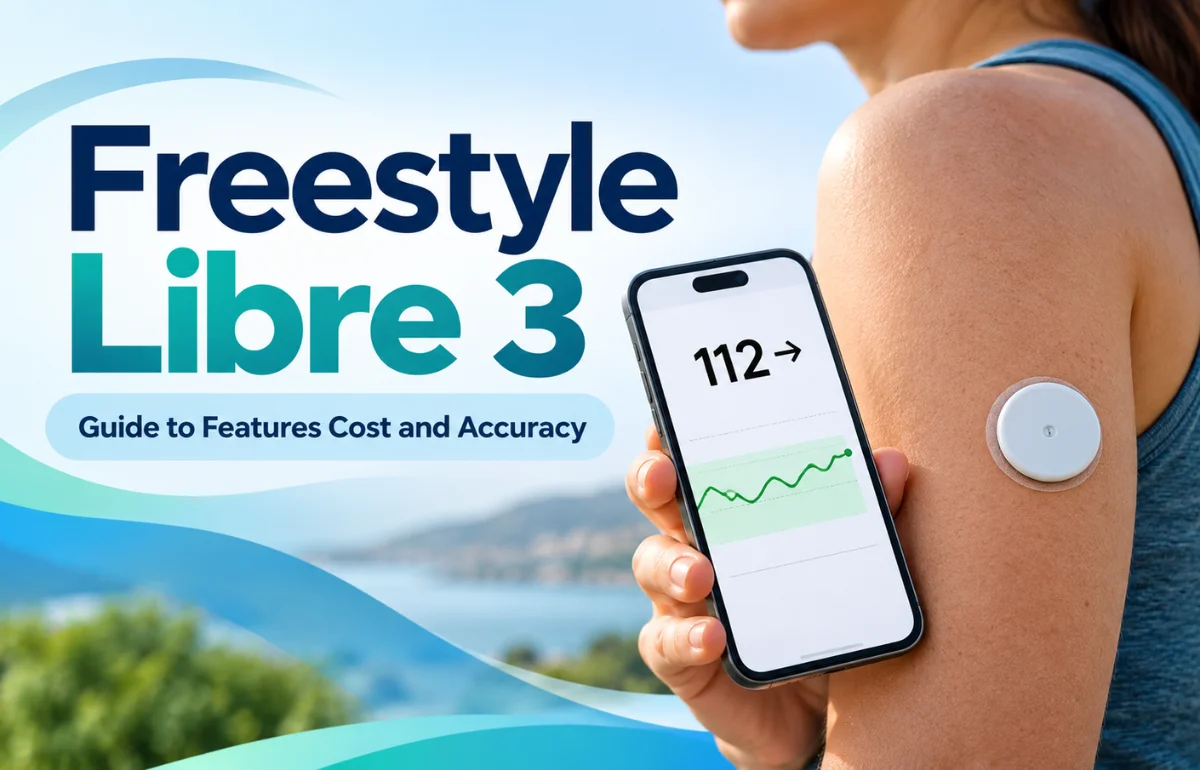
FreeStyle Libre 3 is a prescription continuous glucose monitoring (CGM) system made by Abbott for people living with diabetes. A small sensor worn on the back of the upper arm measures glucose in the fluid just beneath the skin and sends updated readings to a compatible smartphone or reader every minute. Unlike a traditional finger-prick meter, it shows not only a glucose number but also whether that number is rising, falling, or staying steady.
The original FreeStyle Libre 3 sensor lasts up to 14 days. Its newer replacement, FreeStyle Libre 3 Plus, lasts up to 15 days and adds compatibility with selected automated insulin delivery systems. Both belong to the Libre 3 family. That distinction matters because the exact sensor version changes what users can expect.
How Does FreeStyle Libre 3 Work?
A blood glucose meter gives a snapshot; FreeStyle Libre 3 builds a moving picture. A tiny, flexible filament sits just below the skin, where it measures glucose in interstitial fluid rather than directly in the bloodstream.
The sensor communicates wirelessly with the compatible Libre app or dedicated reader. After activation and a 60-minute warm-up, glucose readings appear automatically, without routine scanning. The display also includes a trend arrow and a graph showing changes over time.
Readings Every Minute
Frequent updates can reveal patterns that occasional fingersticks miss: a rise after breakfast, a drop during a long walk, or an overnight low. Not every change requires action; I would look for patterns across several readings.
Glucose Alerts
The system can warn users when glucose is too high or low, provided alarms are configured correctly and the reading device stays connected. Its urgent low glucose alert is set at 55 mg/dL in the U.S. app. Phone battery, Bluetooth permissions, distance, and sound settings can affect whether an alert reaches you.
FreeStyle Libre 3 vs. FreeStyle Libre 3 Plus
The Libre 3 system has two sensor generations. Abbott says it is discontinuing the original Libre 3 sensor in the United States and directing users toward Libre 3 Plus. An existing prescription for the original sensor may need to be changed.
| Feature | Original Libre 3 sensor | Libre 3 Plus sensor |
|---|---|---|
| Maximum wear time | 14 days | 15 days |
| Approved age in the U.S. | 4 years and older | 2 years and older |
| Automatic glucose updates | Every minute | Every minute |
| Routine scanning required | No | No |
| Compatible automated insulin delivery | No | Yes, with selected systems |
| Vitamin C caution | More than 500 mg/day may affect readings | More than 1,000 mg/day may falsely raise readings |
The extra day may mean fewer annual sensor changes. More significantly, Libre 3 Plus supports selected pumps; the original sensor cannot be used with automated insulin dosing.
My practical advice is to check the full name printed on the prescription and sensor box. “Libre 3 system” does not, by itself, tell you whether a pharmacy will dispense the 14-day or 15-day sensor. Rules differ by country.
Who Is FreeStyle Libre 3 For?
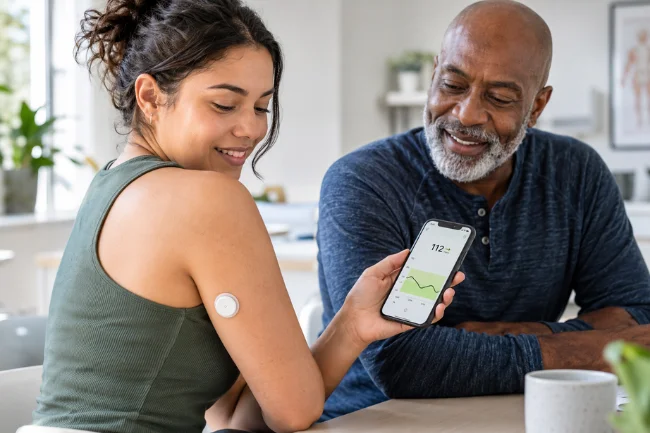
FreeStyle Libre 3 is intended for people with diabetes who can benefit from seeing glucose changes throughout the day. That includes people with type 1 or type 2 diabetes, especially insulin users or those experiencing hypoglycemia.
The American Diabetes Association’s 2026 guidance supports CGM for people using insulin and also recognizes situations where it helps people using other diabetes treatments. The decision should depend on the person’s treatment, risk of hypoglycemia, and ability to use the technology, rather than diabetes type alone.
Children, Parents, and Caregivers
Age eligibility depends on the sensor: the original Libre 3 is cleared for ages four and older in the United States; Libre 3 Plus is cleared for ages two and older. Parents and caregivers may find remote glucose sharing helpful, particularly during school or sleep.
However, it is not a substitute for a child’s individualized diabetes care plan. Abbott also warns that the system has not been evaluated for people on dialysis or those who are critically ill. A clinician should confirm suitability in less typical circumstances.
How to Apply and Start the Sensor
The approved application site is the back of the upper arm. The disposable applicator places the sensor’s tiny filament beneath the skin, leaving a small adhesive patch and sensor housing on the surface.
Before Application
I would start by checking the sensor’s expiration date, packaging, and any current safety notice. Clean the site as instructed, let it dry completely, and avoid irritated skin, scars, or areas likely to rub against tight clothing. Rotate sites with each replacement to reduce skin irritation.
Starting a New Sensor
Follow the app or reader instructions to apply and activate the sensor. Activation involves bringing the device close to the sensor once; afterward, routine glucose updates arrive without scanning. The 60-minute warm-up begins before readings become available.
Choose the app or reader at activation; you cannot switch the active sensor between them afterward. Check smartphone and operating-system compatibility before applying one, not after you’ve opened the package.
Living With It
The sensor is water-resistant for bathing and swimming, within the manufacturer’s limits of approximately three feet of water for up to 30 minutes. Avoid catching it on towels, doorframes, or clothing. If the sensor loosens, comes out, or stops working, follow replacement instructions rather than trying to reinsert it.
How Accurate Is FreeStyle Libre 3?
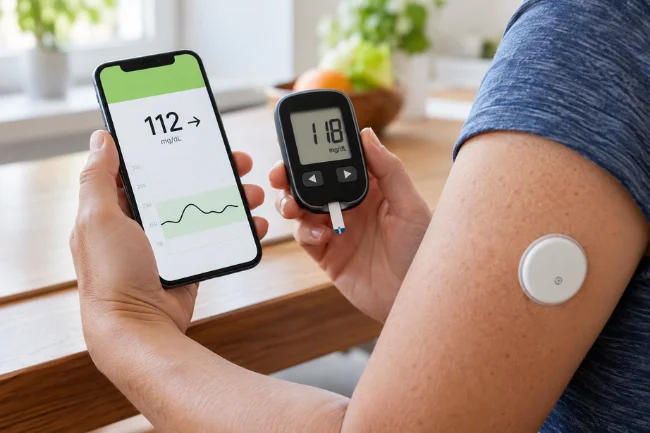
FreeStyle Libre 3 is designed to provide clinically useful glucose readings, but no CGM is perfect. Accuracy can vary with glucose level, the speed of glucose change, sensor condition, and individual circumstances. I would be cautious of any review that promises laboratory-level precision on every reading.
A major reason for differences is physiology. The sensor checks interstitial fluid, whereas a fingerstick checks blood. After a meal, insulin dose, or exercise session, those two values may temporarily diverge because glucose changes reach the compartments at different times.
When Should You Use a Fingerstick?
Keep a separate blood glucose meter available. Use it for treatment decisions when symptoms disagree with the CGM reading, the device tells you to check blood glucose, or readings are missing or seem implausible.
When the sensor-inaccuracy symbol appears during the first 12 hours of wear, Abbott instructs users not to make treatment decisions from the sensor values and to confirm glucose with a blood meter.
If you feel shaky, sweaty, confused, or otherwise unwell but the sensor appears normal, do not ignore your symptoms. Follow your prescribed hypoglycemia plan and seek urgent medical assistance for severe symptoms.
Other Factors That Can Affect Readings
Pressure on a sensor during sleep, poor adhesion, and interrupted connectivity can complicate interpretation. High vitamin C intake is another sensor-specific concern: Abbott warns about more than 500 mg daily for the original sensor and more than 1,000 mg for Libre 3 Plus.
The thresholds are not interchangeable, so check your exact product’s labeling and discuss supplements with your care team.
Understanding Your Glucose Data Without Becoming Obsessed
The biggest benefit is not collecting thousands of numbers. It’s understanding which patterns are worth discussing with a healthcare professional. I find it more helpful to review a week or two of glucose patterns than to chase every small fluctuation on a graph.
Time in Range
Time in range, or TIR, measures the percentage of time glucose stays within a chosen target. For many nonpregnant adults with diabetes, a commonly used range is 70–180 mg/dL. The ADA’s 2026 Standards of Care identify a goal above 70% time in range for many adults, but targets should be individualized.
Time below range matters just as much. For many adults, general targets include less than 4% of readings below 70 mg/dL and less than 1% below 54 mg/dL. People who are pregnant, older, or at greater risk from hypoglycemia may need different goals.
Look at Context, Not Just the Peak
Imagine two breakfasts that both produce a reading of 190 mg/dL. One glucose curve returns toward target promptly; the other stays elevated for hours. The peak alone doesn’t tell the whole story.
I would pair the graph with notes about meal timing, activity, sleep, illness, and medication. That combination gives a clinician something actionable to assess. It can also help you avoid blaming a single food for a change caused partly by stress or inactivity.
GMI Is Not the Same as A1C
A glucose management indicator, or GMI, estimates an A1C-like value from average CGM glucose. It is useful for discussing trends, but it may differ from a laboratory A1C result. Neither number should be interpreted in isolation.
Everyday Benefits and Trade-Offs
The appeal is convenience. Instead of interrupting a meeting or workout to check glucose, users can glance at a phone and see the current reading and direction. Trend data may also help identify recurring highs after meals and lows overnight.
For people who fear hypoglycemia, alarms can provide reassurance. Sharing features can involve a family member or caregiver without requiring them to be physically present. Still, alerts are not guaranteed if a device is disconnected or improperly configured.
There are trade-offs. Adhesive can irritate sensitive skin, sensors sometimes fail early, and frequent notifications can become mentally tiring. A CGM can also encourage unhelpful checking if every minor rise starts to feel like a mistake. I prefer using the information to identify patterns, not judge meals.
Apps, Data Sharing, and Insulin Pumps
Abbott’s newer Libre app supports compatible Libre 3-family sensors and is replacing the older FreeStyle Libre 3 app. Device compatibility should be checked through Abbott’s current list before buying or updating a phone. A compatible dedicated reader remains an option for people who don’t want to depend on a smartphone.
The LibreLinkUp app allows invited caregivers to view shared glucose information, while LibreView helps users share reports with clinicians. Internet access and correct account settings are needed for remote sharing. A caregiver’s screen should never be treated as a guaranteed emergency alarm system.
Libre 3 Plus can work with selected automated insulin delivery systems, including supported Omnipod 5, Tandem t X2, iLet, and twiist configurations in the U.S. Compatibility depends on the specific pump, software, and region; owning a Libre 3 sensor does not automatically create a connected insulin pump system.
The Libre app also offers Libre Assist, a feature that predicts possible food-related glucose effects from meal information. I view it as an optional educational aid, not dosing advice: Abbott explicitly warns that its AI-generated predictions may be inaccurate and must not guide treatment decisions.
FreeStyle Libre 3 Cost and Insurance Coverage
There isn’t one price that applies to everyone. Out-of-pocket cost depends on your country, insurance, pharmacy, prescription, and whether you need a reader. In the U.S., Abbott says many privately insured users with coverage pay $0–$20 for sensors, but that is not a guaranteed price for a particular patient.
Abbott also advertises a savings option for eligible commercially insured or uninsured customers who are asked to pay more than $75 for two sensors. Terms and availability can change, and government-insured beneficiaries may not qualify for that offer.
Original Medicare may cover a CGM when a person uses insulin or has a history of problematic hypoglycemia and meets other requirements. Deductibles, coinsurance, and supplier participation affect costs.
Before filling a prescription, I would ask the insurer whether the specific Plus sensor is covered, whether prior authorization is required, and which supplier offers the lowest actual out-of-pocket price.
2026 FDA Recall: A Safety Check Worth Making
This is one update I would not skip. Abbott announced a correction in November 2025 for certain FreeStyle Libre 3 and Libre 3 Plus sensors that could display glucose readings lower than the actual level.
On February 4, 2026, the FDA classified the action as a Class I recall, its most serious category. The recall concerns specific affected sensors, not every Libre 3-family device.
If you use either model, check the sensor serial number through FreeStyleCheck.com and follow the FDA’s current notice. Affected sensors should be discontinued and discarded; Abbott provides replacements at no charge. The FDA says the corresponding readers and mobile apps were not part of this recall.
Incorrect low readings can lead someone to consume unnecessary carbohydrates or delay insulin, so this is a treatment-safety issue, not merely an annoying display error. When any CGM result doesn’t match how you feel, verify with a blood glucose meter instead of assuming the sensor is correct.
Is FreeStyle Libre 3 Worth It?
For someone managing diabetes, the value lies in whether a continuous view helps them make safer, more informed decisions with their care team. If medication adjustments, overnight lows, or unpredictable glucose swings are concerns, the information may be particularly useful.
I would weigh four practical questions before choosing it: Is the exact sensor suitable for my age and treatment? Does my phone or reader support it? Can I reliably access replacements? And will I use the trends constructively instead of watching them constantly?
A sensor that fits your care plan matters more than marketing claims.
Final Thoughts
FreeStyle Libre 3 makes glucose trends easier to see, while Libre 3 Plus adds longer wear and selected insulin-pump connections. Neither eliminates the need for judgment, a backup glucose meter, or professional guidance.
If you’re considering it, check the latest recall information, confirm coverage and compatibility, and ask your diabetes care team which sensor best fits your treatment plan.
Frequently Asked Questions
How long does a FreeStyle Libre 3 sensor last?
The original Libre 3 sensor lasts up to 14 days; Libre 3 Plus lasts up to 15 days. Each sensor is disposable.
Does FreeStyle Libre 3 hurt when applied?
Most users experience little discomfort, although individual sensations vary. Temporary tenderness, bruising, or skin irritation can occur.
Does FreeStyle Libre 3 require finger pricks?
Not for routine readings, but you still need a blood glucose meter when symptoms and sensor readings disagree or the system requests confirmation.
Can I shower or swim with FreeStyle Libre 3?
Yes, within Abbott’s water-resistance limits: approximately one meter deep for no longer than 30 minutes.
Can FreeStyle Libre 3 connect to an insulin pump?
The original 14-day sensor cannot be used for automated insulin dosing. Libre 3 Plus supports selected compatible pump systems.

Claire Morgan is a health and wellness writer with 7 years of experience creating clear, research-informed content on nutrition, sleep, movement, preventive habits, and everyday wellbeing. She focuses on making reliable health information practical and easy to understand. Her articles are educational and do not replace professional medical advice.